VPS vs cloud server is a common comparison for businesses, developers, and website owners planning to move beyond shared hosting. But are these actually two different technologies, or are the terms being used to describe similar infrastructure?
The confusion is understandable. Both can provide virtualized computing resources, dedicated IP addresses, root access, and the flexibility to run websites, applications, databases, and development environments.
The important difference is usually how the underlying infrastructure is designed, how resources are allocated, and how easily your server can scale.
Choosing the wrong option could mean paying for resources you don’t need or selecting infrastructure that cannot support your future workload.
If you’re planning to upgrade your hosting environment, you can register with TezHost to explore available hosting solutions. You can also talk to a TezHost sales agent for assistance in comparing server requirements.
Let’s understand the terminology, technical differences, and practical use cases.
What Is a VPS?
A Virtual Private Server (VPS) is a virtual machine created on a physical server using virtualization technology.
A hypervisor divides the physical server’s computing resources into separate virtual environments. Each VPS operates with its own allocated CPU, RAM, storage, and operating system.
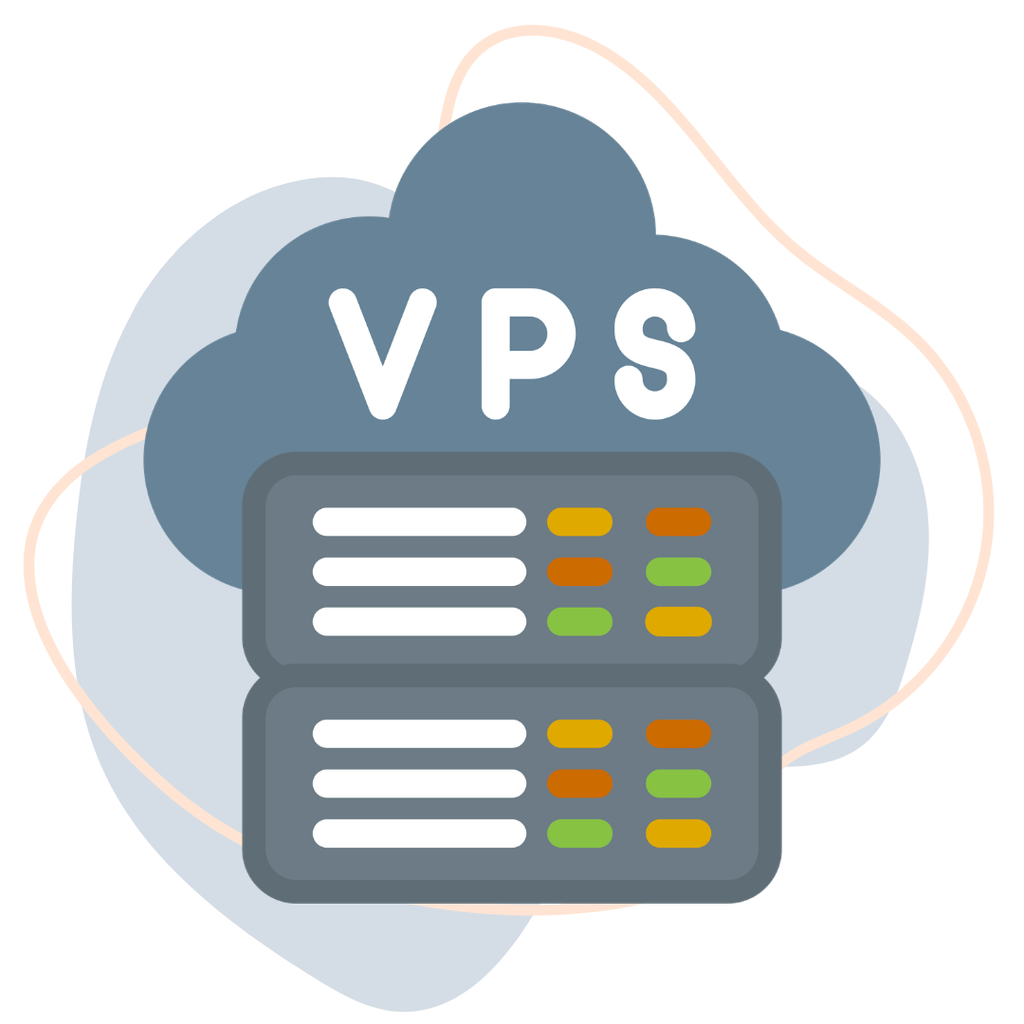
Think of it as having a private apartment inside a larger building. You share the physical building, but your apartment has its own space and facilities.
A VPS typically provides:
- Allocated CPU and RAM.
- Dedicated virtual storage.
- Root or administrator access, depending on the plan.
- Independent operating system environments.
- Custom software and application installation.
- Greater control than traditional shared hosting.
For example, a developer can use a VPS to deploy a Node.js application, configure a database, install Docker, or run a custom development environment.
A VPS is particularly useful when you need predictable resource allocations and greater server-level control without renting an entire physical server.
What Is a Cloud Server?
A cloud server is a virtual server provisioned using cloud computing infrastructure.
Unlike a traditional VPS that may be hosted on a single physical machine, cloud server platforms can use a pool or cluster of physical resources connected through a cloud infrastructure layer.
Depending on the provider’s architecture, this can support flexible resource allocation, easier upgrades, and infrastructure-level redundancy.
Cloud servers commonly provide:
- Virtual CPU and RAM.
- Scalable storage options.
- Root or administrator access.
- Dedicated or assigned IP addresses.
- Operating system choices.
- Cloud infrastructure management.
- Integration with additional cloud services.
For example, an ecommerce business may use a cloud server to run its website, application backend, and database while increasing computing resources as demand grows.
However, not every cloud server automatically offers instant scaling, automatic failover, or distributed storage. These capabilities depend on the provider’s infrastructure and service configuration.
VPS vs Cloud Server: What Is the Actual Difference?
The main difference in the VPS vs cloud server comparison is the underlying infrastructure and how resources are provisioned.
A traditional VPS is commonly hosted on one physical server, while a cloud server is provisioned through a cloud infrastructure platform that may draw resources from multiple physical systems.
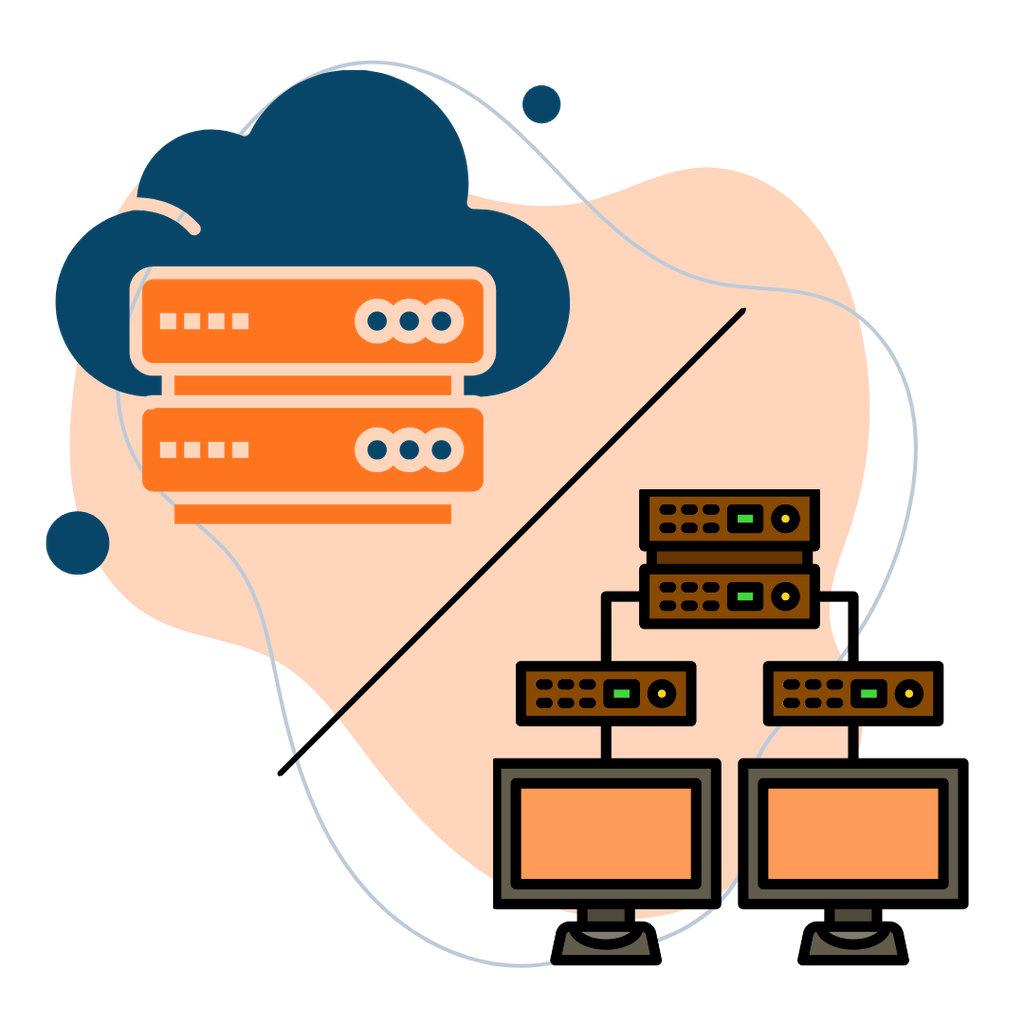
Here is a practical comparison:
| Feature | Traditional VPS | Cloud Server |
|---|---|---|
| Infrastructure | Commonly one physical host | Cloud resource pool or cluster |
| Virtualization | Uses a hypervisor | Uses virtualization within cloud infrastructure |
| Resources | Allocated CPU, RAM, and storage | Allocated resources with provider-dependent flexibility |
| Scalability | Usually requires a plan upgrade | May support easier vertical or horizontal scaling |
| Redundancy | Depends on the physical host and provider | Can offer infrastructure-level redundancy |
| Performance | Predictable with properly allocated resources | Depends on resource allocation and cloud architecture |
| Pricing | Often fixed monthly pricing | Fixed or usage-based, depending on provider |
| Best suited for | Stable workloads and controlled environments | Growing applications and flexible infrastructure needs |
One important clarification: a cloud server can itself be a VPS. Cloud servers commonly use virtualization too. The terms are not mutually exclusive.
When evaluating a VPS vs cloud server, ask the provider where the virtual machine runs, how resources are allocated, and what happens if the underlying hardware fails.
7 Important Differences to Consider Before Choosing
Understanding cloud vs virtual servers becomes easier when you compare the practical requirements of your applications rather than relying on product names.
1. Infrastructure Architecture
A traditional VPS is generally created on a single physical server. The hypervisor manages virtual machines and allocates resources to each environment.
Cloud infrastructure can use multiple physical servers connected through a resource management layer.
This distinction matters because the underlying architecture influences how resources are provisioned, how hardware failures are handled, and what scaling options are available.
However, a cloud label alone does not guarantee that your virtual machine will automatically move to another host during a hardware failure. Confirm the provider’s redundancy and recovery arrangements.
2. Resource Allocation and Performance
Both VPS and cloud servers can offer allocated CPU, RAM, and storage.
For a VPS, performance depends on the physical host, resource allocation, storage technology, and the workloads running on the machine.
Cloud server performance depends on similar factors, along with the provider’s cloud infrastructure and resource scheduling.
For technical workloads, look beyond advertised specifications. Check:
- CPU generation and vCPU allocation.
- RAM capacity.
- SSD or NVMe storage.
- Storage IOPS and throughput.
- Network capacity.
- Virtualization technology.
- Resource isolation policies.
A server with more vCPUs is not automatically faster. CPU architecture, workload optimization, and storage performance also matter.
3. Scalability and Future Growth
A traditional VPS typically has a defined resource allocation. When your application outgrows the available CPU, RAM, or storage, you may need to upgrade to a larger package.
Cloud platforms can make scaling more flexible, depending on their architecture and the features included in the service.
For example, an online store may experience traffic increases during seasonal campaigns. A cloud environment with suitable scaling options can make it easier to increase resources as demand grows.
However, scaling may still require a reboot, migration, configuration change, or additional payment. Always confirm how upgrades work before choosing a provider.
4. Redundancy and Availability
Hardware failure is an important consideration when comparing a VPS vs cloud server.
If a traditional VPS depends on one physical host, a serious hardware issue can affect the virtual machines running on it.
A cloud platform may provide additional resilience through clustered infrastructure, replicated storage, or automated recovery mechanisms.
But these capabilities are not automatic. Ask whether the provider offers:
- Automatic failover.
- Data replication.
- Redundant storage.
- Infrastructure monitoring.
- Backup services.
- Disaster recovery options.
Remember that backups and high availability are different. Backups help restore data, while high-availability systems are designed to reduce service interruption.
5. Cost and Billing Structure
A traditional VPS often comes with a fixed monthly price and defined resource allocation.
Cloud server pricing can also be fixed, although some cloud platforms offer usage-based billing for computing, storage, bandwidth, and additional services.
When comparing costs, calculate the total monthly expense rather than looking only at the starting price.
Include:
- CPU and RAM.
- Storage capacity.
- Monthly bandwidth.
- Backup services.
- Additional IP addresses.
- Licensing fees.
- Management and support.
- Data transfer charges, where applicable.
A cloud server is not necessarily more expensive than a VPS. The actual cost depends on the provider, configuration, and workload.
6. Control and Customization
Both VPS and cloud servers can provide substantial control over the operating system and installed applications.
Depending on the service, you may be able to:
- Install Linux or Windows.
- Configure firewalls.
- Deploy Docker containers.
- Install web servers such as Nginx or Apache.
- Configure databases.
- Run custom scripts and applications.
- Manage users and access permissions.
The important factor is whether the provider gives you root or administrator access and allows the configurations your workload requires.
For developers, infrastructure flexibility can be just as important as CPU and RAM.
7. Security and Isolation
A VPS provides an isolated virtual environment, but it still shares underlying physical hardware with other virtual machines.
Cloud servers can also use isolated virtual resources on shared physical infrastructure.
The security of either option depends on the provider’s infrastructure, virtualization security, network controls, and your own server configuration.
Consider:
- Firewall configuration.
- SSH key authentication.
- Multi-factor authentication for control panel accounts.
- Operating system updates.
- Access permissions.
- Backup policies.
- Monitoring and intrusion detection.
- Data encryption.
Dedicated virtual resources do not automatically mean dedicated physical hardware. If your application requires exclusive physical resources, consider whether a dedicated server is more appropriate.
When Should You Choose a VPS or a Cloud Server?
The best option depends on your workload, expected growth, technical requirements, and budget.
| Requirement | Suitable Option |
|---|---|
| Small application with predictable traffic | VPS |
| Development and testing environment | VPS |
| Custom software with fixed resource needs | VPS |
| Growing ecommerce application | Cloud server |
| SaaS platform with changing resource requirements | Cloud server |
| Applications requiring cloud service integration | Cloud server |
| Workloads requiring exclusive physical hardware | Dedicated server |
A VPS can be a practical choice when you want predictable resources and control over a specific virtual environment.
A cloud server may be more suitable when your infrastructure needs flexibility, cloud integrations, or provider-supported scaling and redundancy.
For a deeper comparison, read our guide on Cloud Hosting vs VPS: 5 Tips for Your Choice.
How TezHost Is Improving the Cloud Server Experience
At TezHost, the focus is on providing server infrastructure with practical resources, technical flexibility, and options for businesses at different stages of growth.
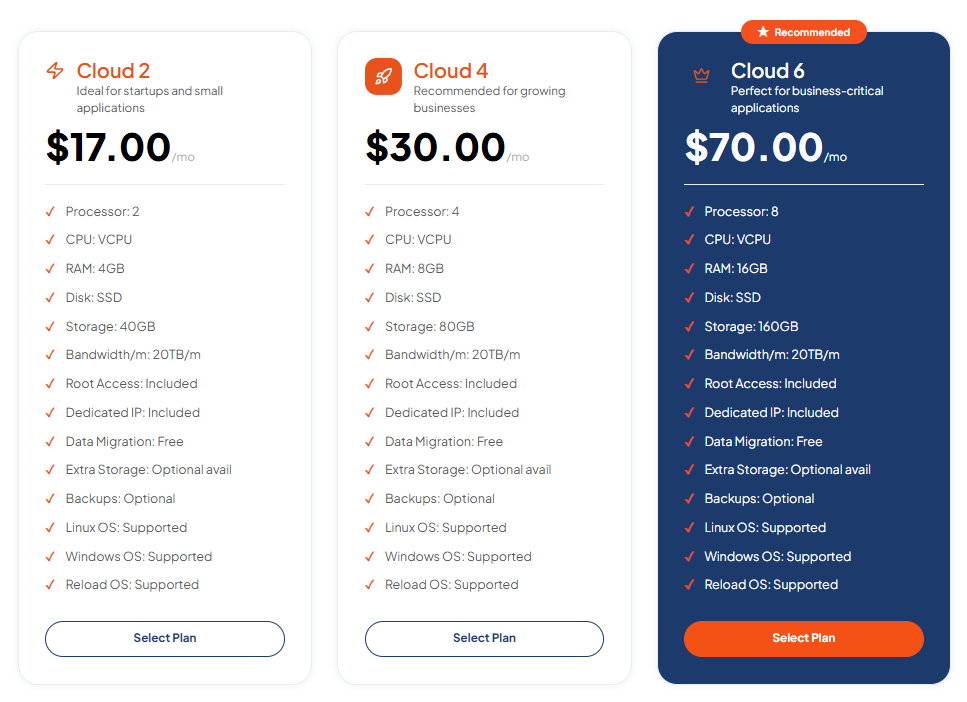
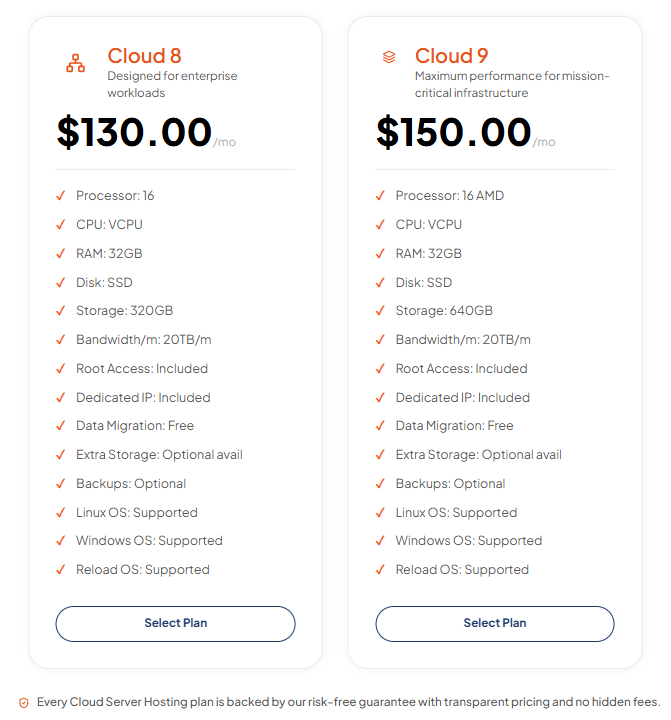
Its Cloud Server Hosting plans use AMD EPYC processors, DDR5 memory, and Gen4 NVMe SSD storage. The service provides full root access, dedicated IP addresses, Linux and Windows operating system support, and free data migration.
The published plans include:
| Plan | vCPU | RAM | Storage | Monthly Price |
|---|---|---|---|---|
| Cloud 2 | 2 | 4GB | 40GB | $17 |
| Cloud 4 | 4 | 8GB | 80GB | $30 |
| Cloud 6 | 8 | 16GB | 160GB | $70 |
| Cloud 8 | 16 | 32GB | 320GB | $130 |
| Cloud 9 | 16 | 32GB | 640GB | $150 |
All listed plans include 20TB monthly bandwidth, root access, a dedicated IP, free data migration, and Linux and Windows OS support. Backups are listed as optional.
These specifications give customers a clear starting point when evaluating their resource requirements.
TezHost’s approach focuses on:
- Modern hardware: AMD EPYC processors, DDR5 memory, and Gen4 NVMe SSD storage.
- Resource flexibility: Multiple configurations for different application requirements.
- Operating system choices: Linux and Windows support.
- Root access: Control over server configuration and application deployment.
- Migration assistance: Free data migration included in the published plans.
- Technical support: Assistance with server-related requirements.
The objective is to make cloud infrastructure accessible without forcing every customer into an unnecessarily large configuration.
You can explore the TezHost Cloud Server plans to review the available specifications.
For another useful comparison, read Shared vs Dedicated Cloud Server to understand how infrastructure allocation affects performance, isolation, and cost.
If you’re unsure which configuration is appropriate for your application, talk to a TezHost sales agent before making a decision.
Frequently Asked Questions
1. Is a cloud server the same as a VPS?
Not exactly, although the terms overlap. A VPS is a virtual machine running on physical hardware. A cloud server is a virtual server provisioned through cloud infrastructure, which may use a pool of physical resources. A cloud server can technically be a type of VPS.
2. Which is faster: VPS or cloud server?
Neither is automatically faster. Performance depends on CPU generation, RAM allocation, storage, network capacity, virtualization, and the workload. Compare actual resource specifications and performance guarantees rather than the product name.
3. Is a cloud server more reliable than a VPS?
It can be, if the cloud provider offers redundant infrastructure, replicated storage, and automated failover. However, not every cloud server includes these features. Check the provider’s availability architecture and backup policies.
4. Can I host a website on both VPS and cloud servers?
Yes. Both can host websites, web applications, databases, APIs, and other services. Your choice should depend on traffic, resource requirements, technical control, and expected growth.
5. Is a VPS cheaper than a cloud server?
A traditional VPS often has predictable fixed pricing, while cloud services may offer fixed or usage-based billing. However, cloud servers can also have affordable fixed-price plans. Compare the complete configuration and additional charges before deciding.
6. Can I upgrade from a VPS to a cloud server?
Yes. You can migrate applications, databases, files, and configurations from a VPS to a cloud server. The process depends on the operating systems, application architecture, and provider migration support. Plan for DNS changes, testing, and possible downtime.
7. Do cloud servers provide root access?
Many cloud server providers offer root access on Linux or administrator access on Windows. The exact permissions depend on the service and management model. TezHost’s published Cloud Server plans include full root access.
Conclusion: Choose Infrastructure That Fits Your Future
The VPS vs cloud server comparison is not simply about deciding which technology is better. It is about understanding how your application uses computing resources and what kind of infrastructure will support it.
A traditional VPS can provide predictable resource allocation, control, and cost-effective performance for stable workloads. A cloud server can offer more flexible infrastructure and scaling possibilities, depending on the provider’s architecture.
Before choosing, evaluate CPU, RAM, storage, network capacity, redundancy, security, and total cost.
At TezHost, you can explore cloud server configurations built with modern hardware, root access, and multiple resource options.
Ready to find the right server for your workload?
Explore TezHost Cloud Servers, register here, or speak with our sales team to discuss your requirements.
Choose the right infrastructure today, so your applications are ready for tomorrow.