Web host migration is the process of moving your website from one hosting provider to another while keeping your website, content, and online presence intact.
And yes, you can absolutely switch web hosts!
Maybe your website has become painfully slow. Perhaps your hosting provider keeps increasing prices, customer support takes forever to respond, or your business has simply outgrown its current hosting plan.
Whatever the reason, here’s something worth knowing:
You’re not stuck with your current hosting provider forever.
Many website owners hesitate to switch because they’re worried about losing their files, damaging their SEO rankings, or experiencing website downtime.
The good news?
With proper preparation, changing your web hosting provider can be a manageable process.
At TezHost, we believe your hosting should support your business, not hold it back.
Whether you’re running a personal blog, an online store, or a growing business website, choosing the right hosting environment matters.
Thinking about making a change?
Register with TezHost today and explore hosting solutions that match your website’s requirements.
In this guide, we’ll explain when to switch web hosts, how to migrate your website safely, and what to consider before making the move.
Can You Switch Web Hosts Without Losing Your Website?
Yes. Web host migration allows you to move your website to another provider without losing your content, provided your files, databases, and configurations are transferred correctly.
Your hosting provider stores the files and resources that make your website accessible online.
When you change providers, you’re essentially moving those resources to a new environment.
Your website can continue using the same:
- Domain name.
- Website design.
- Pages and blog posts.
- Images and media.
- Database content.
- URLs.
- Branding.
However, some website features may require additional configuration after migration.
For example, email accounts, SSL certificates, scheduled tasks, and application settings may need to be recreated or updated.
Will Your Domain Name Change?
No.
You can normally keep your existing domain name when switching hosting providers.
Your domain registration and website hosting are separate services.
In many cases, you only need to update the domain’s DNS settings so visitors reach your website on the new server.
If you’re also considering a new domain, explore TezHost Domain Registration.
Remember: Changing your hosting provider doesn’t mean you have to change your website’s identity.
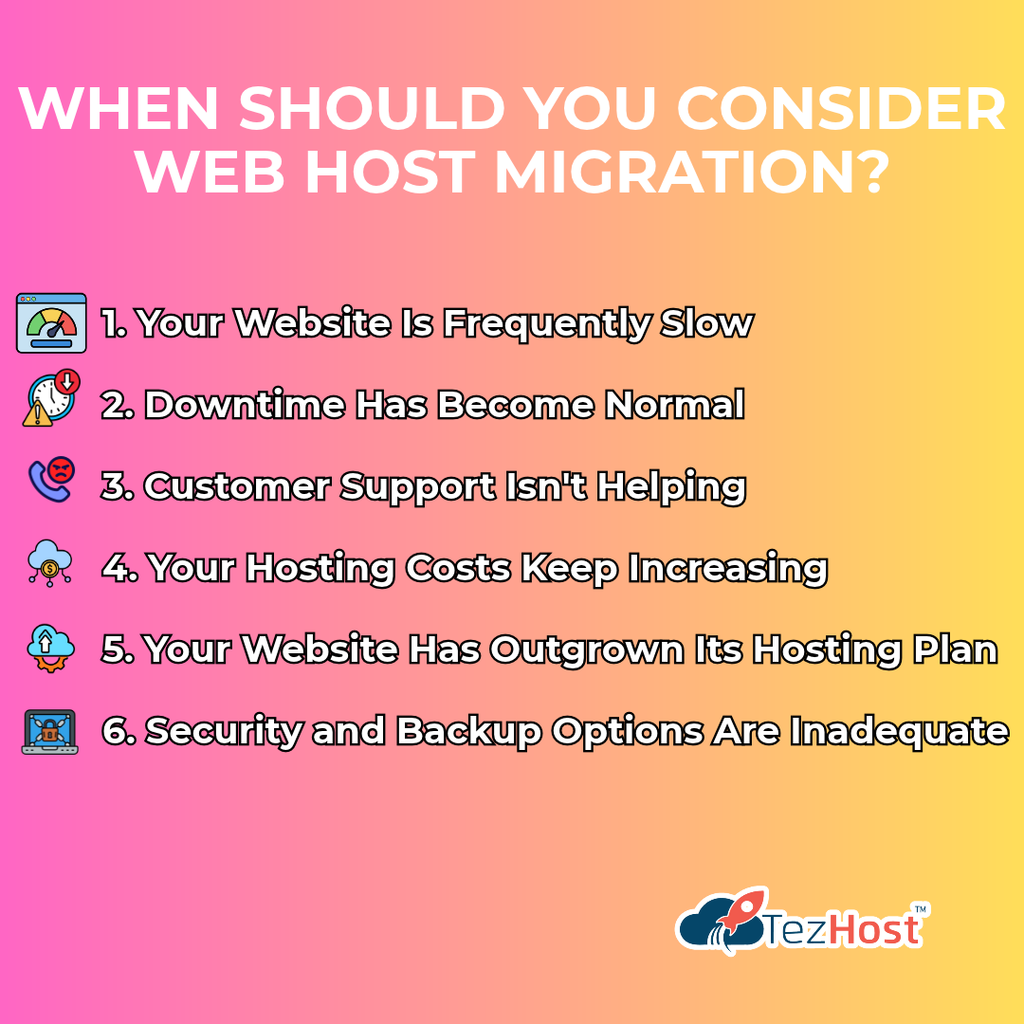
When Should You Consider Web Host Migration?
Web host migration is worth considering when your current provider consistently fails to meet your website’s performance, reliability, support, or scalability requirements.
Not every minor technical issue means you need a new hosting company.
But repeated problems can become expensive.
1. Your Website Is Frequently Slow
Slow-loading pages frustrate visitors.
They can also affect user experience, conversions, and search performance.
If your website remains slow despite reasonable optimization efforts, your hosting environment may be contributing to the problem.
2. Downtime Has Become Normal
Your website shouldn’t disappear whenever customers need it.
Repeated outages can interrupt sales, inquiries, and business operations.
3. Customer Support Isn’t Helping
Technical problems happen.
What matters is how effectively they’re resolved.
If you’re constantly chasing support representatives for updates, it may be time to explore alternatives.
4. Your Hosting Costs Keep Increasing
Introductory discounts can be attractive, but renewal pricing matters.
Unexpected charges and unclear billing policies deserve attention.
5. Your Website Has Outgrown Its Hosting Plan
A hosting plan that worked perfectly when your business started may no longer be suitable.
Growing traffic, larger databases, and more demanding applications can require additional resources.
6. Security and Backup Options Are Inadequate
Reliable backups and appropriate security controls are essential.
If your current provider cannot clearly explain its security and recovery arrangements, investigate further.
For a detailed checklist, read our guide on Web Hosting Red Flags You Should Never Ignore.
If your hosting provider is repeatedly causing problems instead of solving them, exploring a better option makes sense.
How Do You Complete Web Host Migration? 7 Essential Steps
A successful web host migration involves choosing a compatible provider, backing up your website, transferring files and databases, testing the new environment, updating DNS, and monitoring the results.
Here’s how to approach the process.
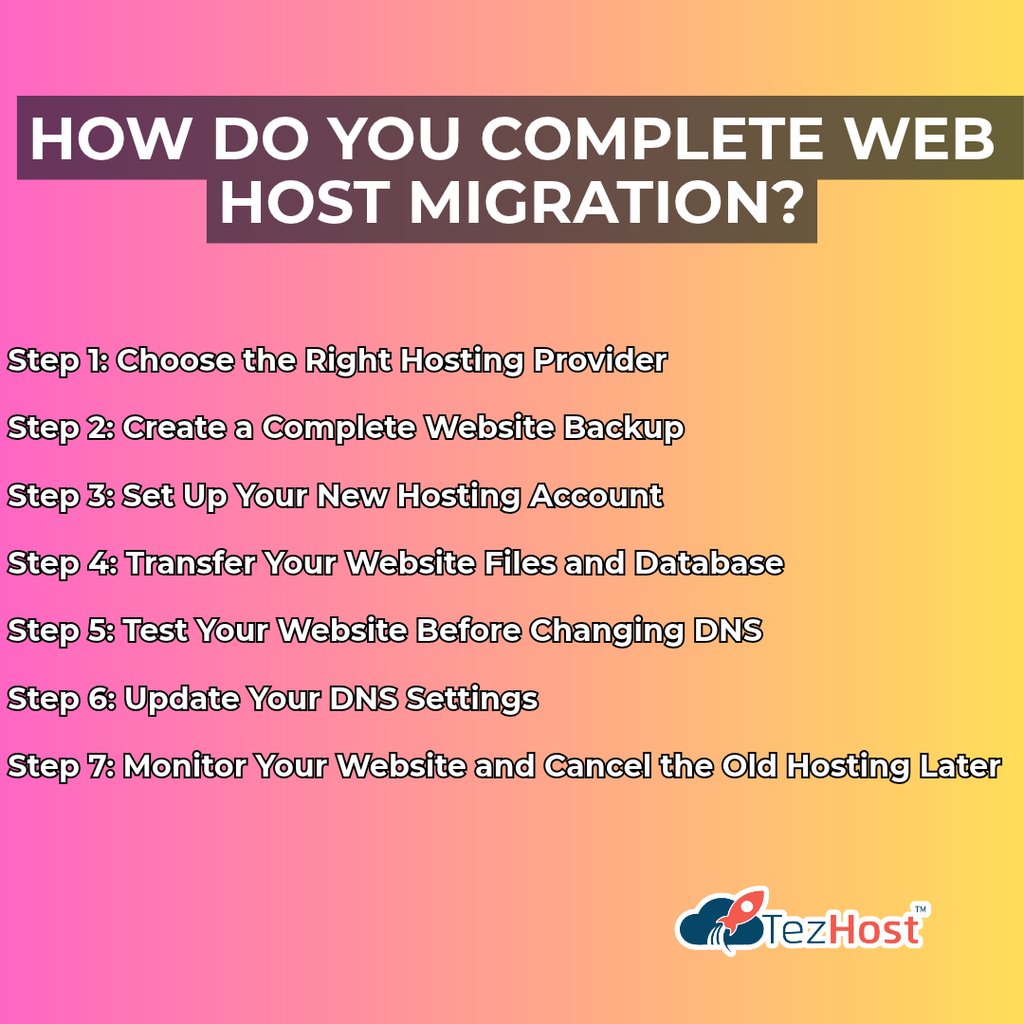
Step 1: Choose the Right Hosting Provider
Before changing your web hosting provider, identify what’s missing from your current service.
Are you looking for:
- Better website performance?
- More storage?
- Additional CPU or RAM?
- Improved technical support?
- Different server software?
- More control over your hosting environment?
- A clearer upgrade path?
Your answers will help determine the type of hosting you need.
For example, a small WordPress website may work well on an appropriate shared hosting plan.
A resource-intensive application may require VPS or dedicated infrastructure.
Don’t migrate just to get away from your old provider. Move toward a hosting solution that actually meets your needs.
TezHost offers several hosting options, including cPanel Web Hosting for customers who prefer a familiar hosting management interface.
Need help choosing?
Talk directly to a TezHost sales agent and discuss your website’s requirements.
Step 2: Create a Complete Website Backup
Never begin web host migration without creating a verified backup.
This is one of the most important steps in the entire process.
Your backup should include everything necessary to restore your website.
Depending on your setup, this may include:
- Website files.
- Databases.
- Uploaded images and media.
- Configuration files.
- Email data, if applicable.
- SSL-related configuration.
- Scheduled tasks.
- Application-specific settings.
For WordPress websites, you’ll typically need both the website files and the database.
For custom applications, additional configuration may be required.
Should You Rely Only on Your Current Hosting Provider’s Backup?
No.
Whenever possible, keep an independent backup that you can access even if your existing hosting account becomes unavailable.
Also, verify that the backup can be restored.
A backup you haven’t tested is a risk you haven’t eliminated.
Step 3: Set Up Your New Hosting Account
Once you’ve selected your new provider, prepare the hosting environment before moving your website.
This may involve:
- Creating your hosting account.
- Adding your domain.
- Configuring the appropriate PHP or application runtime.
- Creating databases.
- Checking storage and resource allocations.
- Preparing SSL certificates.
- Confirming email requirements.
Your new environment should support the technologies your website uses.
For example, a Python application may need different server capabilities from a conventional WordPress website.
Check compatibility before transferring anything.
Step 4: Transfer Your Website Files and Database
Now comes the actual web host migration.
The transfer method depends on your website and hosting environment.
Common approaches include:
Control Panel Migration
Some hosting control panels support account transfers or backup restoration.
Manual File Transfer
Website files can be uploaded using an appropriate file transfer method.
Database Export and Import
Database-driven websites usually require exporting the existing database and importing it into the new environment.
Application Migration Tools
Some content management systems provide plugins or utilities that simplify migration.
Can You Move a WordPress Website to Another Host?
Yes.
WordPress websites can generally be migrated by transferring their files and database, then updating any necessary configuration.
However, custom plugins, themes, caching systems, and server requirements should be checked carefully.
Our recommendation: If you’re unfamiliar with website migration, ask your prospective hosting provider what migration assistance is available before purchasing.
Step 5: Test Your Website Before Changing DNS
Testing is what separates a carefully planned web host migration from a stressful one.
Before directing visitors to your new server, make sure the website works correctly.
Depending on your hosting setup, you may be able to test it using a temporary URL, staging environment, or local hosts-file configuration.
Check the following:
| Website Element | What to Test |
|---|---|
| Homepage | Loads correctly |
| Internal Pages | Links and layouts work |
| Images | Display without errors |
| Contact Forms | Submit successfully |
| Database | Content loads correctly |
| Login | Authentication works |
| E-commerce | Cart and checkout function |
| SSL | HTTPS works properly |
| Messages send and arrive | |
| Applications | Required features operate normally |
For e-commerce websites, take extra care with orders, customer accounts, and payment-related processes.
Don’t rush the migration just because the homepage looks fine.
Step 6: Update Your DNS Settings
Once the new website has been tested, update the relevant DNS records to point your domain to the new hosting environment.
This is how visitors begin reaching your website on the new server.
How Long Does DNS Propagation Take?
DNS changes may become visible quickly for some users, while others may continue seeing cached records for longer.
Depending on the DNS configuration and caching behavior, changes can take up to approximately 24–48 hours to be reflected widely.
Will Your Website Go Offline During DNS Changes?
Not necessarily.
If both hosting environments remain available and properly configured during the transition, downtime can often be minimized.
For frequently updated websites, such as online stores, you’ll also need a plan to prevent new orders or database changes from being lost during the transition.
Important: If your email is hosted separately, preserve its DNS records. Changing nameservers without copying the necessary email records can interrupt mail delivery.
Step 7: Monitor Your Website and Cancel the Old Hosting Later
Your web host migration isn’t complete the moment DNS changes.
Continue monitoring your website after the switch.
Check:
- Website availability.
- Page loading speed.
- Contact forms.
- Email delivery.
- Database connections.
- SSL certificates.
- Application errors.
- Customer transactions.
- Search engine crawling.
When Should You Cancel Your Old Hosting Account?
Only after you’ve confirmed that the new website and related services are functioning correctly.
Keep your previous hosting account active during the transition whenever practical.
For dynamic websites, confirm that any orders, messages, or content changes made during migration have been preserved.
A little patience at this stage can prevent unnecessary problems later.
Can Web Host Migration Affect Your SEO Rankings?
Web host migration doesn’t automatically damage SEO rankings, especially when your domain, URLs, content, and website structure remain unchanged.
However, technical problems during migration can affect search performance.
For example:
- Extended downtime.
- Broken internal links.
- Missing pages.
- Incorrect redirects.
- Server errors.
- Accidentally blocked search engine crawlers.
- Changes to important website content.
How Can You Protect SEO During Migration?
Follow these practical steps:
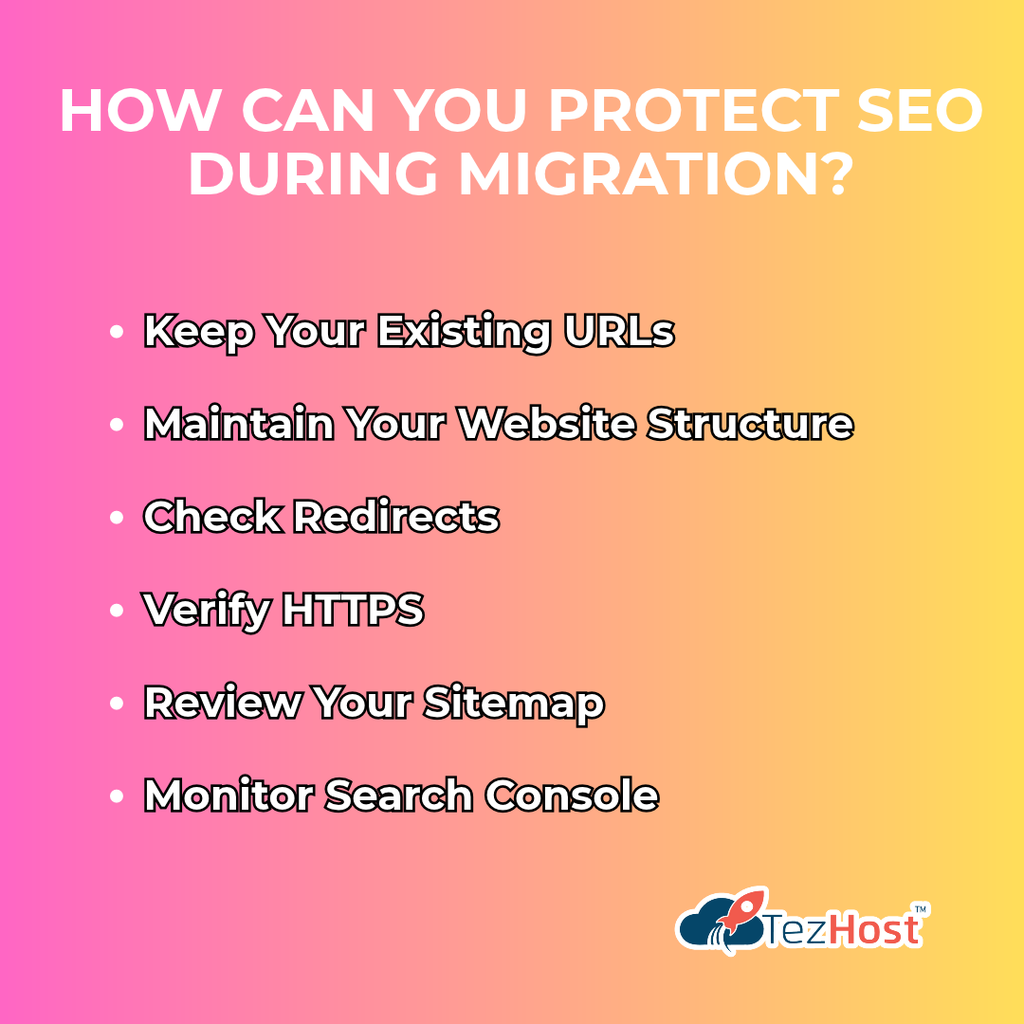
Keep Your Existing URLs
Avoid unnecessary URL changes when moving between hosting providers.
Maintain Your Website Structure
Keep important pages, navigation, and content consistent.
Check Redirects
Make sure existing redirects continue working.
Verify HTTPS
Confirm that SSL is configured correctly on the new server.
Review Your Sitemap
Ensure your XML sitemap remains accessible and accurate.
Monitor Search Console
Check for indexing problems, crawling errors, and unexpected performance changes.
Is Hosting Migration the Same as Domain Migration?
No.
Hosting migration changes where your website is hosted.
Domain migration changes the domain name visitors use to reach your website.
Changing domains generally introduces additional SEO considerations, including redirects and search engine processing.
For more information, read Best Practices for Domain Migration: Preserving SEO Rankings.
The safest approach is to change only what needs to change.
Which Hosting Environment Should You Choose After Migration?
Choosing the right platform is an important part of web host migration.
Different websites have different requirements, so there isn’t one hosting solution that’s perfect for everyone.
Here are some options available through TezHost.
| Hosting Solution | Suitable For |
|---|---|
| cPanel Web Hosting | Websites requiring cPanel-based management |
| DirectAdmin Hosting | Websites using DirectAdmin |
| DirectAdmin Reseller Hosting | Businesses managing hosting accounts for clients |
| Node.js Hosting | Compatible JavaScript-based applications |
| Python Hosting | Supported Python applications |
| Plesk Windows Hosting | Windows-based website environments |
Can You Switch Between Different Hosting Control Panels?
Yes, but moving between different control panels may require additional configuration or manual migration.
For example, transferring a website from cPanel to DirectAdmin may involve differences in account structures, email configuration, and database management.
What If Your Website Needs More Resources?
Consider whether your application would benefit from a VPS, cloud server, or dedicated server.
The right choice depends on your technical requirements and budget.
Don’t choose a hosting package based only on its name or advertised price. Choose one that supports your website’s actual workload.
Want to explore suitable hosting options?
Speak with a TezHost sales agent before making your decision.
How Is TezHost Revolutionizing Web Hosting with Its Customer-Focused Approach?
At TezHost, we believe web host migration should be an opportunity to improve your hosting experience, not another technical headache.
Businesses depend on their websites for communication, customer engagement, and revenue.
That’s why choosing a suitable hosting environment is so important.
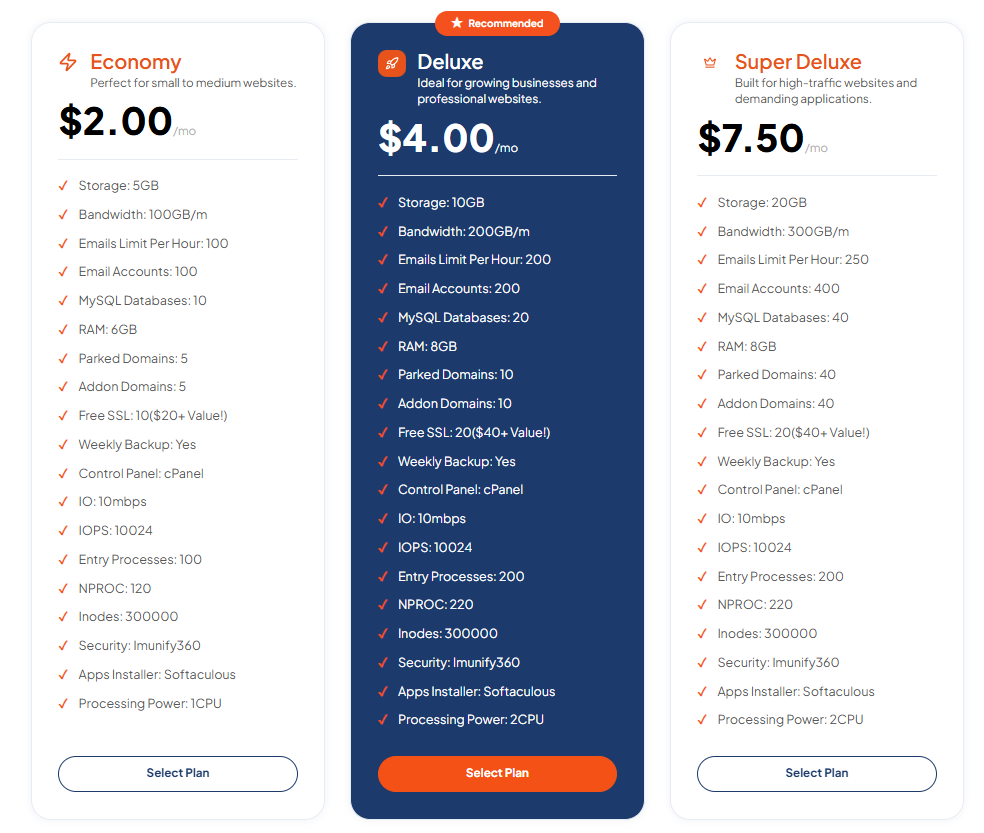
1. Hosting Options for Different Requirements
A personal blog doesn’t need the same infrastructure as a large business application.
TezHost offers hosting solutions for different types of websites, applications, and businesses.
2. Support for Modern Web Technologies
Today’s websites use a wide range of platforms and programming languages.
Alongside conventional web hosting, TezHost offers specialized options for technologies such as Node.js and Python.
3. Familiar Hosting Management Tools
For customers who prefer established hosting control panels, TezHost offers options using cPanel, DirectAdmin, and Plesk.
These platforms can help simplify common website administration tasks.
4. Solutions for Growing Businesses
As websites grow, their resource requirements often change.
TezHost offers multiple hosting categories, allowing customers to explore options appropriate for different stages of growth.
5. Guidance Before You Make the Switch
Moving your website requires planning.
Before choosing a hosting plan, customers can discuss their technical requirements with our sales team.
We believe better hosting decisions begin with understanding what your website actually needs.
Thinking About Switching to TezHost?
If your current hosting provider isn’t meeting your expectations, it may be time to explore alternatives.
Visit TezHost to learn about our hosting services.
Or talk directly to a TezHost sales agent to discuss your website’s requirements and available migration assistance.
Frequently Asked Questions About Web Host Migration
1. Can I switch web hosts anytime?
Yes. Web host migration is generally possible whenever you have access to your website files, database, domain settings, and a compatible destination server.
However, review your current provider’s contract and billing terms before canceling.
2. Will I lose my website if I change hosting providers?
Not if your website is backed up and transferred correctly.
Create a complete backup before starting, and verify the website on the new server before canceling the old account.
3. Can I switch web hosts without changing my domain?
Yes.
You can usually retain your existing domain and update its DNS settings to point to the new hosting provider.
4. How long does web host migration take?
The transfer itself may take anywhere from a short period to several hours or longer, depending on website size, complexity, and technical requirements.
DNS caching can extend the overall transition period.
5. Will switching web hosts affect my SEO?
Not necessarily.
If your URLs, content, redirects, and technical configuration remain correct, a hosting change alone shouldn’t cause an inherent SEO penalty.
6. Can I migrate my website without downtime?
Downtime can often be minimized through preparation, testing, and keeping both hosting environments available during the transition.
However, zero downtime cannot be guaranteed for every migration.
7. Is changing web hosting providers difficult?
It depends on your website.
A simple static website may be relatively easy to move, while a large e-commerce platform or custom application can require more planning.
8. Do I need to transfer my email accounts too?
Only if your email is hosted on the server you’re leaving.
If your email uses a separate provider, you may only need to preserve its DNS configuration.
9. Can I migrate from cPanel to DirectAdmin?
Yes, but differences between control panels may require additional migration steps.
Check compatibility and backup formats before proceeding.
10. How do I choose a new hosting provider?
Compare reliability, server resources, technical compatibility, support, security, pricing, and upgrade options.
Choose a provider that meets your current needs and supports reasonable future growth.
11. Can TezHost help me explore migration options?
Yes. You can contact the TezHost sales team to discuss your existing website, hosting requirements, and available assistance.
Talk to a TezHost sales agent.
Conclusion: Switching Web Hosts Doesn’t Have to Be Complicated
Web host migration is a practical option when your current hosting provider no longer meets your website’s needs.
Whether you’re dealing with slow performance, frequent downtime, limited resources, or disappointing support, you have the freedom to explore better alternatives.
The key is making the move carefully.
Choose a compatible provider, create reliable backups, transfer your website, test everything, and update DNS only when you’re ready.
Most importantly, don’t cancel your old hosting service until you’ve confirmed that your website is functioning properly on the new server.
Your website is an important part of your business. It deserves infrastructure that supports your goals.
At TezHost, we’re here to help you explore hosting options suited to your requirements.
Ready to Leave Hosting Problems Behind?
Your website should help your business grow, not become another source of frustration.
Don’t let unreliable hosting hold you back.
Explore TezHost Web Hosting Solutions and discover your options.
Need help planning your move?
Talk directly to a TezHost sales agent to discuss your website and hosting requirements.
Or register with TezHost today and take the next step.
Better hosting starts with making the right move.