Shared vs dedicated cloud server—which option gives you the performance you need without wasting money?
Imagine your website is growing. Visitors are increasing, applications are becoming more demanding, and your current hosting plan may no longer be enough.
Now you’re facing a decision: stick with shared infrastructure or invest in dedicated server resources?
Choose incorrectly, and you could end up paying for resources you don’t need—or struggling with a setup that doesn’t meet your requirements.
The good news? Understanding the difference is easier than you think.
In this guide, we’ll explain how shared and dedicated infrastructure compare, what cloud server isolation means, and how to choose the right option for your business.
At TezHost, we offer hosting solutions for different workloads and budgets. You can register with TezHost to explore available services or talk to a sales agent for help comparing your options.
Let’s break it down.
1. What Is the Difference Between Shared and Dedicated Cloud Servers?
Shared vs dedicated cloud server infrastructure differs mainly in how physical computing resources are allocated and who has access to the underlying hardware.
With shared infrastructure, multiple customers or virtual machines use resources from the same physical server. With dedicated infrastructure, a physical server’s resources are reserved exclusively for one customer.
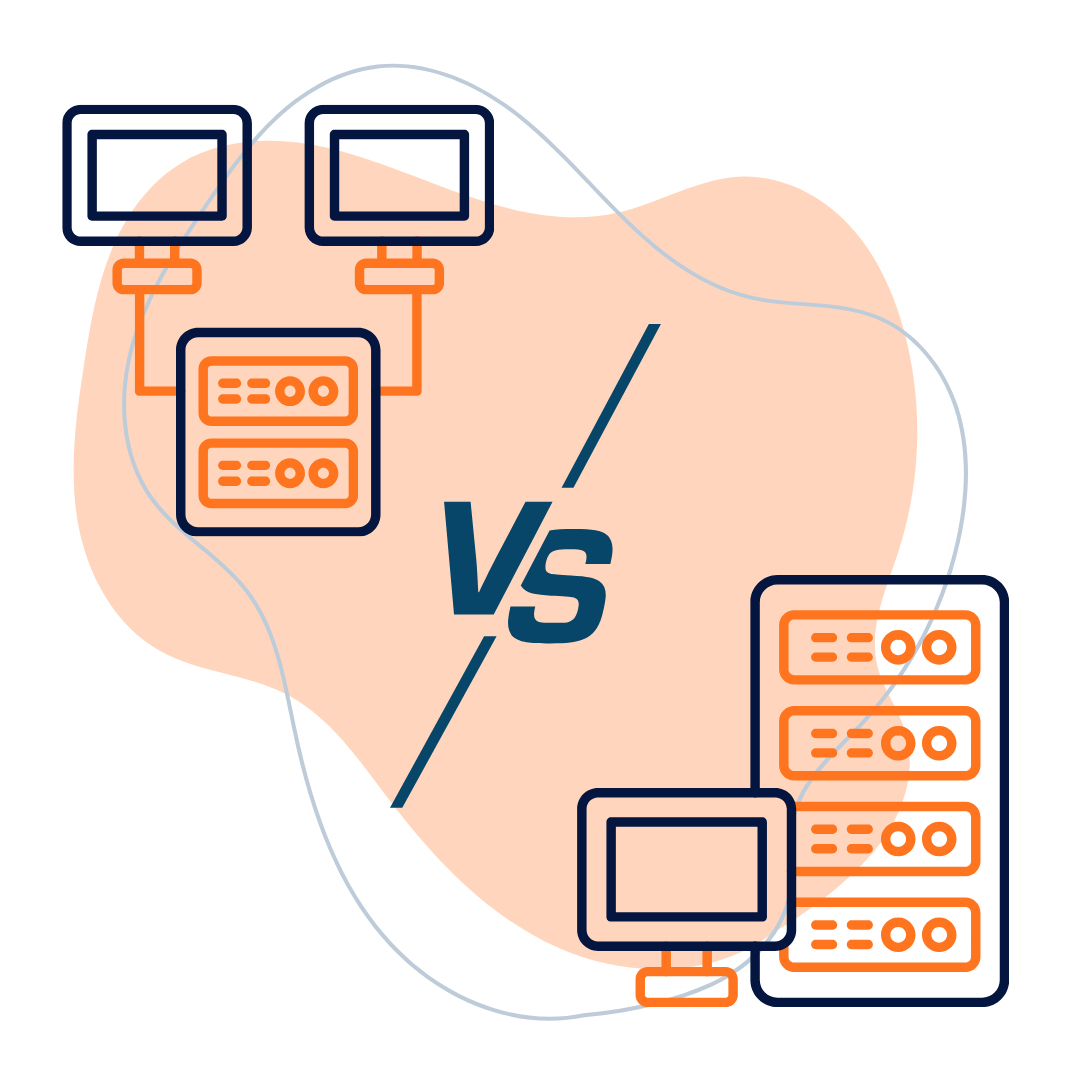
Here’s a quick comparison:
| Feature | Shared Cloud Infrastructure | Dedicated Physical Server |
|---|---|---|
| Hardware | Shared between workloads | Exclusively allocated |
| Cost | Generally lower | Generally higher |
| Performance | Depends on resource allocation and workload | Greater control over physical resources |
| Customization | Depends on the service | Typically more control |
| Management | Varies by provider and plan | Varies by provider and plan |
| Best For | Smaller websites and growing projects | Demanding applications and resource-intensive workloads |
Important distinction: A cloud VPS can have allocated CPU and RAM while still running on shared physical hardware. A dedicated physical server provides exclusive hardware, but it is not automatically a cloud server.
Understanding this distinction helps you compare cloud hosting tiers accurately rather than relying on marketing labels alone.
2. How Does Cloud Server Isolation Affect Performance?
Cloud server isolation determines how effectively your workload is separated from other customers’ workloads and how predictable its access to resources can be.
Think of shared infrastructure as living in an apartment building. You have your own space, but some underlying facilities are shared.
Dedicated hardware is more like having the entire building to yourself.
That doesn’t mean every shared service performs poorly or every dedicated server performs perfectly. Actual performance depends on the hardware, configuration, workload, storage, and network.
When Is Greater Isolation Useful?
Dedicated infrastructure may be appropriate when your business runs:
- Resource-intensive applications.
- Large databases.
- High-demand business systems.
- Workloads requiring specific hardware configurations.
- Applications that benefit from exclusive physical resources.
For smaller websites, shared cloud infrastructure or a suitable VPS may deliver sufficient performance at a lower cost.
The goal isn’t to buy the most powerful server. It’s to choose the level of cloud server isolation your workload actually requires.
For more information about protection and infrastructure considerations, read our guide to Cloud Server Security.
3. Which Cloud Hosting Tiers Offer the Best Value?
The best cloud hosting tiers depend on your website’s resource requirements, budget, technical needs, and expected growth.
Not every business needs dedicated hardware.
A small business website may work well on an affordable hosting plan. A growing application may need a VPS or a more configurable cloud server. A demanding workload may justify a dedicated physical server.

Consider these general options:
Entry-level hosting: Suitable for smaller websites with modest resource requirements.
Cloud VPS: Useful for customers who need configurable virtual resources and more control.
Higher-resource cloud servers: Appropriate for applications that need additional CPU, RAM, storage, or network capacity.
Dedicated physical servers: Worth considering when exclusive hardware, sustained resources, or specialized configurations are important.
The exact features available depend on the provider and package.
At TezHost, you can explore our Cloud Server Solutions and Dedicated Server Hosting to compare available options.
Remember: Higher cloud hosting tiers aren’t automatically better value. Paying for unused capacity can increase your expenses without providing meaningful benefits.
4. Is Dedicated Infrastructure More Secure Than Shared Hosting?
Dedicated infrastructure can offer greater hardware isolation, but it does not automatically guarantee better security.
Security depends on several factors, including operating system updates, access controls, firewalls, monitoring, backups, and application configuration.
A dedicated server with poor security practices can be more vulnerable than a properly configured shared environment.
When evaluating shared vs dedicated cloud server options, consider the following:
- Who manages security updates?
- Are backups available, and how frequently are they taken?
- What access controls can you configure?
- Are monitoring and firewall options available?
- What security responsibilities belong to you?
- Does the service meet your compliance requirements?
Dedicated infrastructure may offer more control over configurations and security policies. However, that control can also mean greater responsibility for managing the server.
Explore our guide to Dedicated Server Hosting Security and Performance for more information.
Choose infrastructure that matches both your security requirements and your ability to manage it.
5. How Much Does Shared vs Dedicated Cloud Server Hosting Cost?
Shared infrastructure is generally more affordable, while dedicated physical servers typically cost more because an entire machine’s resources are allocated to one customer.
However, the purchase price is only part of the picture.

Your total costs may include:
- Monthly or annual hosting charges.
- Software and control panel licences.
- Backup and security services.
- Technical support.
- Server administration.
- Migration and setup expenses.
- Future resource upgrades.
For example, a small website might not need dedicated hardware. Paying for a full physical server could add unnecessary costs.
On the other hand, an application with substantial resource demands might benefit from dedicated infrastructure if it reduces performance bottlenecks or simplifies workload management.
When comparing cloud hosting tiers, calculate the total cost of ownership rather than looking at the headline price alone.
Read our guide to Cloud Server Total Cost to understand the expenses worth considering.
Need help choosing a cost-effective setup? Talk to a TezHost Sales Agent to discuss your requirements and available plans.
6. How Do You Choose the Right Server for Your Business?
To choose between shared and dedicated cloud server infrastructure, evaluate your traffic, CPU and RAM usage, security requirements, technical expertise, and long-term budget.
Before purchasing, ask yourself these seven questions.

1. How Much Traffic Does Your Website Receive?
A small website generally needs fewer resources than a busy ecommerce store or application platform.
2. How Much CPU and RAM Do You Need?
Check actual resource usage whenever possible rather than relying on assumptions.
3. Do You Require Exclusive Physical Hardware?
Some workloads benefit from greater cloud server isolation, while others perform perfectly well on properly configured virtual infrastructure.
4. How Much Customization Do You Need?
Dedicated servers may offer greater control over the hardware and operating environment.
5. Who Will Manage the Server?
Consider whether your team can handle updates, security, monitoring, troubleshooting, and backups.
6. What Is Your Total Budget?
Compare hosting charges with software licences, support, backups, and administration costs.
7. Will Your Requirements Change?
Choose cloud hosting tiers that offer suitable upgrade paths as your workload grows.
Answering these questions can help you avoid both overspending and choosing a plan that lacks essential resources.
If you’re still unsure, contact TezHost’s sales team to discuss your workload and compare available solutions.
7. How Is TezHost Making Cloud Hosting Decisions Easier?
TezHost helps businesses explore different hosting options by offering cloud servers and dedicated server solutions for varying technical requirements and budgets.
We understand that choosing infrastructure isn’t just about comparing specifications. Businesses also need to consider cost, performance, management, and future growth.
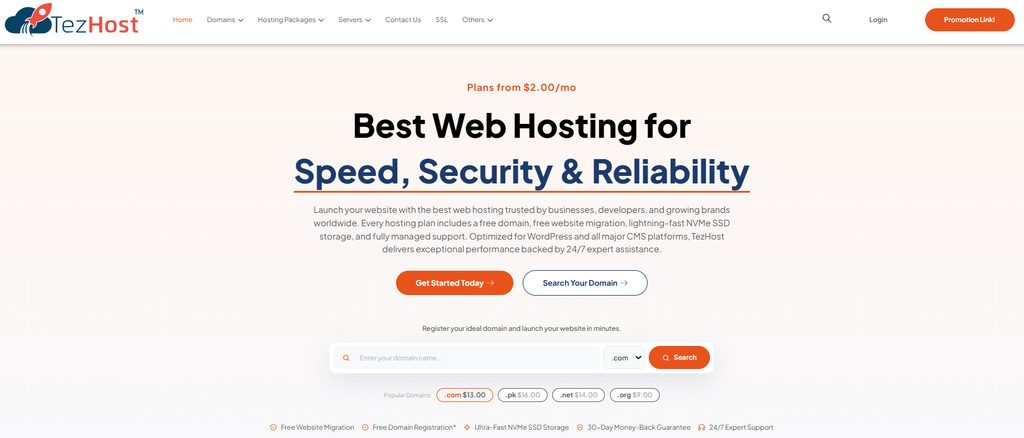
That’s why we encourage customers to start with their actual requirements.
Cloud Servers for Flexible Workloads
Explore TezHost Cloud Servers for configurable infrastructure options suited to websites, applications, and growing projects.
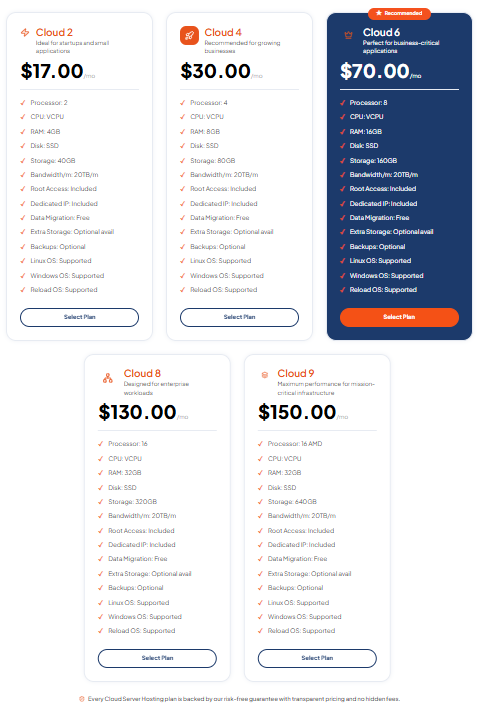
Dedicated Servers for Greater Hardware Control
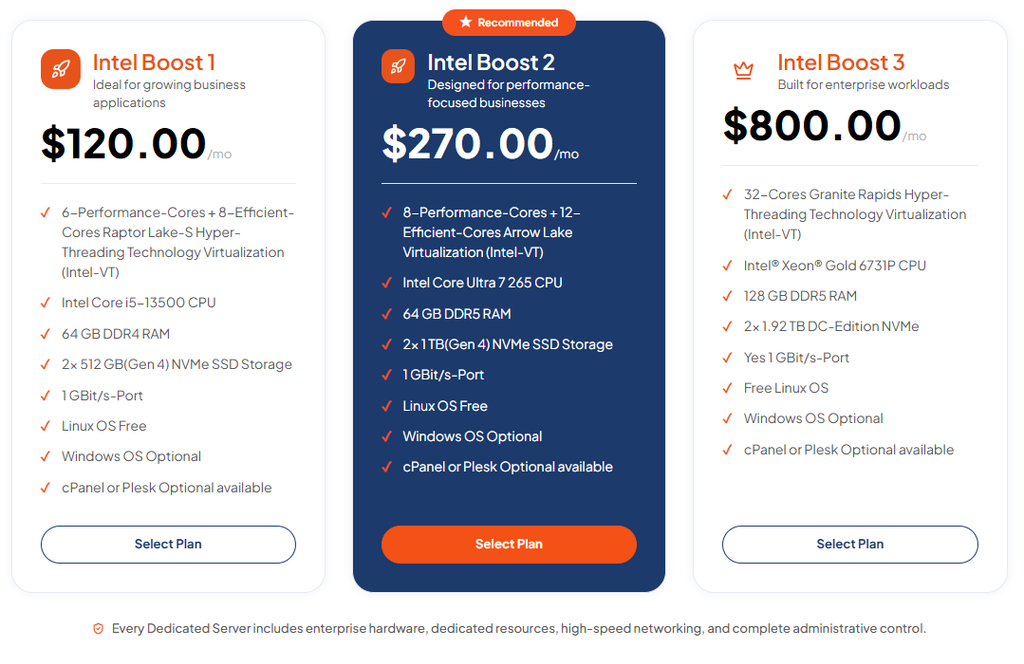
Our Dedicated Server Hosting provides an option for businesses that need exclusive physical hardware.
You can also read about Why Businesses Prefer Dedicated Servers for Full Control to understand the advantages of greater hardware control.
A Practical Approach to Choosing Hosting
Rather than assuming that every business needs the highest cloud hosting tier, we encourage customers to consider:
- Their actual CPU, RAM, and storage requirements.
- The level of isolation their workloads need.
- Their security and management responsibilities.
- Their total operating budget.
- Their expected growth.
Our approach is simple: Help customers find a hosting solution that fits their workload—not just a bigger server with a bigger bill.
Ready to explore your options? Register with TezHost or speak with a sales agent for assistance.
Frequently Asked Questions
Is Shared Cloud Hosting Better Than Dedicated Servers?
Neither option is universally better. Shared infrastructure generally costs less, while dedicated physical servers provide exclusive access to hardware. The right choice depends on your workload, budget, and performance requirements.
Does a Cloud VPS Use Dedicated Hardware?
Not necessarily. A cloud VPS typically provides virtualized resources, but the underlying physical hardware may be shared with other virtual machines.
Does Dedicated Hosting Guarantee Better Performance?
No. Dedicated hardware can provide greater resource control, but performance also depends on the server specifications, configuration, software, storage, and network.
Is Dedicated Infrastructure More Secure?
It can provide greater hardware isolation, but security still depends on configuration and management. Updates, access controls, backups, and monitoring remain important.
When Should I Upgrade to Dedicated Infrastructure?
Consider dedicated infrastructure when your workload requires exclusive hardware, sustained resources, specialized configurations, or greater physical control. Review your actual resource usage before upgrading.
How Can I Compare TezHost Cloud and Dedicated Servers?
Visit the TezHost Cloud Servers and Dedicated Server Hosting pages to explore the available options. You can also contact our sales team for assistance.
Conclusion: Choose the Right Infrastructure, Not Just the Biggest Server
Choosing between shared and dedicated cloud server infrastructure doesn’t have to be complicated.
Start by understanding your workload, reviewing your resource usage, and deciding how much hardware isolation you actually need.
Shared infrastructure can be a cost-effective option for smaller workloads. Dedicated physical servers can make sense for demanding applications that benefit from exclusive hardware and greater control.
The smartest decision balances performance, security, technical requirements, and total cost.
At TezHost, we offer cloud and dedicated server solutions to help businesses explore infrastructure suited to their needs.
Don’t pay for resources you won’t use—or compromise on the resources your business genuinely needs.
Explore your options today:
- Discover TezHost Cloud Servers
- Explore Dedicated Server Hosting
- Register with TezHost
- Talk to a TezHost Sales Agent
One final question: Is your current hosting plan helping your business grow, or are you paying for resources you don’t need?
Share your thoughts in the comments!