
Does registrar affect site speed? It can influence your website’s reliability and DNS management, but the registrar itself is rarely the main reason a website loads slowly. The bigger factors are usually authoritative DNS performance, nameserver configuration, server response time, and website optimization.
When someone enters your domain into a browser, several systems work together to connect them to your website. If one of these systems is slow or incorrectly configured, visitors may experience delays or even find your website unavailable.
Choosing the right domain provider is therefore about more than finding a low registration price. If you’re planning to register a domain or improve your website infrastructure, register with TezHost and explore domain and hosting services in one place. You can also talk to a TezHost sales agent for assistance with your requirements.
Let’s look at how domain registration, DNS, and hosting affect website performance — and what you can do to improve them.
1. Does Registrar Affect Site Speed Directly?
Usually, no. A domain registrar does not directly control how quickly your website’s pages load. Its primary responsibility is managing domain registration and communicating domain settings, including the nameservers assigned to your domain.

However, some companies provide several services together:
- Domain registration.
- DNS hosting and management.
- Web hosting.
- SSL and security services.
- Website and email management.
When these services are bundled, it can be easy to assume that the registrar controls every aspect of website performance.
In reality, the registrar, DNS provider, and web hosting provider can be three different companies.
For example, you could register a domain with one provider, manage authoritative DNS through Cloudflare, and host your website on a TezHost server.
The registrar helps establish where DNS queries should be directed. The authoritative DNS provider answers those queries, while the web host serves your website files and applications.
Understanding these roles is the first step towards identifying what actually affects performance.
2. How Does DNS Speed Affect Website Performance?
When users visit your website, their devices need to resolve your domain name into an IP address. This process is called DNS resolution.
A slow DNS lookup can delay the beginning of a website connection, particularly when the required DNS information is not already cached.
The process generally works like this:
- A visitor enters your domain name.
- Their device checks available DNS information.
- A recursive DNS resolver searches for the required record if it is not cached.
- The authoritative nameserver provides the DNS answer.
- The browser connects to the server hosting your website.
The time required for DNS resolution is commonly measured as DNS lookup latency.
A well-performing DNS service can reduce lookup delays through reliable infrastructure, efficient routing, caching behavior, and geographically distributed nameservers.
However, DNS is only one part of the loading process. A fast DNS response cannot compensate for an overloaded server, slow database queries, or unoptimized website files.
Google’s guidance on DNS performance explains how DNS lookups and cache misses can contribute to website loading delays.
3. Does Your Registrar’s DNS Infrastructure Affect Reliability?
Yes, if your registrar also provides authoritative DNS hosting, its DNS infrastructure can influence how reliably visitors reach your website.
The important distinction is between domain registration and authoritative DNS.

Your authoritative DNS provider maintains the records that direct visitors to your website and other services. If its nameservers become unavailable, visitors may experience resolution failures even when your web server is running normally.
Consider these DNS records:
| DNS record | Purpose |
|---|---|
| A | Points a domain to an IPv4 address |
| AAAA | Points a domain to an IPv6 address |
| CNAME | Creates an alias for another hostname |
| MX | Directs email to mail servers |
| TXT | Stores verification and email security information |
| NS | Identifies authoritative nameservers |
For example, an incorrect A record can direct visitors to the wrong server. Incorrect MX records can interrupt email delivery, while misconfigured nameservers can make a domain difficult or impossible to resolve.
A reliable DNS setup should include:
- Stable and responsive authoritative nameservers.
- Correct DNS records.
- Appropriate record TTL settings.
- Properly configured DNSSEC where supported.
- Monitoring and a documented recovery process.
If you want to understand the domain management features available through TezHost, explore TezHost domain registration.
4. Can Changing Your Domain Registrar Make Your Website Faster?
Changing your registrar alone will not normally improve website loading speed. If your authoritative DNS provider, nameservers, hosting server, and website configuration remain unchanged, you should not expect a meaningful speed improvement simply because you moved the registration.
However, changing providers can help when the existing service creates operational problems.

For example:
- Your current provider has unreliable DNS management.
- Nameserver changes are difficult to manage.
- DNS configuration errors are frequent.
- Technical support is slow when domain issues occur.
- You want to consolidate domain and hosting management.
Before transferring a domain, identify where its authoritative DNS is currently hosted.
If your website uses external nameservers, transferring the domain registration does not automatically require changing DNS providers.
Keep your existing DNS records intact during the transfer. Check A, AAAA, CNAME, MX, TXT, and other required records before making any changes.
For a more detailed look at providers, features, pricing, and domain management, read our domain registrar comparison.
If you’re unsure whether a registrar transfer or DNS change is appropriate, talk to a TezHost sales agent before making changes that could interrupt your website or email.
5. What Other Factors Affect Website Speed?
Your web hosting environment and website configuration generally have a much greater impact on page-loading performance than the company where your domain is registered.
Even with fast DNS, your website may load slowly because of infrastructure or application-level problems.

Here are some important factors to investigate.
Server response time
Your web server needs sufficient CPU, RAM, storage performance, and network capacity to process requests. An overloaded server can increase the time before a browser receives the first response.
Website code and database performance
Large database queries, inefficient plugins, unoptimized themes, and poorly written application code can slow down page generation.
Images and other media
Large images, videos, and unnecessary scripts increase the amount of data a browser must download. Compress images and use modern formats such as WebP where appropriate.
Caching and content delivery networks
Browser caching, server-side caching, and content delivery networks (CDNs) can reduce repeated processing and deliver static resources closer to visitors.
SSL and connection configuration
Correct HTTPS configuration, HTTP/2 or HTTP/3 support where available, and efficient connection handling can improve the overall browsing experience.
If your website is already experiencing slow loading times, follow our guide on 5 ways to fix your website speed.
For more personalized guidance on hosting requirements, speak with our sales team.
6. How Can You Check Whether DNS Is Slowing Down Your Website?
You can identify DNS-related delays by measuring DNS lookup time separately from server response time and the full page-loading process.
Avoid relying on a single website speed score. Use tools that help you examine different stages of the connection.

Some useful options include:
- Google PageSpeed Insights: Evaluates website performance and provides optimization recommendations.
- WebPageTest: Helps analyze DNS lookup, connection time, server response, and page-loading behaviour.
- DNSViz: Helps identify DNS configuration and DNSSEC-related problems.
- Google Admin Toolbox Dig: Allows you to inspect DNS records and query responses.
- Command-line tools: Utilities such as
digandnslookupcan help investigate DNS resolution.
For a more technical assessment, compare DNS lookup time across different resolvers and locations. Test multiple times because caching, network conditions, and resolver location can influence the results.
You should also examine:
- DNS response time.
- Nameserver availability.
- DNS record accuracy.
- Time to First Byte (TTFB).
- Server response time.
- Core Web Vitals.
This approach helps separate DNS problems from hosting or website development issues.
7. How TezHost Is Improving the Domain Registration Experience
At TezHost, domain services are designed to work alongside hosting solutions, giving customers a more convenient way to establish and manage their online presence.
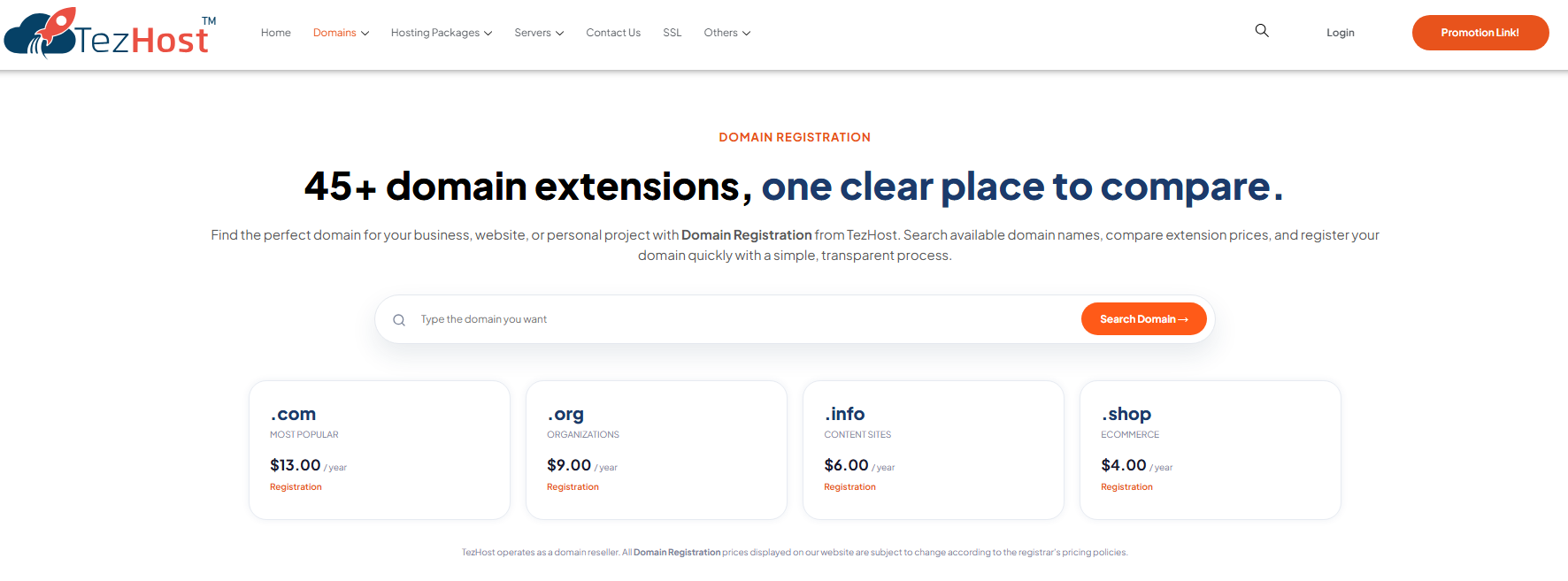
Instead of treating domain registration as an isolated purchase, TezHost brings domain management and hosting options together.
Customers can access:
- 45+ domain extensions: Options for different brands, businesses, and website projects.
- DNS management: Tools for managing records such as A, CNAME, and MX.
- Cloudflare integration: Additional DNS and website management options.
- Domain privacy protection: Available where supported by the domain extension and applicable service terms.
- Domain transfers: Assistance with moving existing domains.
- Hosting options: Shared, cPanel, VPS, cloud, dedicated, and managed WordPress hosting.
- Technical assistance: Support for domain and hosting-related queries.
TezHost operates as a domain reseller through registrar partners rather than as the underlying domain registrar. This distinction is important when comparing providers and understanding how domain registration is processed.
The advantage for customers is having domain registration, hosting choices, and technical assistance available through one service provider.
You can explore the available options on the TezHost Domains page or visit the TezHost homepage.
If you’re launching a new website, you can register here and speak with our team through live sales support.
Frequently Asked Questions
Does changing a domain registrar improve website speed?
Not automatically. A registrar transfer alone usually does not change DNS performance or website hosting. Speed improvements are more likely when you also address slow authoritative DNS, server response, or website optimization.
Does DNS affect website loading time?
Yes. DNS resolution adds time before a browser can connect to a website. Slow authoritative DNS responses or cache misses can delay connection establishment, although DNS is only one part of total loading time.
Is a domain registrar the same as a DNS provider?
No. A registrar manages domain registration, while an authoritative DNS provider operates the nameservers that answer queries for your domain. One company may provide both services, but they can also be separate.
Can I use one company for my domain and another for hosting?
Yes. You can register your domain with one provider, use another company for DNS hosting, and host your website elsewhere. You simply need to configure the correct nameservers and DNS records.
What is the best DNS setup for website performance?
There is no universal setup for every website. Choose reliable authoritative DNS with responsive infrastructure, appropriate geographic coverage, correct records, and suitable security features. Test its performance from your visitors’ locations.
Does domain renewal affect website speed?
Renewal itself does not make a website faster or slower. However, an expired domain can become unavailable or stop resolving, preventing visitors from reaching your website.
Conclusion: Choose the Right Domain and DNS Setup
So, does registrar affect site speed? The answer is that its influence is usually indirect. The registrar manages your domain registration and nameserver delegation, while authoritative DNS performance has a more direct effect on domain resolution and website availability.
For better performance, evaluate your DNS infrastructure, hosting resources, website code, caching, and server response time together. A fast website depends on all these components working properly.
If you’re planning to register a new domain or improve your website infrastructure, explore TezHost domain services and hosting solutions.
Register with TezHost or talk to a sales agent to discuss the right setup for your website.