
Switch from Bluehost without losing your website, content, or search visibility. If you are planning to move site from Bluehost or GoDaddy, the process can be much easier when you have the right hosting migration help and a clear transfer plan.
Perhaps your renewal bill has increased, your website is running slowly, or you are tired of waiting for technical support. Whatever the reason, changing hosting providers does not mean rebuilding your website from scratch.
You can usually keep your existing domain, website design, content, and email addresses while moving the hosting environment to a new provider.
At TezHost, we help website owners explore hosting solutions that match their technical and business requirements. You can register with TezHost to explore available plans or talk to a sales agent about your migration requirements before making a decision.
Here is how to plan a safe move from Bluehost or GoDaddy in 2027.
1. Why Should You Switch From Bluehost or GoDaddy?
You should consider changing hosting providers when your current service no longer meets your website’s requirements for performance, reliability, support, security, or cost.
Bluehost and GoDaddy are widely recognized hosting providers, but that does not mean every package will suit every website. Your needs may change as your business grows.

Here are some common reasons website owners decide to move:
- Increasing renewal costs: An attractive introductory offer may become less appealing when renewal charges increase.
- Slow website performance: Limited resources, server configuration, or poorly optimised applications can affect loading speed.
- Limited technical support: Delayed assistance can become frustrating when your website is experiencing an issue.
- Resource restrictions: Growing traffic, larger databases, and additional applications may require more CPU, RAM, or storage.
- Security concerns: You may want stronger backup options, malware protection, or better control over your hosting environment.
- Changing technical requirements: Your project may need a different control panel, PHP version, application runtime, or server configuration.
Before you switch from Bluehost, identify exactly what is not working. Moving to another provider without addressing the original problem may simply give you the same experience elsewhere.
The goal is not just to leave your current provider. It is to choose hosting that better supports your website.
2. Can You Move Your Site From Bluehost or GoDaddy Without Losing Data?
Yes. You can generally move site from Bluehost or GoDaddy without losing your website content, provided the files, databases, configurations, and related services are transferred correctly.

A hosting migration moves your website from one server or hosting account to another. It does not automatically require changing your domain name or redesigning your website.
For a typical WordPress website, the migration involves transferring:
- WordPress core files.
- Themes and plugins.
- Uploaded images and media.
- MySQL database.
- Configuration files, including
wp-config.php. - SSL and application settings.
- Email data, if email is hosted with the existing provider.
Your website’s domain can remain exactly the same. The main change is where the domain directs visitors.
Hosting Migration vs. Domain Transfer
These are two different processes:
| Process | What Changes? |
|---|---|
| Hosting migration | Your website moves to a different hosting server. |
| Domain transfer | Your domain registration moves to another registrar. |
| DNS update | Your domain starts directing visitors to the new hosting environment. |
You can migrate your hosting while keeping your domain registered with Bluehost or GoDaddy. Alternatively, you can transfer your domain separately.
If you also want to manage your domain through TezHost, explore TezHost domain registration. Domain transfers may require an authorization code and an unlocked domain, depending on the extension and registrar.
3. What Should You Prepare Before You Switch From Bluehost?
Before you switch from Bluehost, prepare a complete backup and collect the technical information required to recreate your website on the new server.
This preparation is especially important for business websites, online stores, and websites with regular customer activity.

Your Pre-Migration Checklist
1. Create a complete backup
Download your website files and database separately. Do not rely exclusively on a backup stored in your existing hosting account.
For WordPress, you need both the website files and database. A database-only backup will not preserve your complete website.
2. Check your PHP and database requirements
Record your current PHP version and check plugin, theme, and application compatibility. Also note your MySQL or MariaDB requirements.
Running a different PHP version on the new server without checking compatibility can cause errors.
3. Record your DNS settings
Take note of your existing DNS records, particularly:
- A and AAAA records.
- CNAME records.
- MX records.
- TXT records.
- SPF, DKIM, and DMARC records.
This is important if your business email is hosted separately from your website.
4. Check your email accounts
Identify where your email is hosted. If your email service is also moving, plan the transfer of mailboxes and messages. If it is staying with the existing provider, preserve the correct MX and authentication records.
5. Review your website’s resource usage
Check disk space, database size, CPU usage, RAM requirements, and traffic patterns. This information helps you choose an appropriate hosting package.
6. Keep access details ready
You may need your existing hosting control panel, FTP or SFTP credentials, database access, domain management account, and WordPress administrator login.
A reliable hosting migration help process starts with knowing what needs to move and what should remain unchanged.
Need help reviewing your requirements? Speak with a TezHost sales agent before selecting a package.
4. How Do You Move Your Website From Bluehost or GoDaddy?
To move site from Bluehost or GoDaddy, create a new hosting account, transfer your website files and database, test the new installation, and update your DNS records only after confirming that everything works.
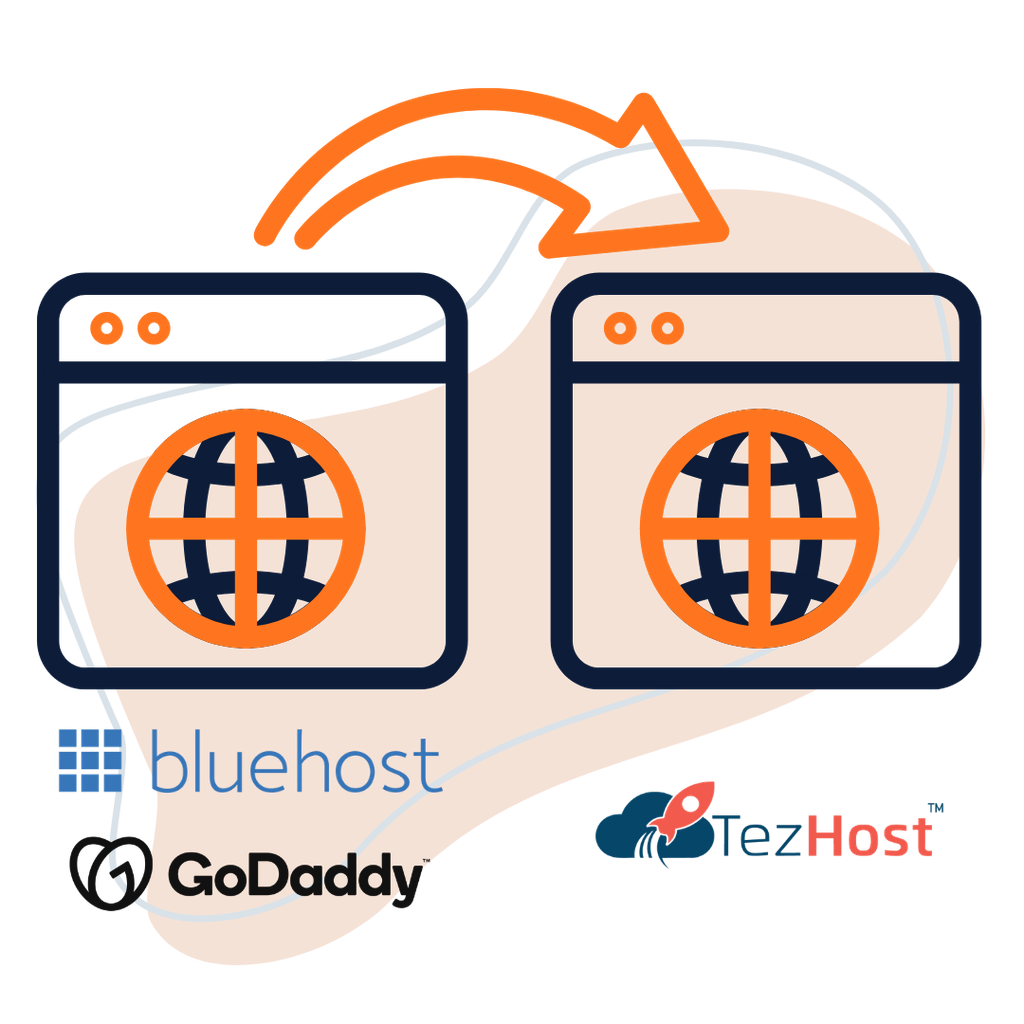
The exact process depends on your website platform and the control panels involved. For a WordPress website, the following approach covers the essential steps.
Step 1: Choose Your New Hosting Plan
Select a hosting package that supports your website’s software and resource requirements.
For example:
- A small WordPress website may work well with shared hosting.
- A growing business website may need more storage and processing resources.
- A high-traffic application may require VPS or cloud infrastructure.
- A custom application may need specific server software or runtime support.
Do not select a package based on storage alone. CPU, RAM, database capacity, PHP compatibility, and support matter too.
Step 2: Set Up Your New Hosting Account
Purchase the hosting plan and add your existing domain to the new account.
Depending on the hosting environment, you may need to create a database, database user, email accounts, and other application settings.
Do not change your domain’s nameservers yet. Your existing website should remain accessible while the new copy is being prepared.
Step 3: Transfer Website Files and Databases
There are several ways to transfer a website:
- Control panel backup: Download a full or partial backup and restore it where supported.
- FTP or SFTP: Transfer website files to the new server.
- Database export and import: Export the database from the old hosting account and import it into the new one.
- Migration plugin: Use a suitable WordPress migration tool to package and transfer the installation.
For manual WordPress migration, update the database details in wp-config.php if they have changed.
If your website uses a different domain during testing, you may also need to handle URL replacement carefully. Avoid performing an unrestricted search-and-replace on serialized WordPress data.
Step 4: Test the New Website
Before changing DNS, test the migrated website in its new environment.
Check the homepage, internal pages, images, forms, login, plugins, database connections, and checkout process if you operate an online store.
Also verify:
- PHP errors and server logs.
- SSL certificate installation.
- WordPress permalinks.
- Scheduled tasks and cron jobs.
- Contact form delivery.
- Website speed and caching.
- Mobile responsiveness.
A successful file transfer does not automatically mean the website is fully functional.
Step 5: Update DNS Records
Once the new website is ready, update the relevant DNS records to direct visitors to the new server.
You can change the A record or nameservers, depending on your DNS setup.
If you use third-party email services, preserve their MX and TXT records. Changing nameservers without recreating these records can interrupt email delivery.
DNS changes may take time to become visible across different networks because of caching and TTL settings.
Step 6: Monitor the Website After Migration
Keep your old hosting account active during the transition whenever possible.
Monitor website availability, page loading, SSL, email delivery, forms, database connections, and customer transactions.
For websites that receive frequent orders or user submissions, make sure new data created during the migration window is not lost.
Only cancel your previous hosting subscription after you have confirmed that the new environment is working correctly.
5. Will Switching Hosting Affect Your Website’s SEO Rankings?
A hosting migration does not automatically damage your SEO rankings. However, extended downtime, broken URLs, missing content, incorrect redirects, or crawling problems can affect search performance.

If you switch from Bluehost, keeping your domain name and URL structure unchanged can make the transition simpler.
SEO Checks Before and After Migration
| SEO Element | What You Should Do |
|---|---|
| URLs | Keep existing URLs wherever possible. |
| Content | Confirm that all important pages and posts are present. |
| Redirects | Preserve existing redirects and test them. |
| SSL | Make sure HTTPS works correctly. |
| Robots.txt | Check that search engines are not accidentally blocked. |
| XML sitemap | Confirm that the sitemap is accessible and accurate. |
| Canonical tags | Check that canonical URLs point to the correct pages. |
| Search Console | Monitor indexing and crawling reports. |
Do not change your domain, redesign your website, and migrate hosting all at once unless there is a clear reason. Making several major changes together makes it harder to identify the cause of any SEO problems.
After migration, use Google Search Console to monitor indexing, page availability, and unexpected crawl errors.
For a more detailed migration process, read our guide to web host migration.
6. What Hosting Migration Help Should You Expect From Your New Provider?
Good hosting migration help should cover more than copying website files. It should clarify what will be transferred, what the customer needs to provide, whether email is included, and how the new website will be tested.
Before purchasing, ask your new provider:
- Is website migration included in the selected plan?
- Is the migration free or charged separately?
- Does it cover WordPress, custom PHP websites, or both?
- Are databases and email accounts included?
- Will the team help with DNS changes?
- Is there a limit on website size or the number of websites?
- What happens if the source hosting environment is incompatible?
These questions matter because migration requirements differ from one website to another.
Does TezHost Offer Website Migration?
TezHost provides migration options for selected hosting services.
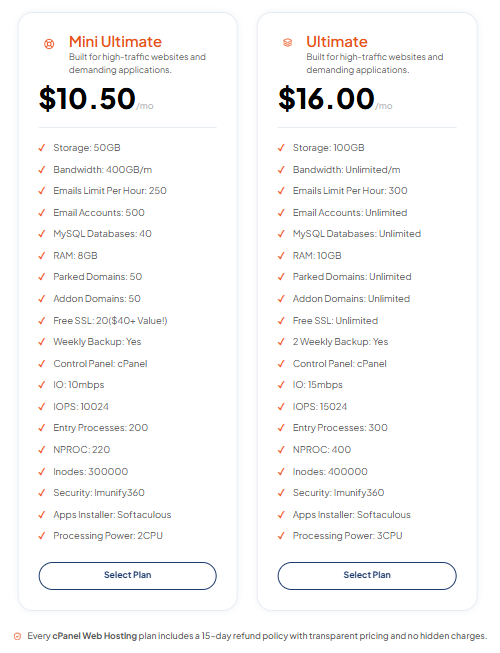
For example, its cPanel Web Hosting page advertises website migration alongside features such as NVMe SSD storage, LiteSpeed web servers, free SSL certificates, security protection, backups, and 24/7 support.
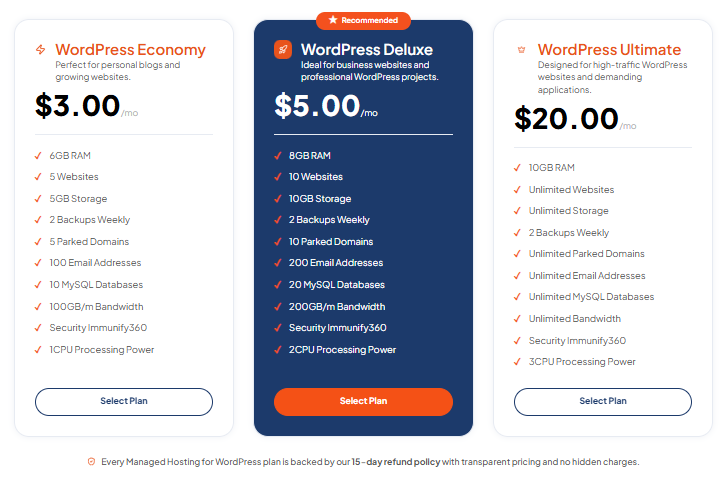
For WordPress users, Managed Hosting for WordPress advertises free WordPress website migration, along with WordPress-focused hosting, security, backups, and technical support.
Migration eligibility and scope can depend on the website and selected package. Confirm the details with the team before placing your order.
If you are moving from Bluehost or GoDaddy and want assistance, contact TezHost through live chat to discuss your website, current hosting environment, and migration requirements.
7. How Is TezHost Revolutionizing Website Migration With a Practical Approach?
TezHost is making website migration more accessible by combining hosting choices, migration options on selected plans, domain services, and customer guidance in one place.
A migration should not be treated as a simple change of server. It is an opportunity to review whether your existing hosting environment still meets your technical and business needs.
Here is what makes the TezHost approach useful:
Hosting Options for Different Requirements
Not every website needs the same hosting environment.
TezHost offers multiple hosting options, including:
- cPanel Web Hosting for users who prefer a familiar hosting control panel.
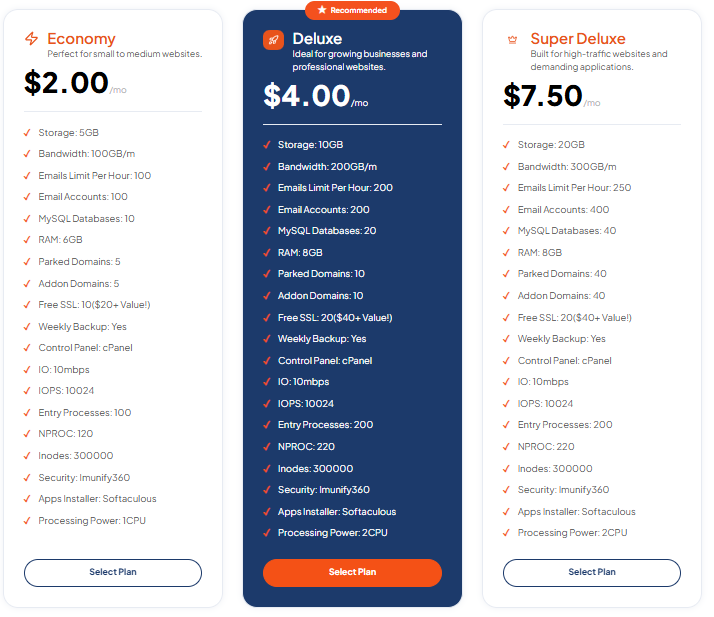
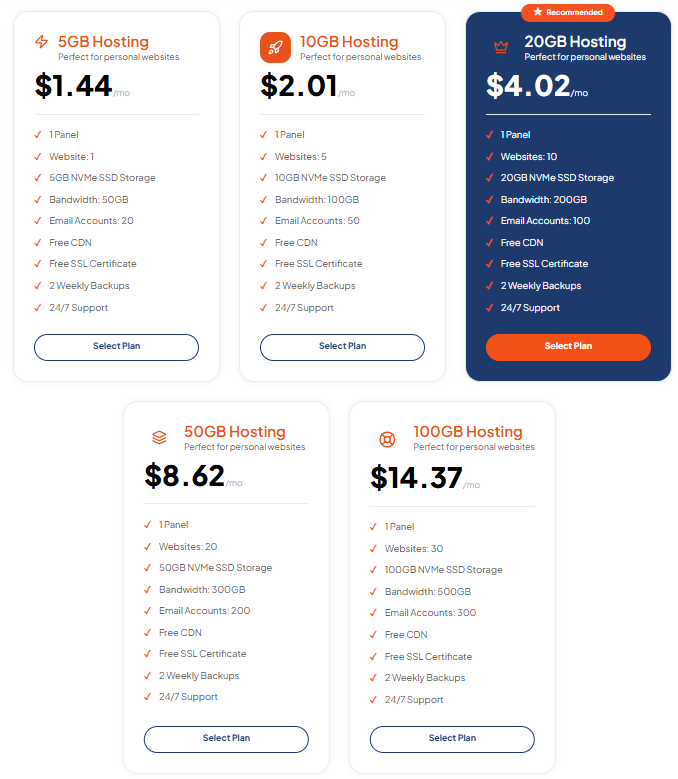
- DirectAdmin Hosting for users looking for a lightweight control panel and NVMe-based hosting.
- Managed WordPress Hosting for WordPress websites that need a specialised hosting environment.
The right choice depends on your website’s software, resource usage, and management preferences.
Migration Options for WordPress Websites
Moving a WordPress website can involve themes, plugins, databases, media files, and configuration settings.
TezHost’s Managed WordPress Hosting advertises free WordPress migration, helping eligible website owners move without having to manage every technical step themselves.
Performance and Security Features
TezHost’s hosting services include features such as NVMe storage, free SSL, security protection, backups, and support, depending on the selected plan.
These features matter after migration because the objective is not simply to move your website. It is to operate it in an environment that supports performance, security, and future growth.
Domain and Hosting Services Together
Managing your domain and hosting services through one provider can simplify administration.
Explore TezHost domain services if you also want to review domain registration or transfer options.
Guidance Before You Move
Every website has different requirements. A basic blog, an eCommerce store, and a custom application should not be treated as identical migration projects.
TezHost encourages customers to discuss their requirements before choosing a hosting plan. You can register here to explore the available services or speak directly with the sales team to discuss your migration.
The focus is simple: choose suitable hosting, understand the migration scope, and make the move with a clear plan.
Frequently Asked Questions About Switching From Bluehost or GoDaddy
These are some of the most common questions website owners ask when planning to switch from Bluehost or move their websites from GoDaddy.
Can I move my website from Bluehost to another hosting provider?
Yes. You can move your website by transferring its files, databases, and required configurations to a compatible hosting account. Your existing domain can remain unchanged.
Can I move my website from GoDaddy without changing my domain?
Yes. Hosting and domain registration are separate services. You can move your website to another hosting provider while keeping your domain registered with GoDaddy.
How long does website migration take?
A small website may be migrated within a few hours, while larger websites, online stores, and custom applications can take longer. The timeline depends on file size, database volume, compatibility, and testing requirements.
Will my website go offline during migration?
Not necessarily. Keeping the old and new hosting environments active during the transfer, testing the new website before DNS changes, and planning the final switch can minimize downtime. However, zero downtime cannot be guaranteed for every migration.
Can I transfer my WordPress website from Bluehost or GoDaddy?
Yes. WordPress websites can generally be moved by transferring the WordPress files and database, configuring the new environment, and testing the installation before updating DNS.
Will I lose my emails when changing hosting providers?
Not if email migration and DNS are handled correctly. If your email is hosted separately, preserve the relevant MX, SPF, DKIM, and DMARC records. If email is moving too, transfer the mailboxes and messages before cancelling the old service.
Is website migration free with TezHost?
TezHost advertises free website migration on its cPanel hosting page and free WordPress migration with its Managed WordPress Hosting service. Confirm eligibility, website limits, and the exact migration scope with the team before ordering.
Do I need to transfer my domain to TezHost?
No. You can keep your domain with Bluehost or GoDaddy and simply update its DNS records to point to your new hosting account. Domain transfer is optional.
Conclusion: Make Your Hosting Move With Confidence
Choosing to switch from Bluehost or GoDaddy does not have to mean risking your website, losing valuable content, or starting over.
With a proper backup, compatible hosting environment, careful file and database transfer, and thorough testing, you can move your website while keeping its existing domain and online identity.
Before making the move, remember to:
- Review your current hosting requirements.
- Back up your website and database.
- Check software and server compatibility.
- Confirm migration assistance and its scope.
- Test the new website before updating DNS.
- Preserve email and SEO configurations.
- Keep your old hosting active until everything is verified.
If you are ready to explore a new hosting environment, visit TezHost and compare the available hosting solutions.
Register with TezHost to get started, or talk to our sales team about moving your website from Bluehost or GoDaddy.
Your website has already taken time and effort to build. Make sure its next hosting move is planned just as carefully.