In the vast digital landscape, where billions of websites and services coexist, the Domain Name System—better known as DNS—forms one of the foundational pillars of the modern internet. It works behind the scenes every time you type a web address into your browser, transforming human-friendly names into machine-understandable addresses. Without DNS, the internet would feel like an endless maze of numbers, impossible to navigate. Understanding how DNS works not only deepens your appreciation for the technology you rely on daily but also helps you better troubleshoot connectivity issues, bolster security, and grasp the inner mechanics of online communication.

From Names to Numbers: Why DNS Exists
At the core of every interaction on the internet lies an IP address—a numerical label that uniquely identifies each device connected to a network. A typical IPv4 address might look like 192.168.10.17, while an IPv6 address is even more complex, such as 2606:4700:4700::1111. Imagine having to memorize dozens, much less hundreds, of these numeric codes to access websites. Before DNS was created, that was close to reality.
DNS was introduced to solve this problem. It acts as a global directory that translates memorable domain names—like google.com or wikipedia.org—into the exact IP addresses required to fetch information from the correct server. In the simplest terms, DNS is the internet’s phonebook: you look up a name, and it returns a number. But unlike a printed phonebook, DNS is distributed, constantly updated, and capable of handling billions of queries every day.
How DNS Works Behind the Scenes
While DNS may appear simple from the user’s perspective, it relies on a sophisticated sequence of steps that unfold in milliseconds. When you press Enter after typing a website’s name, a multi-stage process begins.
The Journey Begins: The DNS Query
The process starts with your device generating a DNS query—a request asking for the IP address associated with the domain you want to visit. This query usually goes to a DNS resolver, often operated by your internet service provider (ISP) or a third-party service like Google DNS or Cloudflare.
Your resolver acts like a guide. If it already knows the answer from its cache, it immediately returns the IP address. If not, it begins a journey across the DNS hierarchy.

The Root of the Internet: Contacting the Root Servers
When the resolver doesn’t know where a domain lives, it begins at the top of the DNS hierarchy—the root servers. There are 13 sets of root servers, strategically distributed worldwide. They don’t know the specific IP of every website, but they do know where to find the next level: the top-level domain (TLD) servers.
For example, if you are searching for example.com, the root servers will direct the resolver to the TLD servers responsible for .com.
Finding the Right Neighborhood: TLD Servers
Top-level domain servers manage the highest-level extensions, such as .com, .org, .net, .gov, or country-specific domains like .uk or .in. These servers also don’t contain the exact IP for the website, but they do know which authoritative servers hold the domain’s information.
Following our example, the .com TLD server will point the resolver to the authoritative DNS server responsible for example.com.
The Source of Truth: Authoritative DNS Servers
The authoritative DNS server is the final stop. Unlike the previous layers, this server holds the actual DNS records for the domain. It knows the exact IP address where the website is hosted. Once the authoritative server provides the answer, the resolver sends it back to your device, and your browser can finally establish a connection.
This entire sequence—query, root servers, TLD servers, authoritative servers, and response—happens within a fraction of a second.
The Critical Records That Keep DNS Functioning
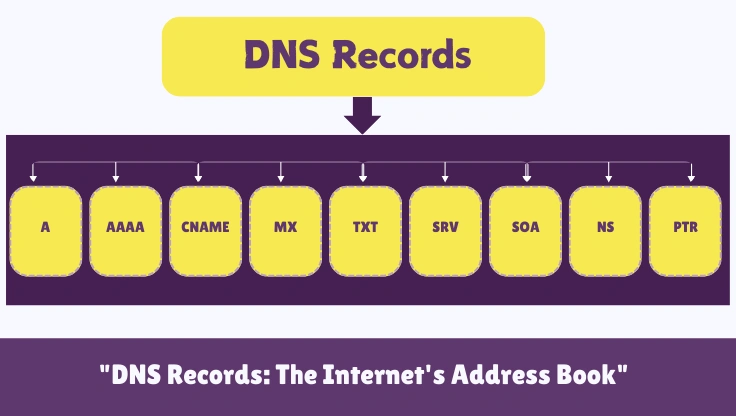
DNS relies on a set of records, each serving a specific purpose in guiding traffic and defining how a domain behaves. These records are stored on authoritative servers and help ensure internet services operate correctly.
An A record connects a domain name to an IPv4 address, while an AAAA record performs the same role for IPv6. A CNAME record creates an alias, allowing one domain to point to another—useful for subdomains or redirecting traffic. MX records manage email routing, determining which mail servers accept messages for the domain. Meanwhile, TXT records store human-readable text used for authentication methods like SPF, DKIM, and other security frameworks.
Together, these records form the blueprint that determines where your requests go and how your domain behaves across different services.
Caching: The Secret to DNS Speed
If DNS had to complete its full lookup every time you visited a website, browsing the internet would feel slow and clunky. To prevent this, DNS relies heavily on caching—temporarily storing previously resolved domain-to-IP mappings.
Caching occurs at multiple levels: your browser, operating system, router, ISP, and public DNS resolvers. Each record has a Time-To-Live (TTL), which tells resolvers how long they can store the information before fetching a fresh copy. This balance between speed and freshness ensures that DNS remains efficient without sacrificing accuracy.
Security Matters: When DNS Becomes a Target
Because DNS plays such a central role in directing traffic, it’s naturally a major target for cyberattacks. Threat actors often attempt to tamper with DNS in ways that redirect users to malicious sites or disrupt services.
DNS spoofing, for example, involves injecting false information into the DNS process so users unknowingly visit fraudulent websites. Another threat, DNS amplification attacks, uses DNS servers to overwhelm a target with massive traffic, forming a powerful type of distributed denial-of-service (DDoS) attack.
To combat these threats, newer security measures like DNSSEC (Domain Name System Security Extensions) were introduced. DNSSEC adds cryptographic signatures to DNS records, allowing resolvers to verify that the information they receive comes from a legitimate source. While not perfect, DNSSEC significantly enhances trust and reduces the attack surface associated with DNS manipulation.

Modern Enhancements: DNS Over HTTPS and DNS Over TLS
Traditionally, DNS queries traveled across the internet in plain text, making them easy to intercept or monitor. As privacy became a growing concern, new protocols emerged.
DNS over HTTPS (DoH) and DNS over TLS (DoT) encrypt DNS traffic, preventing eavesdroppers—including internet providers and malicious actors—from seeing what domains users are querying. By wrapping DNS requests inside encrypted tunnels, these technologies make the browsing experience more private and secure.
Although these protocols offer stronger protection, they also introduce debates around censorship, parental controls, and centralization, since encrypted DNS often relies on a handful of large operators.
Why DNS Is More Important Than Ever
As the internet evolves, the significance of DNS continues to grow. With the expansion of IoT devices, cloud services, and globally distributed systems, DNS plays a vital role in ensuring that services remain fast, resilient, and reachable. Content delivery networks (CDNs), for example, use DNS to direct users to the nearest server location, improving load times and reducing latency.
Meanwhile, enterprises increasingly depend on DNS analytics for threat detection, performance monitoring, and network optimization. In many ways, DNS has shifted from being just a simple lookup tool to becoming an essential component of internet intelligence.
A System Built on Trust and Collaboration
DNS is one of the few technologies maintained cooperatively by organizations, businesses, governments, and volunteers across the world. Despite handling billions of lookups every day, it remains remarkably reliable and decentralized. This collaborative nature ensures that no single entity controls the entire system, preserving the openness and resilience of the internet.
Conclusion: The Invisible Backbone of the Web
Though often overlooked, DNS is one of the most impactful inventions in the realm of networking. It makes the internet human-friendly, secure, and scalable. Every time you load your favorite website, stream a movie, or send an email, DNS is silently at work—mapping names to numbers, directing traffic, and safeguarding your journey across the web.
Understanding how DNS works not only demystifies an essential part of internet technology but also empowers you to make better decisions about performance, privacy, and security. In the end, DNS may be invisible to users, but without it, the digital world as we know it simply couldn’t exist.