Hybrid infrastructure setup gives businesses a practical way to use cloud services without moving every server, application, or database away from their own premises. You can keep important systems in your server room while using cloud servers for additional computing power, selected applications, remote access, or disaster recovery.
For many organizations, this is a sensible middle ground. They may have invested heavily in physical servers, rely on legacy applications, or need to keep certain data within their own facilities. At the same time, they may want the flexibility and scalability of cloud hosting.
The good news is that you don’t have to choose only one.
A well-planned hybrid cloud on-premises environment combines both approaches according to workload requirements. If you’re exploring cloud services, you can register with TezHost and review its cloud server options. You can also talk to a TezHost sales agent to discuss your infrastructure requirements.
Let’s look at how this model works and what to consider before implementing it.
1. What Is a Hybrid Infrastructure Setup?
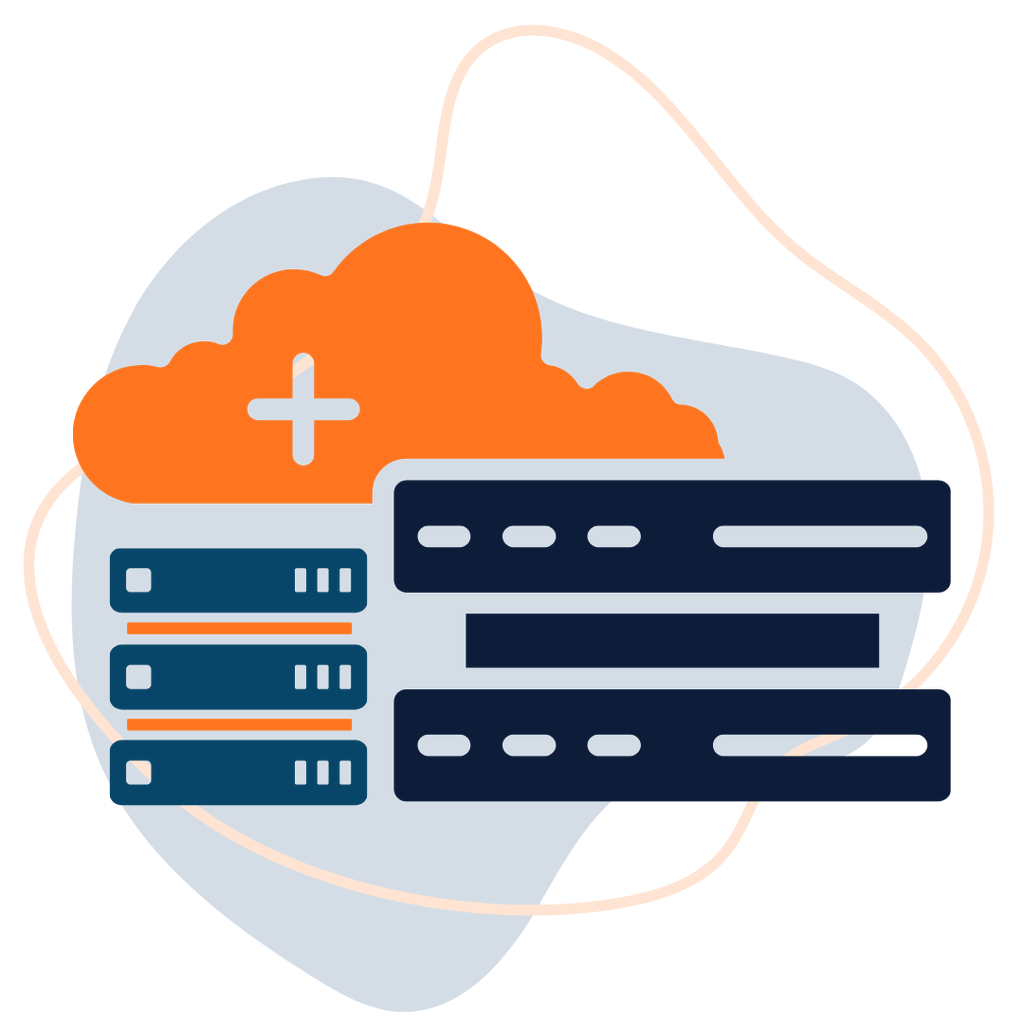
A hybrid infrastructure setup combines on-premises IT resources with cloud-based services. Instead of moving everything to a cloud provider, a business operates selected workloads locally and others in a cloud environment.
For example, a company might:
- Keep its ERP system and sensitive databases on-premises.
- Host its public-facing website on a cloud server.
- Use cloud storage for selected files and backups.
- Run development and testing environments in the cloud.
- Connect remote employees to applications through secure access systems.
The two environments work together through networking, identity management, security policies, and application integrations.
This is different from simply using a cloud service alongside an unrelated office server. A properly designed hybrid infrastructure setup has planned connections and clearly defined responsibilities between environments.
2. Can You Keep Your Servers On-Premises While Using Cloud Services?
Yes. You can keep your physical servers on-premises and use cloud services at the same time. You do not need to migrate every workload to benefit from cloud infrastructure.
The key is deciding which systems should remain local and which would benefit from cloud resources.
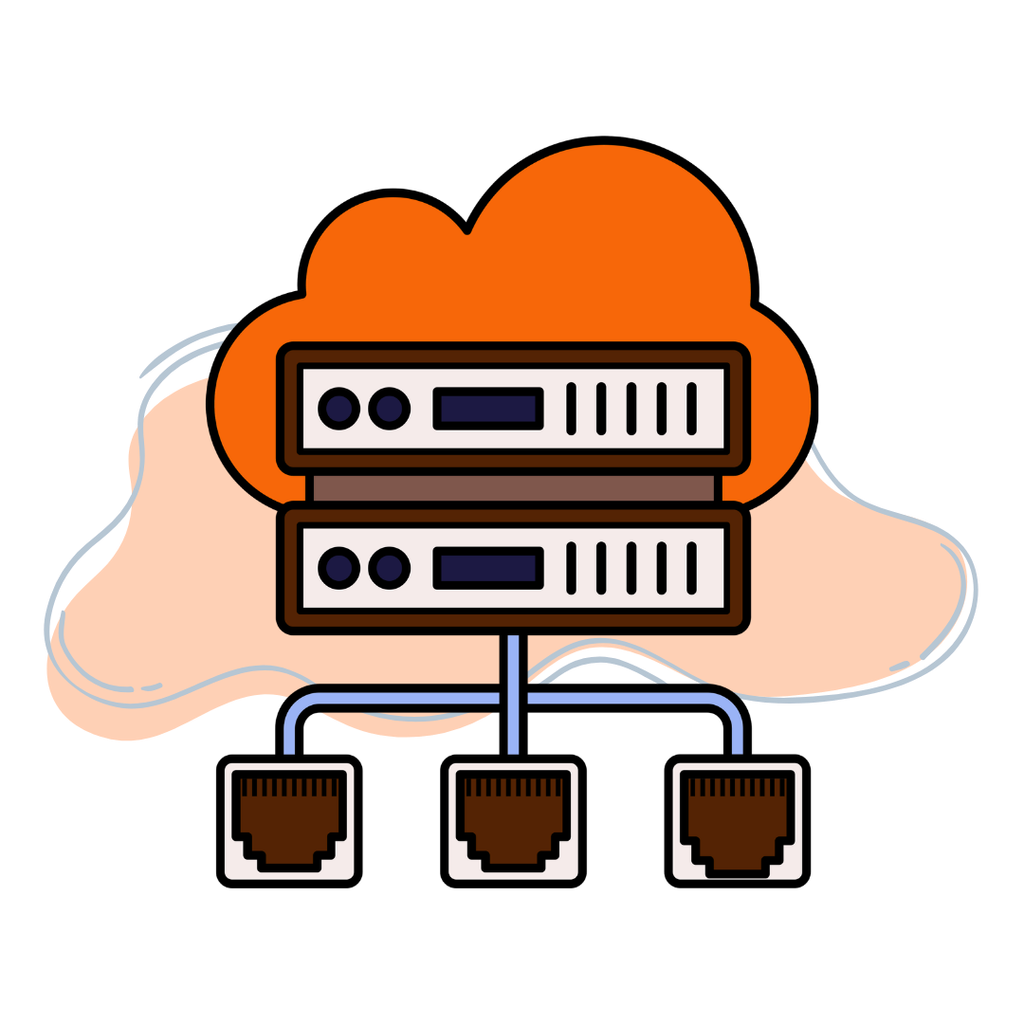
For example, a business with an existing database server may prefer to retain it on-premises because of application dependencies, internal policies, or predictable workloads. It could still use a cloud server to host a customer portal, run a separate application, or provide additional computing capacity.
This hybrid cloud on-premises model can help businesses modernize gradually rather than replacing their entire infrastructure in one project.
However, the two environments must be connected securely. Depending on your requirements, this could involve a site-to-site VPN, a private network connection, secure APIs, or other networking arrangements.
The right hybrid infrastructure setup depends on your applications, network architecture, security requirements, and the services supported by your cloud provider.
3. Why Do Businesses Choose Hybrid Cloud On-Premises Infrastructure?
Businesses choose hybrid infrastructure because different workloads have different technical and operational requirements.
A company may have good reasons to keep certain systems in its own facility while moving other workloads to cloud servers.
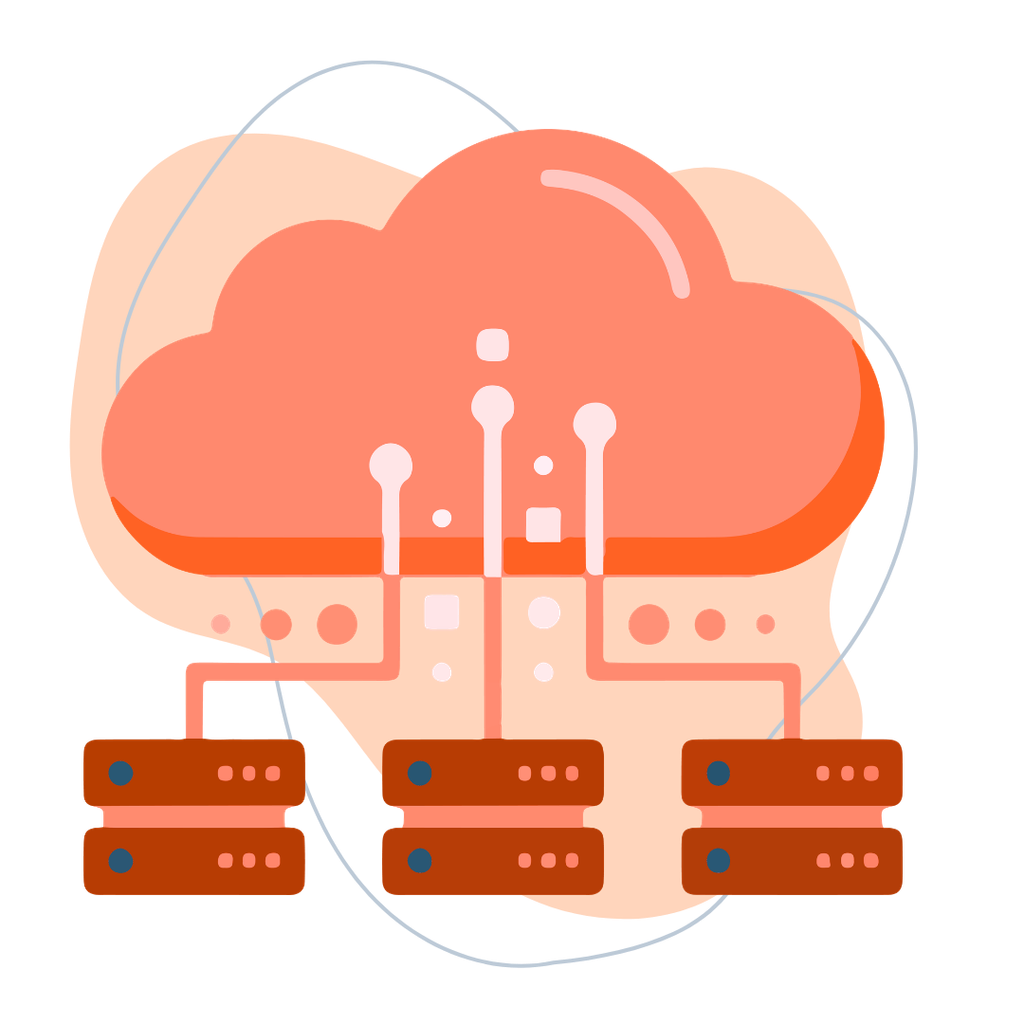
Here are seven common benefits.
1. Retain Control Over Existing Hardware
If your organisation has already invested in physical servers, storage systems, networking equipment, and software licences, replacing everything may not be financially sensible.
Keeping servers on-premises allows you to continue using existing infrastructure where it remains suitable.
2. Support Legacy Applications
Some older business applications depend on specific operating systems, local hardware, or software configurations.
A hybrid infrastructure setup allows these applications to remain on-premises while newer services can be deployed in the cloud.
3. Add Computing Capacity
When workloads increase, cloud servers can provide additional CPU, RAM, and storage without requiring you to purchase and install another physical server.
For example, a business can keep its core systems locally while hosting a resource-intensive web application in the cloud.
4. Improve Geographic Accessibility
Cloud-hosted applications can make it easier to provide access to employees, customers, and business partners in different locations.
However, remote access still needs proper authentication, encryption, access controls, and network configuration.
5. Support Business Continuity
Cloud infrastructure can form part of a disaster recovery strategy by hosting recovery systems or storing independent backups.
But simply having a cloud server does not guarantee automatic failover. You need a tested recovery plan, replicated data where appropriate, and a clear process for restoring services.
6. Manage Infrastructure Costs
A hybrid infrastructure setup can help businesses avoid replacing every physical server while also reducing the need to purchase new hardware for every expansion.
However, maintaining two environments can introduce additional networking, licensing, monitoring, and support costs. Compare the total cost of ownership rather than assuming hybrid is always cheaper.
7. Migrate at Your Own Pace
You can move workloads gradually, test performance, identify compatibility problems, and decide which systems should eventually move to cloud.
This is particularly useful for businesses that cannot risk a large, disruptive migration.
For a broader comparison of the two infrastructure models, read Cloud vs On-Premise.
4. Which Servers and Workloads Should Stay On-Premises?
Not every application belongs in the cloud. A hybrid infrastructure setup should be based on workload requirements rather than a general preference for one technology.

Consider keeping a workload on-premises when:
- It depends on specialised hardware or local devices.
- It has strict data residency or regulatory requirements.
- It relies on legacy software that is difficult to migrate.
- It requires consistently low-latency access to local systems.
- Your existing hardware is still cost-effective and adequately supported.
- Your organisation has the technical staff to maintain it securely.
For example, a manufacturing business may need local systems to communicate with production equipment. Moving those systems to a remote cloud environment could introduce network latency or operational dependencies that are not acceptable.
A financial organization may also have internal policies governing where certain records are stored or processed.
However, keeping a server on-premises does not automatically make it more secure or compliant. Physical security, patching, access controls, encryption, backups, and monitoring still matter.
A sensible hybrid infrastructure setup keeps workloads local for specific technical or business reasons—not simply because the organization has always operated that way.
5. Which Workloads Should You Move to Cloud?
Cloud services are useful when you need flexible resources, remote accessibility, or infrastructure that can be deployed without purchasing physical hardware.
Common candidates include:
- Public-facing websites and web applications.
- Development and testing environments.
- Additional application servers.
- Customer portals and APIs.
- Selected file storage and backup services.
- Temporary workloads with changing resource requirements.
- Disaster recovery infrastructure.
For example, an ecommerce business could keep its internal inventory database on-premises while hosting its public website and customer-facing application on a cloud server.
The systems would communicate through a secure connection, with access restricted to the required services.
A hybrid infrastructure setup like this can help businesses expand their online services without immediately replacing their internal systems.
If you’re still evaluating whether cloud adoption makes sense for your organization, read Should My Company Move to Cloud?.
6. Seven Technical Considerations Before Building a Hybrid Environment
Combining local servers and cloud services requires more than ordering a cloud server and connecting it to your office network.
Before implementing a hybrid infrastructure setup, consider these technical areas.
1. Network Connectivity and Latency
Your on-premises systems and cloud workloads need reliable communication.
Options may include:
- Site-to-site VPN connections.
- Encrypted network tunnels.
- Private connectivity where supported.
- Secure API integrations.
Evaluate bandwidth, latency, packet loss, and network availability. Applications that frequently exchange large amounts of data may perform poorly if the connection is slow or unreliable.
2. Identity and Access Management
Users should not automatically receive access to every system in both environments.
Use centralized identity management where practical, multi-factor authentication, role-based access controls, and least-privilege permissions.
A hybrid infrastructure setup should have clearly defined access policies for administrators, employees, applications, and external services.
3. Data Synchronisation
If applications use data across both environments, decide how information will be synchronized.
Possible approaches include database replication, scheduled transfers, application-level APIs, and file synchronization.
Consider data consistency, transfer frequency, conflict handling, and recovery procedures. Not every application is suitable for real-time replication.
4. Security and Compliance
Both environments need appropriate security controls.
Consider:
- Encryption in transit and at rest.
- Firewall rules and network segmentation.
- Operating system and application patching.
- Endpoint protection and monitoring.
- Access logs and audit trails.
- Data residency and regulatory obligations.
Remember that cloud hosting does not automatically make an application compliant. Your organization remains responsible for its configurations, access policies, data handling, and applicable legal obligations.
5. Backup and Disaster Recovery
Decide what happens if an on-premises server fails, a cloud service becomes unavailable, or a network connection is interrupted.
Define your Recovery Time Objective (RTO) and Recovery Point Objective (RPO).
Maintain independent backups, document restoration procedures, and test recovery regularly. A hybrid infrastructure setup should not rely on the assumption that having two environments automatically creates redundancy.
6. Monitoring and Administration
Your IT team needs visibility across both environments.
Monitor CPU, RAM, storage, network traffic, application health, security events, and service availability.
Where possible, use centralized logging and monitoring so that administrators can investigate problems without switching between disconnected systems.
7. Total Cost of Ownership
Calculate the full cost of maintaining both environments.
Include:
- Physical server maintenance and replacement.
- Electricity, cooling, and physical security.
- Cloud server charges.
- Storage and bandwidth.
- VPN or network connectivity.
- Software licenses.
- Backup and monitoring tools.
- IT administration and support.
A hybrid infrastructure setup may reduce some costs, but it can also increase operational complexity. Compare the long-term cost with both a fully on-premises and a cloud-based alternative.
7. How TezHost Can Support the Cloud Side of Your Hybrid Infrastructure
A hybrid infrastructure setup requires suitable cloud resources for the workloads you decide to host outside your premises.
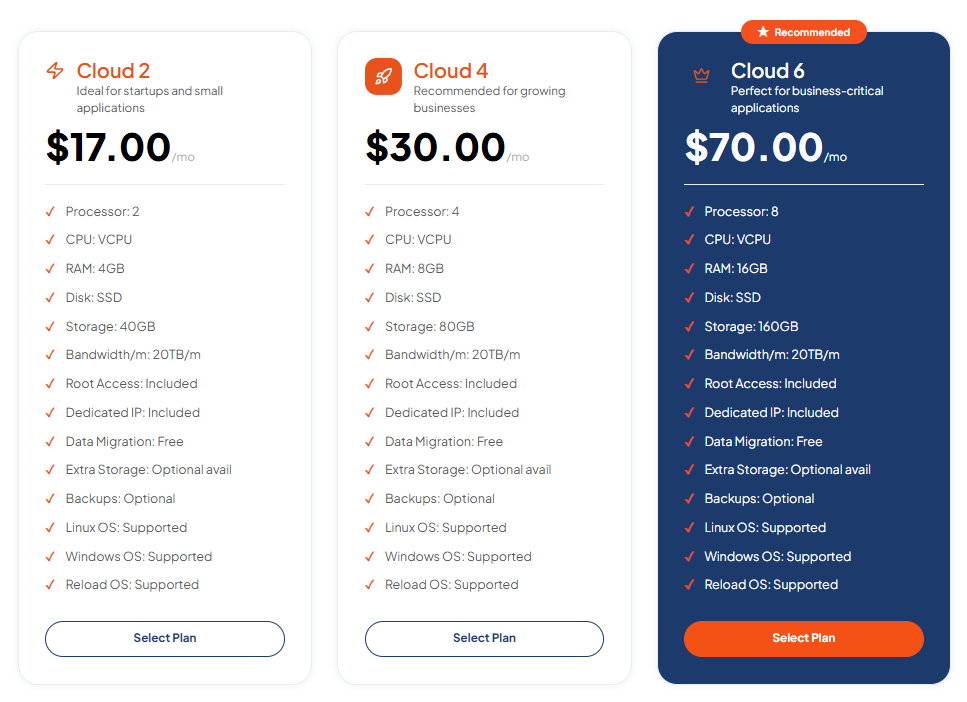
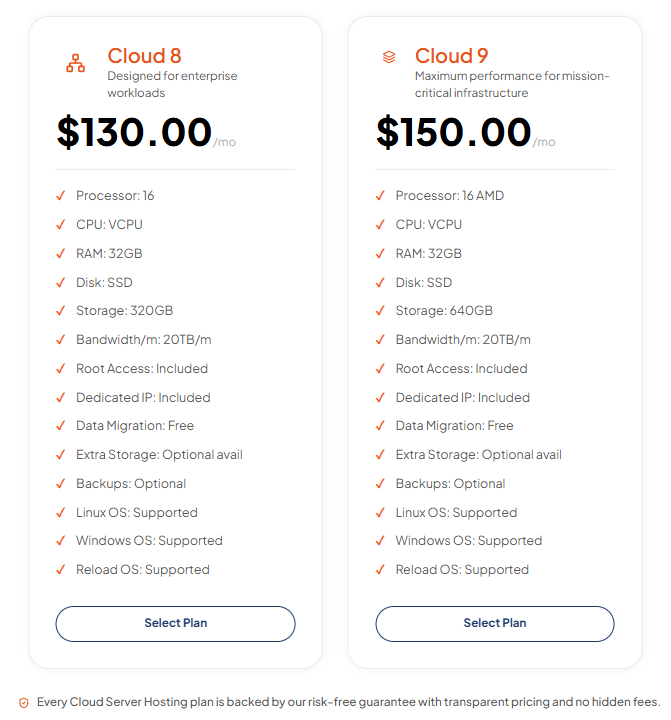
TezHost provides cloud server configurations that businesses can consider for websites, applications, development environments, and other workloads.
Its published cloud server plans include:
| Plan | vCPU | RAM | Storage | Monthly price |
|---|---|---|---|---|
| Cloud 2 | 2 | 4GB | 40GB | $17 |
| Cloud 4 | 4 | 8GB | 80GB | $30 |
| Cloud 6 | 8 | 16GB | 160GB | $70 |
| Cloud 8 | 16 | 32GB | 320GB | $130 |
| Cloud 9 | 16 | 32GB | 640GB | $150 |
The listed plans include:
- 20TB monthly bandwidth.
- Full root access.
- Dedicated IP address.
- Free data migration.
- Linux and Windows operating system support.
- Optional additional storage.
- Optional backups.
These options allow businesses to select cloud resources according to their application requirements.
For example, a business might use an appropriately sized cloud server for a website or application while retaining its existing database server on-premises. The business would still need to configure and secure the connection between the two environments.
An important distinction: A dedicated IP address does not automatically provide a private network connection to your office. Confirm VPN, routing, firewall, and connectivity requirements before designing your hybrid architecture.
TezHost’s approach focuses on providing practical server configurations, root access, operating system flexibility, and migration assistance rather than requiring every customer to select an unnecessarily large plan. Its cloud reliability guidance also highlights the importance of monitoring, backups, security, and recovery planning alongside infrastructure selection.
Explore TezHost Cloud Servers to compare available configurations. If you’re unsure which resources your workload requires, talk to a TezHost sales agent before selecting a plan.
You can also register with TezHost to explore the available services.
Frequently Asked Questions
Can I use cloud services without moving my existing servers?
Yes. A hybrid infrastructure setup allows you to retain physical servers on-premises while using cloud services for selected applications, websites, storage, or additional computing resources.
Is hybrid cloud better than fully cloud-based infrastructure?
It depends on your requirements. Hybrid infrastructure can be useful when you have legacy applications, existing hardware investments, local processing needs, or specific data requirements. A fully cloud-based environment may be simpler for businesses that do not need to maintain physical servers.
Is hybrid cloud more secure than on-premises infrastructure?
Not automatically. Security depends on access controls, encryption, network configuration, patching, monitoring, backup procedures, and how both environments are managed.
How do on-premises servers connect to cloud servers?
Common methods include site-to-site VPNs, encrypted tunnels, private connectivity where available, and secure application APIs. The right method depends on bandwidth, latency, security, and provider capabilities.
Can I use cloud servers for disaster recovery?
Yes. Cloud servers can host recovery environments or support backup and restoration strategies. However, you must configure data replication, recovery procedures, and testing. A cloud server alone does not guarantee automatic failover.
Is hybrid infrastructure expensive?
It can be more cost-effective than replacing all existing hardware, but maintaining two environments introduces additional costs. Evaluate hardware, cloud resources, networking, licenses, backups, and IT administration before deciding.
Can a small business use a hybrid infrastructure setup?
Yes. A small business can retain a local server for internal applications while using a cloud server for its website, customer portal, or development environment. The architecture should remain as simple as possible while meeting its security and performance requirements.
Conclusion: Keep What Works. Move What Makes Sense.
A hybrid infrastructure setup gives businesses another option beyond choosing between entirely on-premises and fully cloud-based systems.
You can retain physical servers when they meet your technical, financial, or operational requirements while using cloud services for workloads that benefit from flexible resources and remote infrastructure.
The most important step is deciding where each workload belongs. Evaluate application dependencies, network latency, data security, compliance, backup arrangements, and long-term costs before connecting the environments.
TezHost provides cloud server options that can support the cloud-based side of a hybrid environment, with different CPU, RAM, and storage configurations for different workloads.
If you’re planning to extend your existing infrastructure, explore TezHost Cloud Servers, register here, or talk to our sales team about your requirements.
You don’t have to replace everything to modernize your infrastructure. Keep what works, connect what you need, and scale where it makes sense.