Setting up a website should feel exciting, not exhausting. Yet, setting up WordPress manually can involve downloading WordPress files, configuring a database, creating users, editing configuration files, setting permissions, configuring the server, and completing the installation. This tedious process often stalls launch dates and frustrates even seasoned site owners.
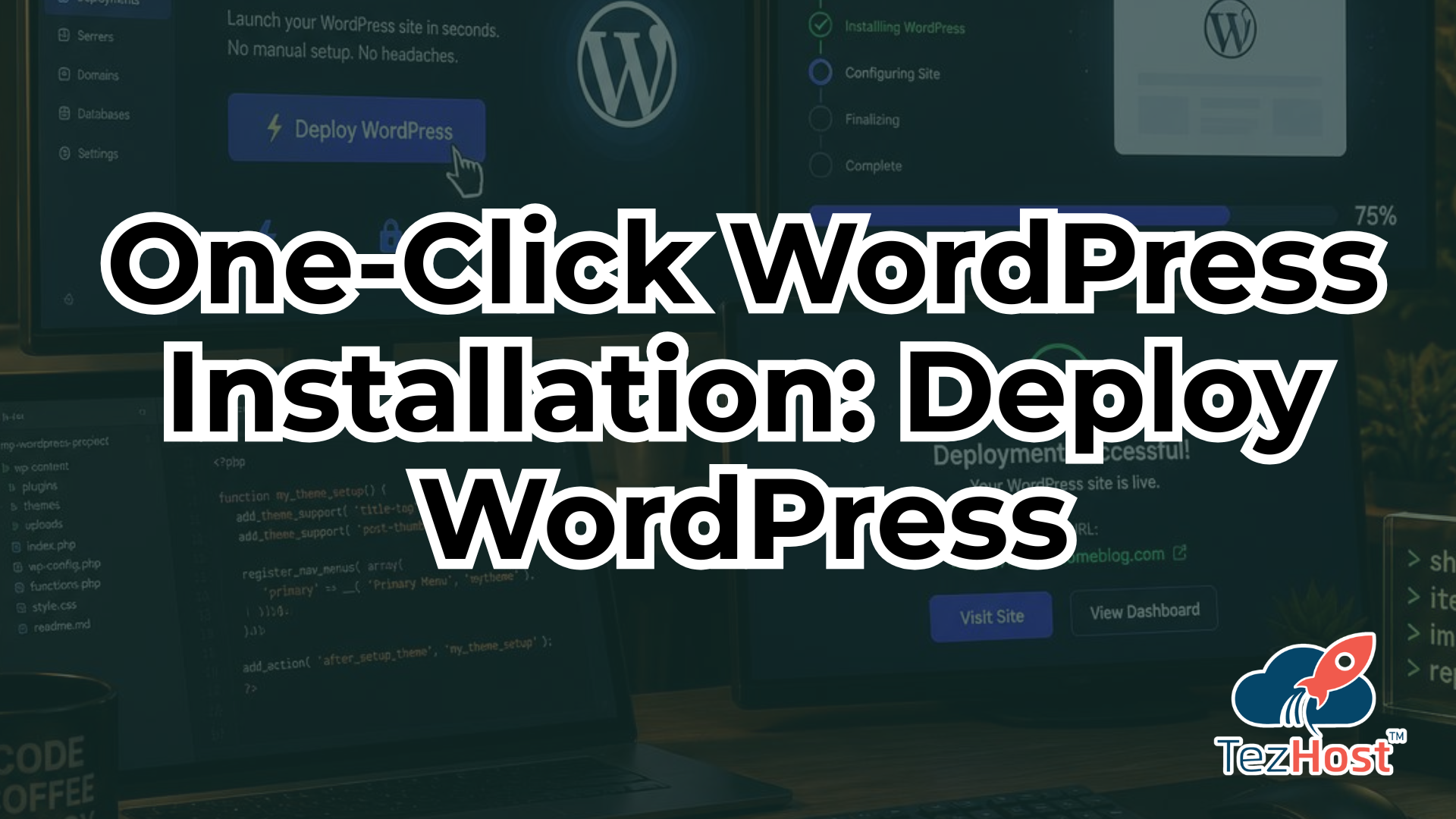
Fortunately, a One-Click WordPress Installation simplifies this entire process by automating the deployment of WordPress on a ready-to-use hosting environment. Instead of spending hours managing command-line terminals or editing configuration files, modern automation allows you to launch a fully functional site in minutes.
To launch your own private cloud environment immediately, you can register here to deploy your site on high-performance cloud infrastructure. Whether you are an entrepreneur launching a store or a developer managing dozens of client projects, combining streamlined setup tools with scalable infrastructure gives you full control over your digital footprint.
If you want to discuss custom deployment configurations for your team, you can talk to a sales agent today to get personal setup advice.
What Is One-Click WordPress Installation?
A One-Click WordPress Installation is an automated deployment mechanism provided by modern cloud hosting platforms to provision WordPress without requiring manual server configuration.
Definition and Automation Mechanics
When you initiate an automated installation, the backend platform automates the otherwise complex deployment process. Behind the scenes, the installer handles several essential operations simultaneously:
- Provisioning the web server environment (such as Nginx or Apache).
- Installing required PHP modules and runtime dependencies.
- Creating a dedicated database along with secure credentials.
- Unpacking core software files into the primary web root directory.
- Linking database strings directly to the core configuration file.
How It Differs From Manual Setups
In a traditional setup, every step—from terminal commands to database creation—must be executed manually. In contrast, an automated One-Click WordPress Installation handles infrastructure orchestration automatically.
Important Distinction: A one-click installation does not mean WordPress itself is literally installed by a single physical click in every single environment. Rather, it means the hosting platform automates the complex deployment workflow so you do not have to manage command-line interfaces or manual file transfers.
Who Can Use It?
Virtually anyone can use this setup method. No advanced technical knowledge or system administration experience is required, making it ideal for non-technical beginners while remaining powerful enough for senior system engineers who value speed.
Why Is WordPress So Popular?
Before exploring deployment workflows, it helps to understand why WordPress powers over 40% of the entire web. Understanding its strengths makes choosing the right One-Click WordPress Installation workflow even more valuable.
Easy Content Management
WordPress provides a user-friendly admin dashboard that allows users to create pages, publish blog posts, and edit media files without modifying backend code. Its intuitive editor makes ongoing site maintenance simple for non-technical team members.
Thousands of Themes and Plugins
The platform offers an unmatched open-source ecosystem. Through WordPress.org, users gain access to thousands of free and premium themes and plugins, allowing complete customization of site design and functionality with zero custom code.
Suitable for Different Types of Websites
The versatility of WordPress allows it to adapt seamlessly to almost any digital project:
- Business Websites: Corporate portals highlighting professional services.
- Blogs & Publications: Content-heavy sites requiring clear categorizations.
- Portfolios: Interactive galleries for designers, photographers, and freelancers.
- Online Stores: E-commerce storefronts powered by WooCommerce.
- Membership Platforms: Gated content portals with recurring subscription models.
- Digital Agencies & Landing Pages: High-converting, focused promotional pages.
Suitable for Beginners and Developers
While beginners love WordPress for its code-free editing, developers value its open-source codebase, REST API endpoints, and extensible hook architecture. Pair it with an automated One-Click WordPress Installation, and both audiences save time.
Why Is Manual WordPress Installation Complicated?
To fully appreciate why a One-Click WordPress Installation is advantageous, consider the multi-step friction involved in manual setups.

Prepare the Server
You must first configure an operating system (typically Linux), set up a web server (Nginx/Apache), install PHP, configure a MySQL or MariaDB database, and verify that all required PHP extensions are active and allocated adequate resources.
Download WordPress
Next, you must connect to your remote host via SSH or FTP, download the latest source archive directly from WordPress.org, and extract the core files into the public directory.
Create a Database
You must log into your database management tool, manually run SQL commands to build a fresh database, generate a secure database user, assign strong passwords, and grant exact privileges.
Configure WordPress
You have to manually rename wp-config-sample.php to wp-config.php, edit the file to insert database credentials, and generate unique authentication secret keys.
Set File Permissions
If file and directory permissions are misconfigured, your site becomes vulnerable to security threats or administrative lockouts. Setting correct read, write, and execute permissions across server folders is mandatory.
Configure the Domain and SSL
You must map DNS A-records from your domain registrar to your server\’s public IP address and configure web server virtual hosts. To protect user data, you must manually issue and configure HTTPS using SSL certificates.
Complete the WordPress Installation
Finally, you navigate to the domain in a browser, run the setup wizard, create admin credentials, and access the dashboard.
A One-Click WordPress Installation eliminates this manual complexity, turning a multi-hour process into a single automated task.
How Does One-Click WordPress Installation Work?
Understanding the user workflow helps highlight how seamless an automated One-Click WordPress Installation really is.

- Choose Your Cloud Server: Select a hosting plan with sufficient CPU, RAM, and SSD storage for your anticipated traffic. You can evaluate flexible options on our cloud servers page.
- Select WordPress: Choose WordPress from the available platform application options in your client portal.
- Start the Installation: Click the deploy button to trigger automated provisioning scripts that install dependencies and construct the database automatically.
- WordPress Is Configured: The system automatically binds server paths, applies standard security rules, and configures database connections.
- Access Your Website: Once completed, log into your new site using the provided server IP address or domain URL.
- Complete Website Configuration: Customize your site by selecting a theme, installing essential plugins, adding pages, and securing your site through managed hosting for WordPress.
One-Click WordPress Installation vs. Manual Installation
| Feature | One-Click WordPress Installation | Manual Installation |
| Setup Complexity | Low (Automated) | High (Manual) |
| Technical Knowledge | Minimal | Moderate to Advanced |
| Installation Time | Minutes | 1 to 2 Hours |
| Server Configuration | Automated | Manual Terminal Commands |
| Database Setup | Auto-Provisioned | Manual Creation & Assignment |
| Configuration | Automated wp-config.php | Manual Text Editing |
| Developer Control | Full (SSH/Root Available) | Full |
| Suitable for Beginners | Yes | No |
| Suitable for Developers | Yes (Saves Time) | Yes |
| Deployment Process | Streamlined | Multiple Error-Prone Steps |
Benefits of One-Click WordPress Installation
Choosing an automated One-Click WordPress Installation offers immediate technical and strategic benefits.
Faster Website Deployment
Automation slashes setup times from hours to minutes, allowing you to launch marketing campaigns, test product ideas, and deliver client projects significantly faster.
No Complex Manual Configuration
You avoid command-line errors, file privilege issues, and database misconfigurations. The system handles infrastructure complexity reliably in the background.
Fewer Setup Errors
Manual installations are prone to typos in configuration files or incorrect database privileges. Automated deployment guarantees consistent, error-free setups every time.
Ready-to-Use Environment
Your site launches on an optimized server environment designed specifically for PHP and MySQL workloads, providing immediate stability.
Developer-Friendly Access
Automation does not mean losing control. Developers maintain full SSH access to inspect server logs, manage file structures via command-line, or execute custom scripts.
Scalable Infrastructure
When deployed on high-speed cloud infrastructure, your site can scale resources seamlessly as traffic grows. To explore scalable environments, review our high-performance VPS hosting options.
Easy Website Launch
With server setup taken care of, you can spend your time building pages, writing content, and designing user experiences instead of fighting server settings.
Introducing TezHost One-Click WordPress Installation
TezHost makes site deployment simpler by combining an automated One-Click WordPress Installation with high-performance cloud infrastructure.

One-Click WordPress Installation
Launch production-ready environments without executing manual terminal commands or editing configuration scripts.
Ready-to-Use Cloud Environment
TezHost prepares underlying server packages, configures firewalls, and optimizes resource allocation prior to provisioning your site.
Secure SSH Access
Engineering teams maintain complete administrative freedom with direct root and SSH access for custom command-line operations.
High-Performance, Scalable Cloud Infrastructure
Run your sites on cloud nodes configured with fast SSD storage, high-speed RAM allocations, and low-latency network routes.
Access Through IP or Custom Domain
Preview and develop your site immediately via temporary IP routing before connecting your public domain name.
Suitable for Multiple Website Types
Whether hosting a personal blog, e-commerce store, digital agency portfolio, or corporate portal, TezHost provides stable, isolated server resources for every project.
For specialized hardware demands, you can also explore dedicated resources via our dedicated server hosting plans.
If you have questions about custom hosting configurations, talk to a sales agent right now.
How TezHost Is Revolutionizing the Field
TezHost is revolutionizing the field by converting complex cloud platform engineering into an accessible, automated experience for users worldwide. Traditionally, running WordPress on dedicated cloud infrastructure required hiring system administrators or spending hours configuring server stacks manually.
TezHost removes these technical barriers by uniting high-speed hardware with automated application deployment tools. By offering pre-configured server images, automated database creation, and secure network routing alongside an instant One-Click WordPress Installation, TezHost enables creators to focus on writing code and generating revenue rather than troubleshooting server errors.

Whether managing a single blog or scaling dozens of client sites, TezHost combines high-performance cloud infrastructure with simple, accessible management tools.
Who Should Use One-Click WordPress Installation?
Different technical audiences benefit from an automated One-Click WordPress Installation in unique ways:
- Small Businesses: Launch corporate websites quickly without hiring expensive IT teams.
- Bloggers & Content Creators: Focus immediately on writing and publishing without managing server code.
- Developers: Accelerate staging deployments while maintaining full SSH root control over backend systems.
- Digital Agencies: Deploy and manage multiple client staging environments efficiently from a centralized hub.
- Freelancers: Reduce administrative overhead and build client projects on reliable hosting infrastructure.
- Entrepreneurs: Test new business ideas, landing pages, and e-commerce models with minimal upfront tech costs.
- WordPress Beginners: Avoid complex terminal commands and launch a functional website with ease.
What Can You Build After Installing WordPress?
Once your One-Click WordPress Installation is complete, you can build almost any digital project:
- Business Website: Build trust with branded pages detailing your services, company history, and contact forms.
- Blog: Share news, industry tutorials, and visual media with built-in publishing tools.
- Portfolio: Showcase creative work, case studies, and client testimonials using responsive galleries.
- Online Store: Sell physical or digital products globally by installing WooCommerce.
- Membership Website: Build community platforms featuring gated premium content and recurring subscriptions.
- Agency Website: Highlight client wins, feature service tiers, and collect inbound sales leads.
- Landing Pages: Launch focused marketing pages designed specifically for pay-per-click lead generation.
- Client Websites: Deliver fast, secure, custom-built sites to your agency clients.
What Do You Need Before Installing WordPress?
Before initiating an automated One-Click WordPress Installation, gather these basic requirements:
Pre-Launch Checklist: [✓] Selected Cloud Server Plan [✓] Active Domain Name [✓] Planned Site Admin Credentials [✓] Prepared Website Content & Media [✓] Chosen SSL Security Strategy

- Cloud Server Environment: Active hosting resources with necessary CPU and RAM allocations.
- One-Click App Installer: An automated tool selected within your hosting control panel.
- Domain Name: A registered web address mapped to your server.
- Server Access Credentials: SSH keys or administrative portal credentials.
- Database Resources: Automated or dedicated database allocations.
- SSL Certificate: Security protection issued via SSL certificates.
- Site Content: Text, images, and brand assets ready for upload.
- WordPress Administrator Credentials: Secure username and password for dashboard logins.
Platforms like TezHost handle the infrastructure prerequisites automatically during deployment.
What to Do After Installing WordPress
After completing your One-Click WordPress Installation, follow these initial post-launch steps:
- Connect Your Domain: Update your DNS A-records to point your domain name to your server\’s static IP address.
- Enable HTTPS: Secure traffic across your site by installing an SSL certificate to protect user communications.
- Choose a WordPress Theme: Select and customize a lightweight theme that matches your brand identity.
- Install Essential Plugins: Add functional plugins for SEO, security, caching, and contact forms.
- Configure WordPress Settings: Set your site title, timezone, user access roles, and clean URL permalinks (e.g.,
/sample-post/). - Create Your First Pages: Build core pages such as Home, About Us, Services, Contact, and Privacy Policy.
- Set Up Backups: Configure automated backup schedules to safeguard content against accidental data loss.
- Secure Your WordPress Website: Enforce strong passwords, limit login attempts, and use updated plugins alongside server-level security controls.
Is One-Click WordPress Installation Suitable for Developers?
Yes, an automated One-Click WordPress Installation is highly suitable for developers.
Automation handles initial setup routines—such as creating database schemas, unpacking core files, and setting directory rights—without limiting root access. Developers retain full command-line control to:
- Access servers directly using secure SSH connections.
- Build custom Git deployment pipelines.
- Configure staging environments and local testing workflows.
- Manage database instances via command-line interface tools.
- Develop custom themes and plugins without restriction.

Automation simply eliminates repetitive provisioning steps, allowing engineers to jump straight into custom development.
One-Click WordPress Installation for Agencies
Digital agencies managing multiple web projects rely on a One-Click WordPress Installation workflow to maximize operational efficiency.

Agencies use automated deployments to:
- Spin up development and testing environments for clients instantly.
- Deploy focused landing pages for temporary advertising campaigns.
- Deliver client projects faster without spending billable hours on server administration.
- Maintain consistent server configurations across all client assets.
Spend less time configuring backend infrastructure and more time delivering results to your clients.
Why Choose Cloud Hosting for WordPress?
Pairing a One-Click WordPress Installation with modern cloud servers gives your site distinct operational advantages:
- Flexible Resources: Scale CPU, RAM, and SSD storage upward as website traffic expands.
- High Scalability: Handle sudden traffic spikes smoothly without performance drops.
- Full Developer Access: Gain direct SSH root access to customize your hosting environment as needed.
- Infrastructure Control: Maintain complete ownership over your server stack without shared hosting limits.
- Suitable for Growing Websites: Keep page load times fast as your site traffic and media libraries grow.
To select the right cloud server specs for your application, explore our flexible options on the TezHost cloud servers page.
One-Click WordPress Installation FAQs
What is one-click WordPress installation?
Direct Answer: An automated provisioning feature that deploys the WordPress core application, configures the backend database, and sets server parameters without requiring manual code entry or terminal configuration.
Can I install WordPress with one click?
Direct Answer: Yes, modern cloud hosts like TezHost provide automated installer tools that deploy a complete WordPress environment in minutes.
Is one-click WordPress installation suitable for beginners?
Direct Answer: Yes, it eliminates command-line administration, making it ideal for beginners without technical experience.
How long does it take to install WordPress?
Direct Answer: Using an automated installer, installation takes less than five minutes.
Do I need technical knowledge to install WordPress?
Direct Answer: No technical knowledge is required when using an automated one-click deployment platform.
Can I use my own domain with WordPress?
Direct Answer: Yes, you can map any custom domain name directly to your server IP address at any time.
Can I access WordPress through my server IP?
Direct Answer: Yes, you can access your site using your server\’s IP address immediately after deployment, even before mapping a domain.
Does WordPress require a database?
Direct Answer: Yes, WordPress uses a MySQL or MariaDB database to store posts, user data, and site settings. One-click installers create this database automatically.
Can developers access the WordPress server through SSH?
Direct Answer: Yes, developers maintain full SSH and root access to the server for advanced modifications.
Is cloud hosting good for WordPress?
Direct Answer: Yes, cloud hosting provides dedicated CPU and RAM resources, yielding faster page speeds, higher security, and easy scalability compared to shared hosting.
Can I install plugins after deploying WordPress?
Direct Answer: Yes, you can install any compatible theme or plugin directly through your admin dashboard immediately after deployment.
Can I change my WordPress theme after installation?
Direct Answer: Yes, themes can be changed at any time from the Appearance tab inside your dashboard without affecting site content.
Can I use one-click WordPress installation for an online store?
Direct Answer: Yes, automated installations fully support e-commerce setups like WooCommerce.
Can agencies use one-click WordPress deployment?
Direct Answer: Yes, agencies use automated installations to rapidly spin up client staging environments and launch campaign sites efficiently.
Is one-click WordPress installation better than manual installation?
Direct Answer: Yes, for most users it is faster, reduces human setup errors, and ensures consistent server settings while preserving full backend developer control.
Can I migrate an existing WordPress website to a cloud server?
Direct Answer: Yes, you can migrate existing files and database records to a fresh cloud instance using migration plugins or manual file transfers.
Can I scale my WordPress server later?
Direct Answer: Yes, cloud servers allow you to upgrade CPU core counts, RAM capacity, and disk space seamlessly as your traffic expands.
What should I do after installing WordPress?
Direct Answer: Map your domain, enable an SSL certificate, configure permalinks, select a theme, install core security plugins, and create your main pages.
Does WordPress work on a cloud server?
Direct Answer: Yes, WordPress runs exceptionally well on cloud servers, benefiting from dedicated system resources and fast SSD storage arrays.
Where can I deploy WordPress with one click?
Direct Answer: You can deploy WordPress instantly using automated tools onTezHost Cloud Servers.
Launch Your WordPress Website with TezHost Today
Ready to build your next web project without setting up servers manually? Deploying your site using an automated One-Click WordPress Installation gives you Heroku-like speed alongside the full freedom of dedicated cloud infrastructure.
When you choose TezHost, you get:
- Instant one-click application deployment.
- Pre-optimized cloud server environments built for high performance.
- Secure root and SSH access for custom development needs.
- Scalable CPU, RAM, and storage allocations that grow alongside your business.
- Fast, low-latency network routing backed by 24/7 technical support.
Don\’t let complicated server setups delay your launch. Deploy WordPress on TezHost Cloud Servers today, or talk to a sales agent right now to configure the ideal server environment for your next project.
Conclusion
An automated One-Click WordPress Installation is the smartest, fastest way to launch a modern website. By eliminating manual terminal setup, database configuration, and file privilege troubleshooting, it allows creators, business owners, and engineering teams to focus on building content and growing their online presence. Combined with the high-performance, scalable infrastructure offered by TezHost, you gain the speed of automated deployment alongside the complete control of private cloud hosting.
Register today to launch your private cloud instance and deploy your WordPress site in minutes!