A domain registration receipt is important, but it is not the only thing you should check after buying a domain. You should be able to access the account that manages it, confirm that the registrant details are accurate, and prove control when a platform or service asks for verification. If you have recently registered a domain, take a few minutes to confirm you own your domain before connecting your website, email, or business tools.
If you are ready to register a new name, register with TezHost. TezHost lists more than 45 domain extensions and provides DNS management features for records such as A, CNAME, MX, TXT, SPF, DKIM, and DMARC. You can also talk to a sales agent if you need help understanding registration or domain management.
1. What Does It Mean to Confirm You Own Your Domain?
To confirm you own your domain, check that the domain is registered with the correct registrant details and that you control the registrar account or can complete an authorized verification method. A domain name is registered through a registrar or reseller arrangement; it is not ownership of a physical asset in the ordinary sense. Your registration gives you the right to use the domain for the registration period, subject to the applicable agreement and renewal requirements.

A domain ownership check can involve reviewing your registration confirmation, checking the registrant information available through your provider, and confirming you can manage the domain’s settings. Public WHOIS/RDAP results may not display your personal details if privacy protection or proxy services are enabled. That does not automatically mean the domain is not yours.
It is also useful to distinguish account access from legal entitlement. A person who can edit DNS may demonstrate technical control, but that alone may not settle a legal dispute over who the registrant is. Keep your invoice, registration confirmation, account records, and relevant correspondence.
2. Check Your Registration Confirmation and Account Details
To confirm you own your domain, make sure the registration appears in the account you personally control and that the account details match your records.
Start with the email you received after registration. Look for the domain name, registration date, expiry date, order or invoice number, and the account through which the domain is managed. Sign in directly through the provider’s official website rather than following unexpected links in emails.
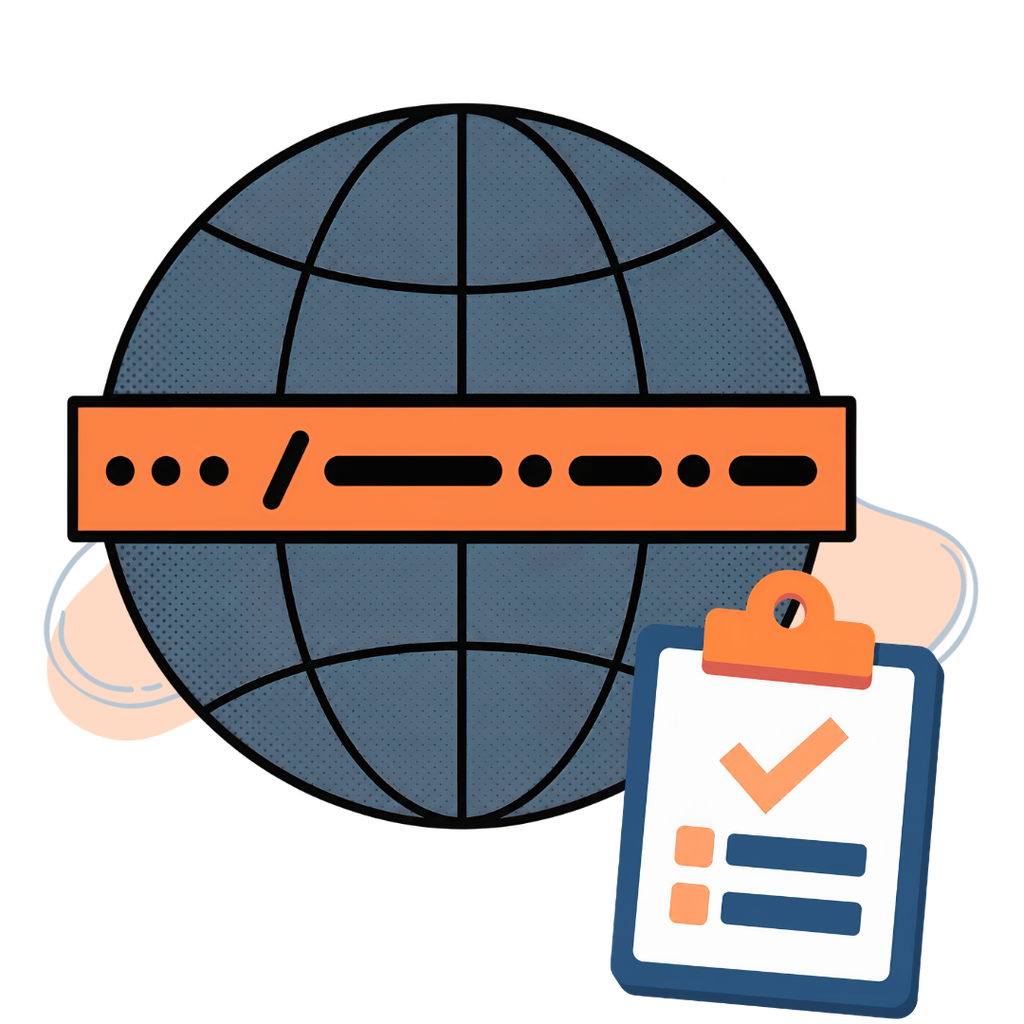
Next, open the domain management area and confirm that the domain appears in your account. Check that you can view its status, renewal date, nameservers, and DNS settings. This is a practical first step to verify domain ownership because it confirms you have access to the account responsible for managing the registration.
Make sure the registrant name, email address, and other required contact information are accurate. If the domain was registered for a company, use an appropriate business-controlled email address and make sure the business retains access if an employee or agency leaves.
TezHost’s domain registration package guide explains what a domain registration package can include. Its domain registration page describes registration and management services, including access to DNS settings and domain privacy options where available.
3. Complete Any Registrant Email Verification Request
Completing this step helps confirm you own your domain using the contact address associated with the registration, rather than relying only on a payment receipt.
Some domain registrations require you to verify the registrant’s contact email. Do not ignore a verification message from your registrar or reseller. Open the message carefully, check that it relates to your domain and provider, and follow the provider’s official instructions.

For many generic top-level domains, registrars must verify certain registration contact details in specified circumstances. ICANN explains that failure to respond to a registrar’s verification request can lead to suspension or cancellation under applicable registrar requirements. The exact rules can vary by domain extension and registration circumstances, so follow the notice you receive and the relevant provider policy. ICANN’s contact verification guidance explains why registrars may request confirmation.
This email confirmation is different from a technical domain ownership check used by Google Search Console or another online platform. One validates contact information for the registration; the other asks you to prove control of the domain or website for a particular service.
If you cannot find the verification email, check spam and junk folders, confirm the registered email address, and contact your provider through its official support channel. Keep the confirmation message after completing the process.
4. Use a DNS TXT Record to Verify Domain Ownership
When a platform asks you to confirm you own your domain, a DNS TXT challenge is often the clearest technical route because it checks whether you can publish a unique record in the domain’s DNS zone.
A DNS TXT record is one of the most common ways to prove control of a domain to an online service. For example, Google Search Console can provide a unique TXT value that you add to your domain’s DNS zone. The service then checks whether that exact value is published.
To use this method:
- Open the service that is asking for verification, such as Google Search Console.
- Select the domain property and choose the DNS verification method.
- Copy the TXT record value exactly as provided.
- Sign in to the account that manages your domain’s DNS.
- Open DNS management and add a TXT record using the host/name and value specified by the service.
- Save the record, allow time for DNS updates, and return to the service to select Verify.
The exact fields vary by DNS control panel. For a root-domain verification, the host field may be shown as @ or left blank, depending on the provider. Do not guess the value: copy the instructions shown by the verification service.
Google notes that DNS records may take time to become visible and that the verification token should remain in place to maintain verification. See Google’s official site ownership verification instructions.
This method helps verify domain ownership for a service, but it does not replace your registration documents or prove legal title in every situation. It demonstrates that you can control the DNS zone at the time of verification.
5. Check Your Domain Through WHOIS or RDAP
Use the registration data alongside your provider account to confirm you own your domain; public lookup information may be incomplete when privacy services are active.
A domain ownership check can also include reviewing the registration data available through WHOIS or RDAP lookup services. These systems can show information such as the registrar, registration status, creation date, expiry date, and nameservers. The exact fields depend on the registry, registrar, and domain extension.
Do not assume that missing personal details mean the domain is unregistered or that you have lost control. Privacy services can mask contact details in public records. Compare the public data with your provider account, invoice, and registration confirmation.
When you verify domain ownership, check that the registrar and nameservers are expected, and look for unexpected status changes. If the domain appears under an unfamiliar registrar or has unexpected nameservers, contact your provider promptly.
You can also review TezHost’s guide to checking domain availability when researching a new name. Availability searches are useful before registration, but they do not prove ownership of a domain already registered.
6. Protect Your Domain After Verification
After you confirm you own your domain, protect the account and DNS settings that keep the registration under your control.
Confirming registration is only the beginning. Protect the account and DNS settings that keep your domain under your control.
Use a strong, unique password and enable two-factor authentication if your provider supports it. Keep account recovery details current, restrict access to trusted people, and avoid sharing the main account login with developers or agencies. Give collaborators only the access they need.

Enable a registrar or transfer lock where available. Review DNS records periodically, especially A, AAAA, CNAME, MX, and TXT records. Unauthorized changes can redirect a website, interrupt email delivery, or affect verification services.
TezHost’s guides on protecting a domain from unauthorized changes, secure domain management, and domain name security cover practical steps such as account security, transfer protection, DNS monitoring, and renewal management.
Also keep renewal reminders active and payment details updated. If a domain expires, your website and email may stop working, and the domain may eventually enter a recovery period or become available for registration again. Read what happens if a domain expires so you understand the risks and recovery stages.
7. Does Domain Verification Matter for Professional Email?
To confirm you own your domain before activating email services, providers may ask you to publish a DNS verification record.
Yes. Domain verification is often part of setting up professional email services because the provider needs to confirm that you control the domain before enabling domain-based email features.

This is where the difference between free email vs domain email becomes relevant. A free email address uses a provider’s domain, while a domain-based address uses your own business domain, such as name@yourcompany.com. Professional email options can help a business present a consistent brand identity, but registering a domain alone does not automatically create an email mailbox.
Email providers may ask you to add a TXT verification record and configure MX records. SPF, DKIM, and DMARC records can then help authenticate outgoing mail and protect against spoofing, depending on the provider’s setup instructions.
If you are comparing free email vs domain email, consider branding, account administration, security controls, and the ability to manage staff addresses. Review your professional email options before choosing a service, and do not change existing MX records without understanding the impact on current email delivery.
TezHost’s domain management page describes support for DNS records including MX, TXT, SPF, DKIM, and DMARC. You can explore TezHost domains or talk to a sales agent about registration and related services.
8. What If You Need to Transfer Your Domain?
Before authorizing a transfer, confirm you own your domain by checking that you control the current registrar account and its registered contact email.
If you move your domain to another provider, make sure you can still access the current registrar account and the email address associated with the registration. A transfer commonly requires you to unlock the domain and obtain an authorization or EPP code, although requirements and restrictions vary by extension and registration status.
Before starting, confirm that your contact information is current, check any transfer restrictions, and make a backup note of your DNS records. A transfer does not always move DNS hosting or website files automatically, so plan those services separately.
If you need to transfer a domain, follow the steps in TezHost’s domain transfer guide. Maintaining access to the current account is an important part of being able to verify domain ownership and authorize a legitimate transfer.
How TezHost Is Making Domain Management More Accessible
TezHost helps customers manage domain settings and access the records needed when they must confirm you own your domain for an external service.
TezHost brings domain registration and management tools together so customers can handle important domain tasks from a central service. Its domain page currently lists more than 45 extensions and provides DNS management for A, CNAME, MX, TXT, SPF, DKIM, and DMARC records. It also describes Cloudflare integration, domain privacy options, transfer assistance, and registration support.
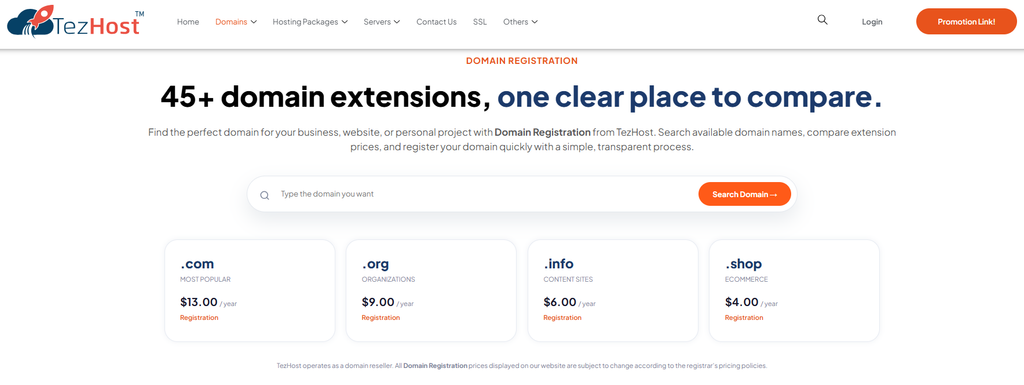
TezHost operates as a domain reseller and works with registrar partners; it is not itself an accredited domain registrar. Customers should therefore review the applicable registration terms and keep their own account records and contact details accurate. This transparency matters when you confirm you own your domain and need to understand which provider or registrar manages the registration.
If you are choosing a domain for a new project, start with TezHost domain registration. You can register here or contact a sales agent for help with available extensions and registration questions.
Frequently Asked Questions
How do I confirm I own my domain?
To confirm you own your domain, sign in to the account that manages the registration, check the domain and registrant details, retain your invoice and confirmation email, and complete any requested contact verification. If a platform asks for proof of control, follow its DNS TXT, CNAME, or other verification instructions.
Is a DNS TXT record proof of legal ownership?
Not by itself. A TXT record can demonstrate technical control of DNS for a particular verification process. Registration records, account history, invoices, and applicable agreements are relevant when establishing who the registrant is.
Why is my domain ownership verification failing?
Common causes include an incorrect TXT value, adding the record to the wrong DNS provider, entering the host field incorrectly, or allowing insufficient time for DNS updates. Compare the record with the exact instructions and try verification again after propagation.
Does WHOIS show who owns my domain?
Sometimes it shows registrant information, but privacy or proxy services may hide personal details. Check your registrar account and registration documents as well.
Can I verify a domain without hosting?
Yes. Domain verification through DNS does not require a website to be hosted. You need access to the DNS management service for the domain.
Conclusion: Keep Control of the Domain You Registered
A domain is part of your business identity, website, and email infrastructure. After registration, do not stop at receiving an invoice. Check the account, confirm your contact details, complete any required email verification, and understand how to prove control through DNS when a service requests it.
Take time to confirm you own your domain, secure your registrar account, monitor DNS changes, and keep renewal information up to date. These simple steps help reduce the risk of losing access to an important digital asset.
Ready to register or manage your next domain? Visit TezHost Domains, register here, or talk to a sales agent for assistance.