Can you really save money with cloud servers, or is cloud hosting just another monthly expense?
The answer depends on how you use it.
For businesses running websites, ecommerce platforms, databases, and business applications, infrastructure costs can quickly become a significant operational expense. Traditional servers may require hardware investments, maintenance, upgrades, electricity, and IT resources. Cloud infrastructure offers a different approach: pay for the resources you need, scale when necessary, and avoid investing in physical hardware that may become outdated.
But moving to the cloud doesn’t automatically guarantee savings. Poor resource allocation, unexpected data transfer charges, unnecessary upgrades, and hidden operational costs can quickly reduce your return on investment (ROI).
If you’re evaluating cloud infrastructure for your business, understanding the actual costs is essential. You can register with TezHost to explore available hosting solutions or talk to a TezHost sales agent to discuss your infrastructure requirements.
Let’s examine how businesses can save money with cloud servers while maintaining performance, reliability, and room for growth.
1. Why Are Businesses Moving to Cloud Servers to Reduce Costs?
Cloud servers can reduce infrastructure expenses by eliminating or reducing the need to purchase, maintain, and replace physical hardware.
With traditional on-premises infrastructure, businesses often pay substantial upfront costs for servers, networking equipment, storage systems, cooling, electricity, and maintenance.
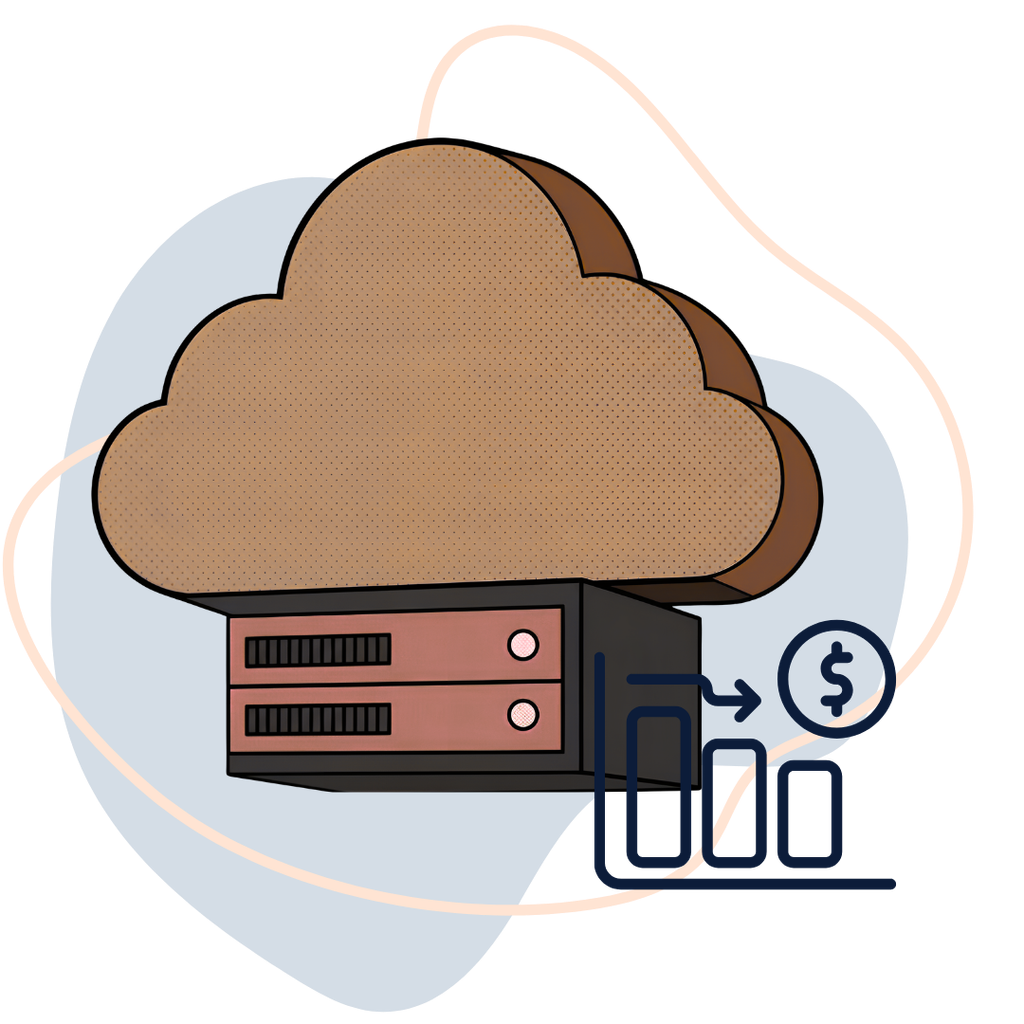
Cloud hosting changes this cost structure. Instead of purchasing physical infrastructure, businesses rent virtualized resources from a hosting provider.
The financial advantages can include:
- Lower upfront investment: No need to purchase expensive physical servers.
- Reduced maintenance: The provider manages the underlying physical infrastructure.
- Flexible capacity: Select configurations based on actual workload requirements.
- Faster deployment: Launch new environments without waiting for hardware procurement.
- Simplified expansion: Increase resources as business requirements change.
For startups and growing businesses, this can make a significant difference to cash flow.
However, cloud cost savings depend on workload patterns, pricing models, resource utilization, and operational requirements. A business running a server continuously may find a fixed monthly cloud plan more predictable than a usage-based service, while businesses with fluctuating workloads may benefit from more flexible scaling.
The key is comparing the total cost of ownership (TCO), rather than looking at the monthly hosting price alone.
2. Cloud ROI: How Do You Know If Cloud Hosting Is Worth It?
Cloud ROI measures the financial return a business receives from investing in cloud infrastructure compared with its overall costs.
A simple ROI formula is:
Cloud ROI = (Financial Benefits − Total Cloud Costs) ÷ Total Cloud Costs × 100
For example, imagine a business currently spends $500 per month maintaining its own server infrastructure.
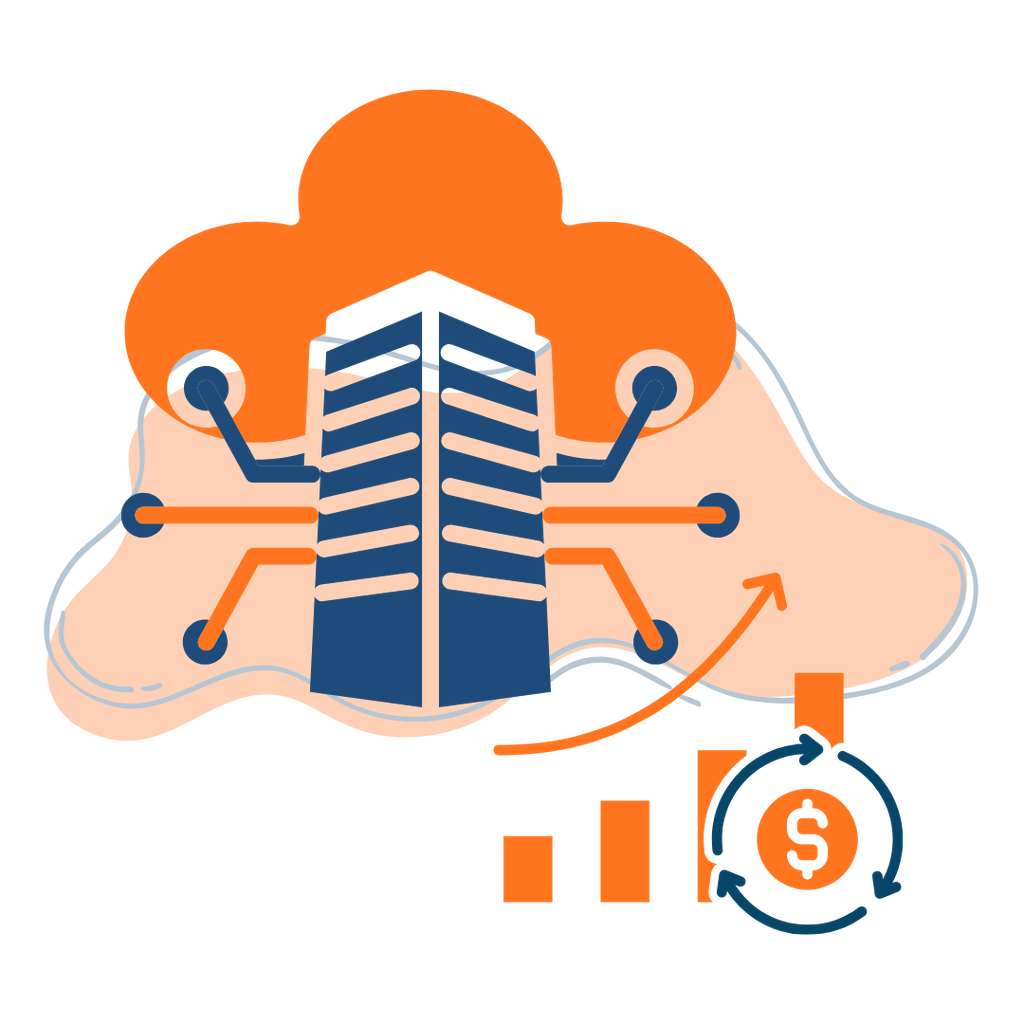
After moving to a cloud server, its monthly expenses look like this:
| Expense | Monthly cost |
|---|---|
| Cloud server | $100 |
| Backup storage | $15 |
| Monitoring and management | $25 |
| Additional services | $10 |
| Total | $150 |
The business saves $350 per month, or $4,200 annually, compared with its previous $500 monthly expenditure.
Its simple cost-based ROI is:
[
\frac{500-150}{150}\times100=233.3%
]
This is an illustrative comparison, not a guaranteed saving. The calculation assumes comparable service levels and excludes migration costs, taxes, and other potential expenses.
What Else Should You Include in Cloud ROI?
A proper financial assessment should also consider:
- Hardware depreciation and replacement.
- Electricity and cooling.
- IT staff time and server maintenance.
- Software licensing.
- Backup and disaster recovery.
- Migration and implementation.
- Downtime and business continuity.
For a deeper comparison, read our guide on Cloud Cost Comparison: Cloud vs On-Premises Infrastructure.
3. Seven Ways to Save Money With Cloud Servers
Simply moving your applications to cloud infrastructure is not enough. Businesses need a cost optimization strategy to achieve sustainable cloud cost savings.
Here are seven practical approaches.
1. Choose the Right Server Configuration
One of the easiest ways to waste money is purchasing more CPU, RAM, or storage than your applications actually need.
A server with 32GB RAM may be unnecessary for a small business website that operates comfortably with 4GB.
Monitor your resource consumption and select a configuration that matches your workload.
2. Avoid Paying for Idle Resources
Check CPU utilization, memory consumption, storage usage, and bandwidth regularly.
If your server consistently uses only a small percentage of its allocated resources, consider whether a smaller configuration would be sufficient.
However, don’t reduce resources simply because average usage is low. Account for peak traffic, background jobs, and application requirements.
3. Monitor Data Transfer Costs
Data transfer is an important but frequently overlooked component of cloud expenditure.
Large media files, frequent backups, application downloads, and database transfers can increase bandwidth consumption.
Use caching, compression, content delivery networks, and efficient data transfer strategies to reduce unnecessary traffic.
Read our guide on Cloud Data Transfer Costs and How to Manage Them.
4. Optimize Backup and Storage Policies
Backups are essential, but retaining unnecessary copies can increase storage expenses.
Consider incremental backups, compression, retention policies, and separate backup storage.
For example, retaining every daily full backup indefinitely may be unnecessarily expensive when a structured retention policy can provide adequate recovery options.
5. Automate Resource Management
Automation can help reduce operational costs.
You can schedule non-production environments to shut down outside working hours, automate backup management, and remove unused resources.
For businesses running development and testing environments, this can reduce unnecessary resource consumption.
6. Compare Monthly and Long-Term Hosting Costs
Don’t evaluate cloud hosting based solely on the advertised monthly price.
Consider annual expenses, backup requirements, licensing, migration, support, and additional services.
A slightly more expensive plan may offer better overall value if it includes resources or services that would otherwise require separate purchases.
7. Review Your Cloud Spending Regularly
Cloud cost optimization should be an ongoing process.
Review invoices, monitor resource utilization, identify unusual consumption, and evaluate whether your infrastructure still matches your business requirements.
A monthly review can help identify unexpected expenses before they become significant.
4. What Is the Actual Monthly Cost of a Cloud Server?
Cloud server pricing depends on CPU, RAM, storage, bandwidth, operating system, infrastructure technology, and additional services.
For businesses comparing cloud cost savings, predictable monthly pricing can make budgeting easier.

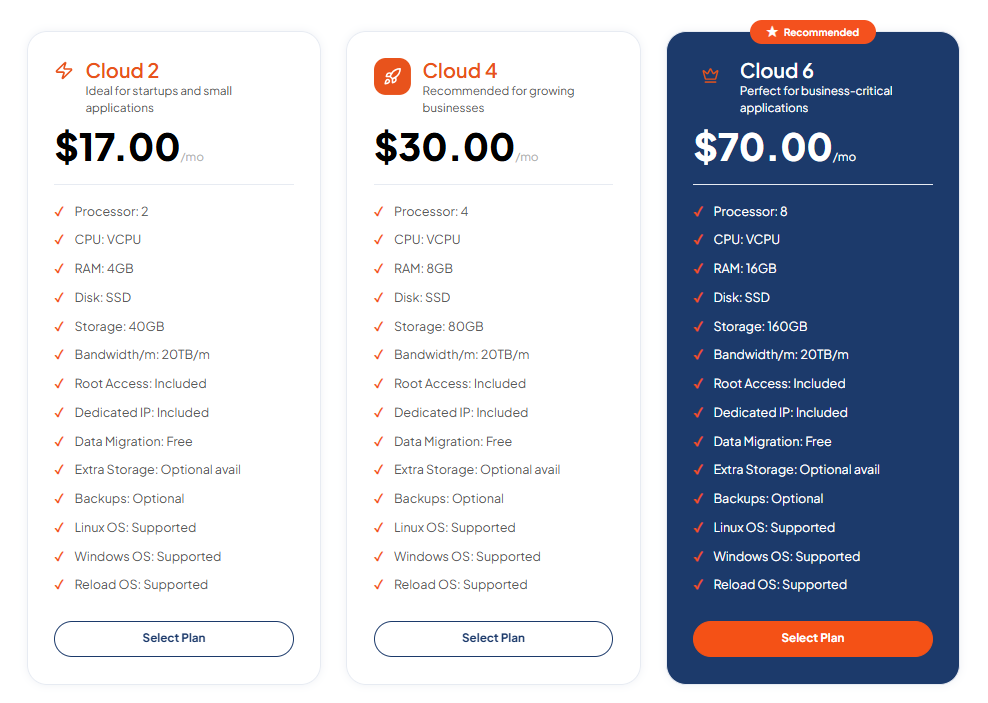
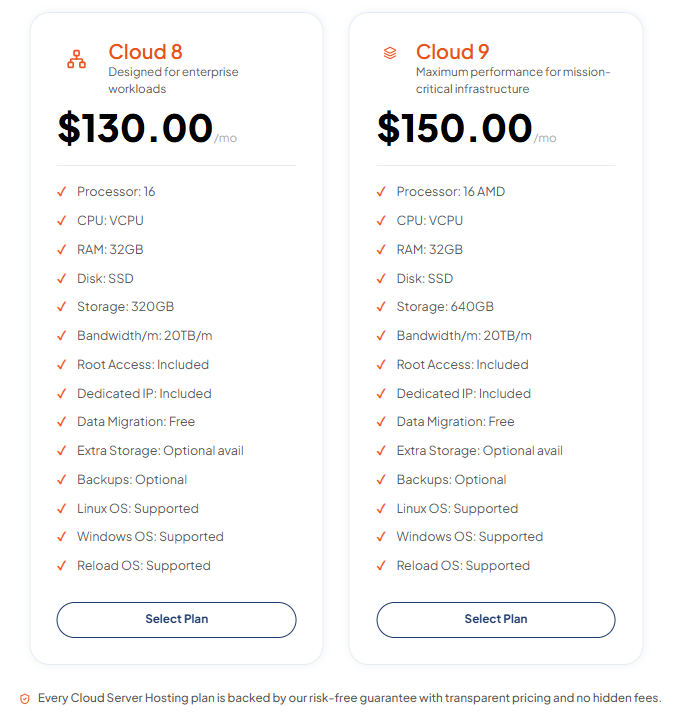
TezHost offers different cloud server configurations for different workloads.
Here are selected configurations:
| Configuration | vCPU | RAM | Storage | Monthly price |
|---|---|---|---|---|
| Cloud 2 | 2 | 4GB | 40GB | $17 |
| Cloud 4 | 4 | 8GB | 80GB | $30 |
| Cloud 6 | 8 | 16GB | 160GB | $70 |
| Cloud 8 | 16 | 32GB | 320GB | $130 |
| Cloud 9 | 16 | 32GB | 640GB | $150 |
These plans offer 20TB monthly bandwidth, root access, a dedicated IP, and Linux and Windows operating system options. Backup services are optional.
For example, a business requiring 4 vCPU, 8GB RAM, and 80GB storage could consider Cloud 4 at $30 per month.
That works out to $360 annually before optional services and applicable taxes.
For a growing business, this provides a way to access cloud infrastructure without making a large upfront investment in physical hardware.
Explore TezHost Cloud Servers to compare available configurations.
You can also read our detailed guide on Cloud Server Cost Per Month to understand the factors that influence hosting expenses.
5. Watch Out for Unexpected Cloud Costs
Can cloud hosting become more expensive than expected? Absolutely.
Cloud infrastructure offers flexibility, but businesses need to understand what is included in their hosting package and what may incur additional charges.
Common unexpected expenses include:
- Excessive data transfer.
- Additional backup storage.
- Operating system and software licences.
- Managed support services.
- Monitoring and security tools.
- Migration and setup fees.
- Unused resources that continue generating charges.
For example, a business might select an affordable cloud server but later discover that additional backup storage, software licences, or data transfer requirements increase its monthly expenditure.
This is why comparing advertised prices alone can be misleading.
Before purchasing, ask your hosting provider about bandwidth allowances, backup policies, included support, migration costs, and any additional service charges.
We’ve covered this in more detail in our guide to Unexpected Cloud Costs and How to Avoid Them.
If you’re unsure about the complete cost of your proposed infrastructure, talk to a TezHost sales agent before selecting a configuration.
6. Cloud Servers vs Traditional Servers: Which Offers Better Value?
The choice between cloud and on-premises infrastructure depends on your business model, workload, security requirements, and long-term infrastructure strategy.
| Factor | Cloud Servers | On-Premises Servers |
|---|---|---|
| Initial investment | Generally lower | Higher hardware investment |
| Maintenance | Physical infrastructure managed by provider | Business manages hardware |
| Scalability | Flexible resource options | Requires hardware upgrades |
| Deployment | Usually faster | Procurement and installation required |
| Hardware replacement | Provider responsibility | Business responsibility |
| Cost structure | Recurring hosting expense | Capital and operating expenses |
| Physical control | Limited by hosting arrangement | Greater hardware control |
Cloud infrastructure can be particularly attractive for startups, digital agencies, ecommerce businesses, and companies that want to avoid managing physical hardware.

However, organizations with specialized hardware requirements, existing infrastructure investments, or predictable high-utilization workloads may find on-premises infrastructure financially competitive.
The right decision requires a complete TCO comparison.
For additional insights, explore our article on Cloud vs On-Premises Cost Comparison.
7. How TezHost Is Making Cloud Hosting More Cost-Effective
At TezHost, we believe businesses should have access to reliable infrastructure without unnecessary complexity or excessive upfront investment.
Our approach focuses on providing flexible cloud configurations, modern server technology, and transparent plan specifications so customers can make informed infrastructure decisions.
Modern Hardware for Better Performance
TezHost Cloud Servers use AMD EPYC processors, DDR5 memory, and Gen4 NVMe SSD storage.
These technologies provide a modern infrastructure foundation for websites, databases, ecommerce platforms, and business applications.
Configurations for Different Budgets
Not every business requires an enterprise-level configuration.
TezHost offers different CPU, RAM, and storage combinations, starting from $17 per month, allowing businesses to select infrastructure according to their requirements.
Predictable Monthly Pricing
Knowing your recurring hosting expense makes financial planning easier.
TezHost’s published cloud server plans include 20TB monthly bandwidth, root access, a dedicated IP, and Linux and Windows operating system options.
Additional requirements, such as backups, should be included in your overall cost assessment.
Flexibility for Growing Businesses
As your website or application grows, your infrastructure requirements may change.
Having different configurations available gives businesses a practical way to evaluate upgrades without investing in physical hardware.
Support When Making Infrastructure Decisions
Choosing the right server involves more than comparing prices.
Our team can help you understand the available configurations and identify the resources relevant to your project.
Talk to a TezHost sales agent to discuss your requirements and explore your options.
You can also visit TezHost to discover our wider hosting and infrastructure services.
Frequently Asked Questions About Cloud Cost Savings
1. Can you really save money with cloud servers?
Yes. Businesses can save money with cloud servers by reducing hardware investments, maintenance expenses, and unnecessary infrastructure costs. Actual savings depend on resource utilization, hosting prices, migration expenses, and operational requirements.
2. What is cloud ROI?
Cloud ROI measures the financial return generated by investing in cloud infrastructure compared with its total costs. It considers hosting expenses, migration, maintenance, operational savings, and business benefits.
3. Is cloud hosting cheaper than traditional hosting?
It can be. Cloud hosting generally requires less upfront hardware investment and offers flexible resource configurations. However, traditional hosting or on-premises infrastructure may be more economical for certain predictable, high-utilization workloads.
4. What are the hidden costs of cloud servers?
Common additional costs include backups, data transfers, software licences, managed services, monitoring, migration, and unused resources. Always review the complete pricing structure before purchasing.
5. How much does a cloud server cost per month?
Cloud server prices vary depending on specifications and providers. TezHost offers configurations starting at $17 per month, with larger configurations available for more demanding workloads.
6. How can businesses reduce cloud hosting costs?
Businesses can reduce costs by right-sizing server resources, monitoring usage, optimizing data transfers, managing backups, automating unused environments, and reviewing expenses regularly.
7. Is cloud hosting a good investment for startups?
Yes, cloud hosting can be a practical investment for startups because it reduces the need for upfront hardware purchases and allows businesses to select infrastructure according to their current requirements.
Conclusion: Make Your Cloud Investment Work Harder
So, can you really save money with cloud servers?
Yes, provided you choose the right infrastructure and manage it properly.
Cloud hosting can reduce upfront hardware expenses, simplify infrastructure management, and provide flexibility as your business grows. But real cloud cost savings come from understanding your total cost of ownership, monitoring resource consumption, and avoiding unnecessary services.
The goal isn’t to purchase the cheapest server or the largest configuration available. It’s to find the infrastructure that delivers the best balance of performance, reliability, and cost.
Whether you’re launching a startup, managing multiple websites, or scaling a business application, TezHost offers cloud server configurations designed for different workloads and budgets.
Ready to make a smarter infrastructure investment?
Explore TezHost Cloud Servers and compare available configurations.
Register with TezHost to get started.
Not sure which plan offers the best value for your business? Talk to our sales team and discuss your requirements before investing.