To host a WordPress site, you can spend as little as a few dollars per month for basic hosting, while managed WordPress hosting, VPS hosting, and cloud servers can cost considerably more.
But here’s something many beginners don’t realize.
WordPress itself is free. Hosting your WordPress website isn’t.

And the difference between choosing the right hosting plan and the wrong one could cost you more than just money.
Imagine this.
You’ve finally decided to launch your business website.
You’ve chosen the perfect domain name, planned your content, and found a beautiful WordPress theme.
Everything is going smoothly.
Then you start looking for hosting.
One company advertises $2 per month. Another charges $15. Someone else recommends a $50 cloud server.
And suddenly, you’re wondering:
“How much should I actually be paying to host my WordPress website?”
The good news?
You don’t need an expensive hosting plan to launch a professional WordPress website.
You need a plan that matches your website’s requirements.
At TezHost, we believe building an online presence should be accessible to businesses, bloggers, freelancers, and entrepreneurs.
Our WordPress hosting plans start at $3 per month, making it possible to get started without a large hosting budget.
Ready to launch your website?
Register with TezHost today and explore WordPress hosting solutions for your next project.
Let’s break down what WordPress hosting actually costs, where your money goes, and how to avoid paying for things you don’t need.
How Much Does It Cost to Host a WordPress Site?
The cost to host a WordPress site depends on the hosting environment, server resources, management features, and additional services your website requires.
For a small blog or business website, entry-level hosting may be sufficient.
A growing online store or high-traffic website may require additional resources.
Here’s a general comparison of WordPress hosting costs.
| Hosting Type | Illustrative Monthly Cost | Best For |
|---|---|---|
| Shared Hosting | $2–$10 | Personal blogs and small websites |
| Managed WordPress Hosting | $3–$30+ | Businesses wanting WordPress-focused tools |
| VPS Hosting | $8–$60+ | Growing websites needing greater control |
| Cloud Hosting | $10–$100+ | Websites needing configurable infrastructure |
| Dedicated Hosting | $80–$200+ | Resource-intensive websites |
These are illustrative market ranges, not fixed quotes. Actual prices, features, billing terms, and management levels vary between providers.
What’s the Cheapest Way to Host WordPress?
Shared hosting is often the most affordable option for a new WordPress website.
It allows multiple websites to use the resources of the same physical server.
Because the infrastructure costs are shared, hosting can be more affordable.
However, shared hosting may have resource limits that make it less suitable for demanding applications.
The cheapest plan isn’t always the best value. The goal is to pay for the resources your website actually needs.
What Does WordPress Hosting Cost at TezHost?
TezHost advertises WordPress hosting plans starting at $3 per month, with higher-tier options for websites that need more resources.
If you’re planning to host a WordPress site, comparing real hosting packages can help you understand what you’re paying for.
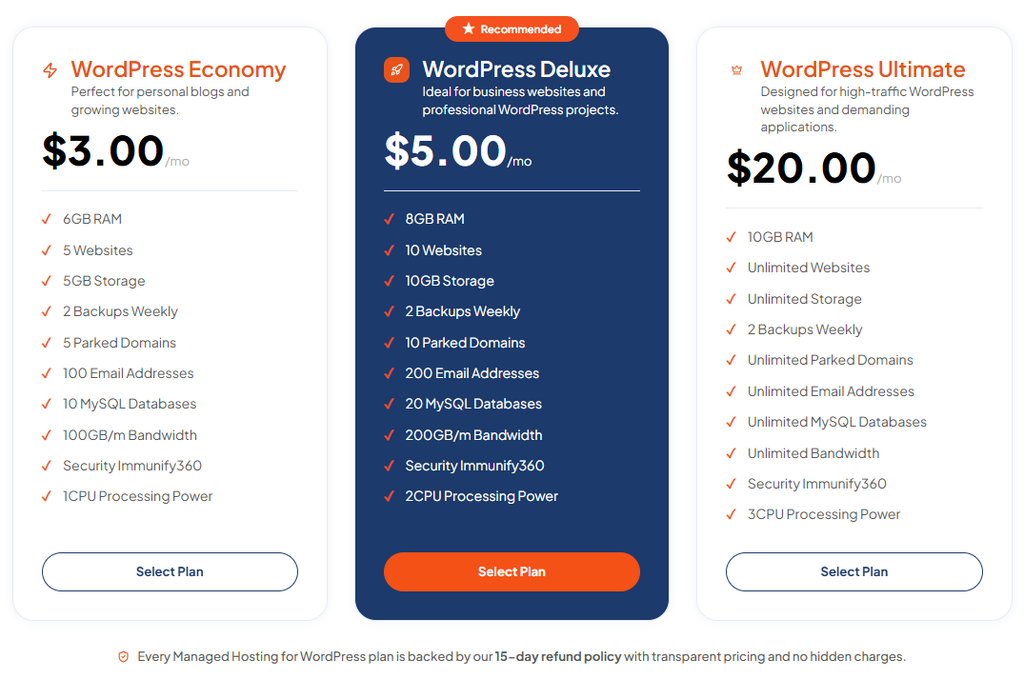
Here are the prices published on TezHost’s WordPress hosting page.
| TezHost Plan | Monthly Price | Annual Equivalent | Storage | Websites |
|---|---|---|---|---|
| Economy | $3 | $36 | 5 GB | Up to 5 |
| Deluxe | $10 | $120 | 10 GB | Up to 10 |
| Unlimited | $20 | $240 | Advertised as unlimited* | Advertised as unlimited* |
Unlimited resources are subject to the applicable plan terms and usage policies. Prices and package details should be verified at checkout.
What Do You Get with TezHost WordPress Hosting?
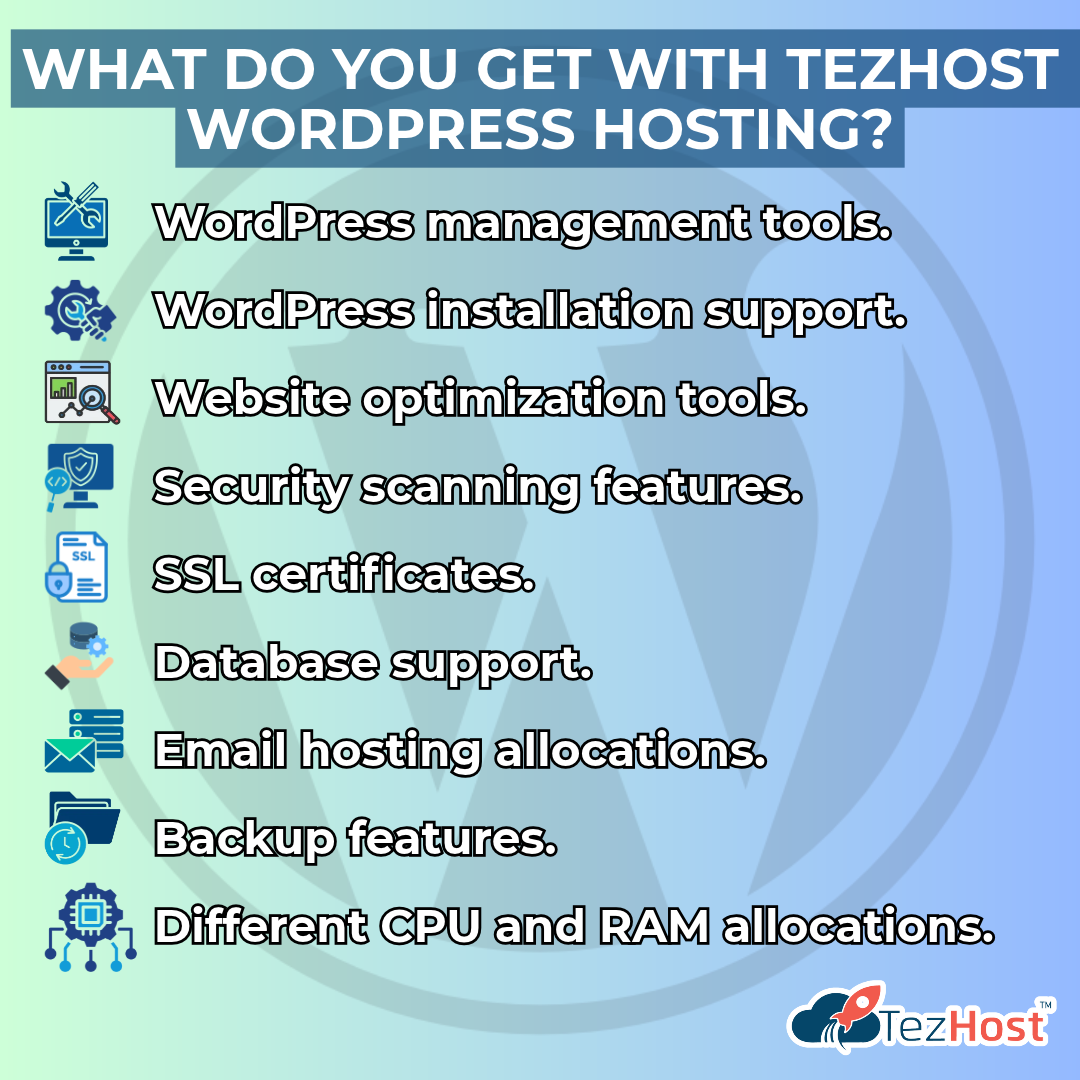
The published WordPress hosting plans include features such as:
- WordPress management tools.
- WordPress installation support.
- Website optimization tools.
- Security scanning features.
- SSL certificates.
- Database support.
- Email hosting allocations.
- Backup features.
- Different CPU and RAM allocations.
The exact resources depend on the selected package.
Which TezHost WordPress Plan Should You Choose?
Economy — $3/month
A practical starting point for small WordPress websites, personal blogs, and new businesses.
Deluxe — $10/month
An option for growing websites that need additional resources and storage.
Unlimited — $20/month
Designed for customers seeking larger resource allocations and the ability to host multiple WordPress projects, subject to plan terms.
Not sure which package matches your website?
Talk directly to a TezHost sales agent to compare available plans and discuss your requirements.
What Additional Costs Should You Consider When Hosting WordPress?
Your domain is your website’s address.
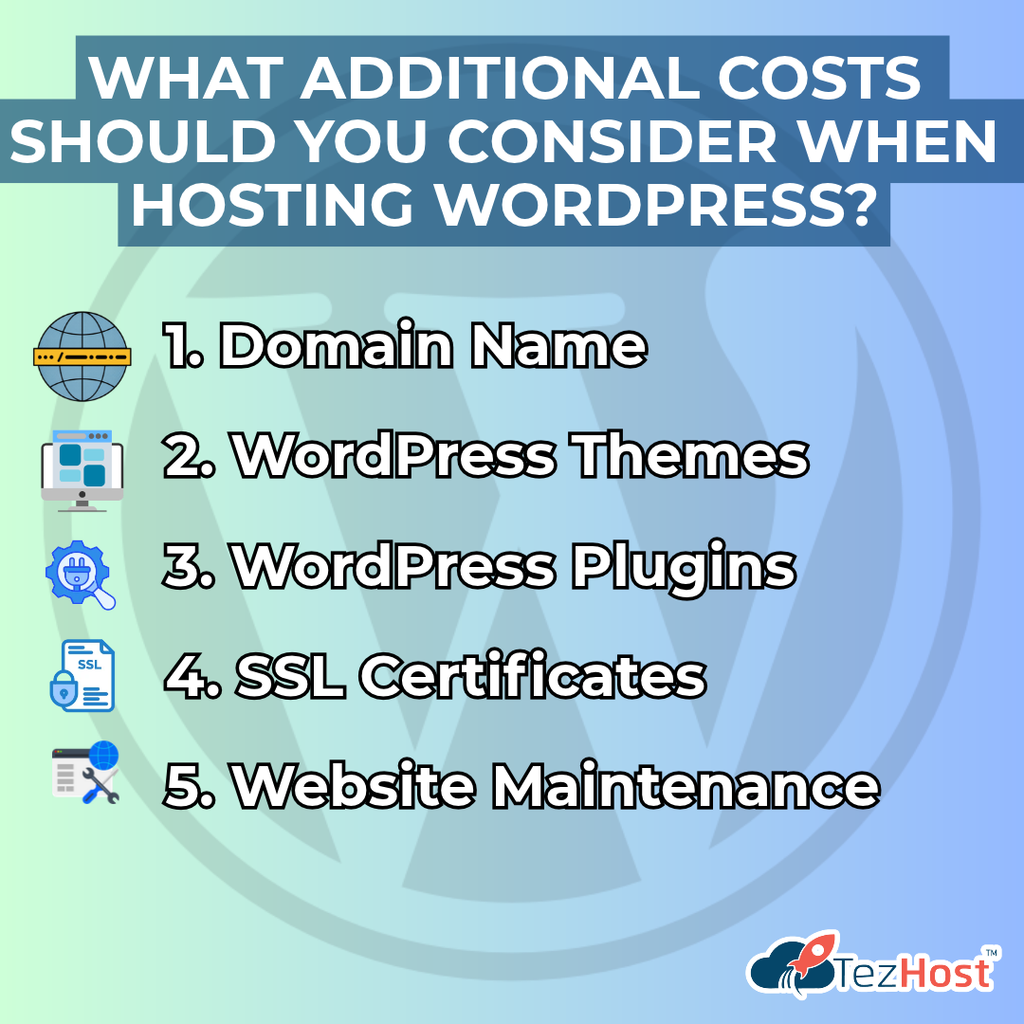
When you host a WordPress site, your total budget may include domain registration, hosting, themes, plugins, maintenance, and optional security or backup services.
Hosting is only one part of the overall website budget.
Let’s look at the other expenses.
1. Domain Name
For example, a business might use a domain such as yourbusiness.com.
Domain registration is usually billed annually.
Prices depend on the domain extension, registrar, and any promotions.
Explore TezHost Domain Registration to check available domain options.
2. WordPress Themes
WordPress offers many free themes.
For a basic website, a free theme may provide everything you need.
Premium themes can offer additional designs, layouts, and customization features.
Do you need a paid WordPress theme?
No. Many professional websites can be built using free themes.
3. WordPress Plugins
Plugins add functionality to your website.
You might use them for:
- Contact forms.
- SEO.
- Security.
- Backups.
- E-commerce.
- Performance optimization.
Many plugins offer free versions.
Premium versions may require monthly or annual payments.
4. SSL Certificates
SSL certificates help protect information transmitted between your website and its visitors.
Many hosting providers include SSL certificates with their plans.
Before purchasing an additional certificate, check what’s already included.
5. Website Maintenance
WordPress websites require regular maintenance.
This includes updating WordPress, themes, and plugins, checking backups, and monitoring website performance.
You can manage some tasks yourself or hire a professional.
The important thing is to budget for your website’s ongoing needs, not just its launch.
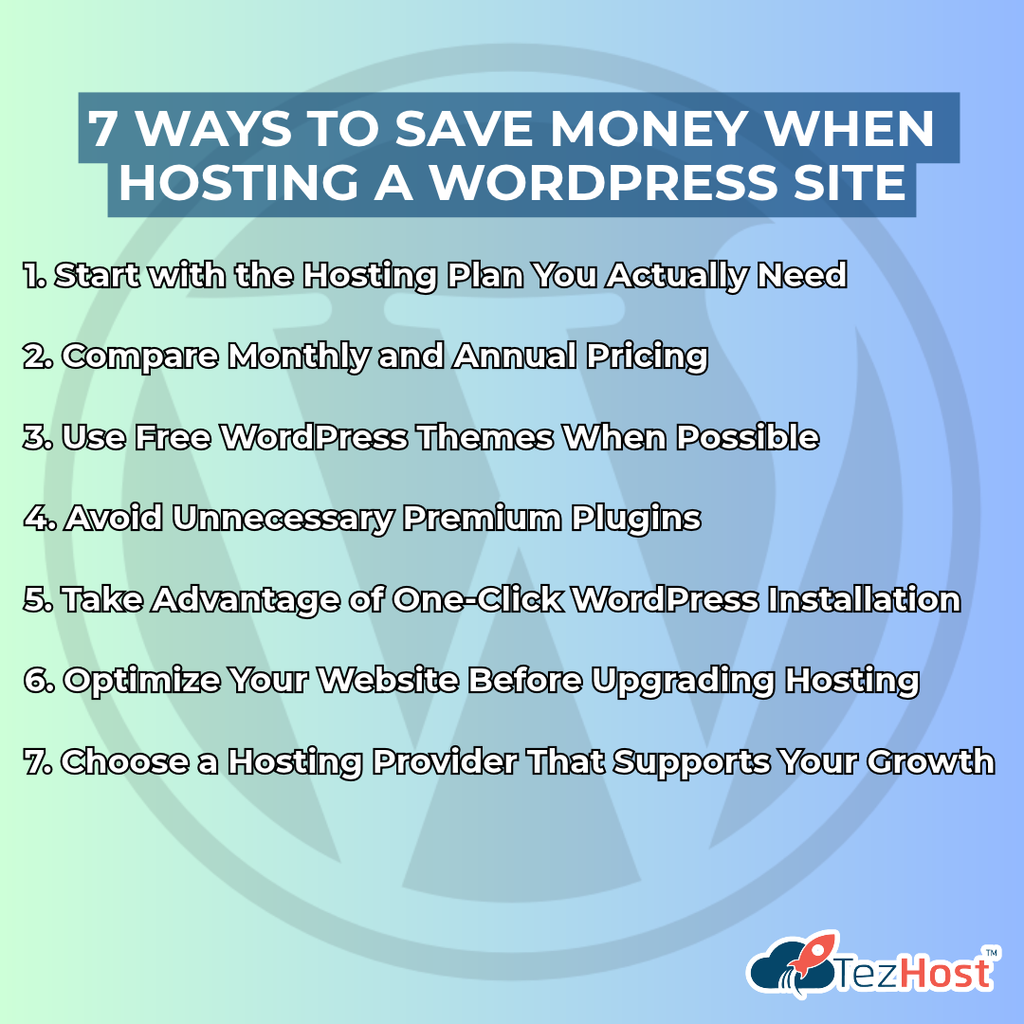
7 Proven Ways to Save Money When Hosting a WordPress Site
You don’t need to sacrifice essential features to keep your hosting costs manageable.
Here are seven practical ways to host a WordPress site without spending unnecessarily.
1. Start with the Hosting Plan You Actually Need
A new blog doesn’t necessarily need a dedicated server.
Similarly, a growing online store shouldn’t choose a plan based only on its low price.
Start by evaluating your website’s:
- Expected traffic.
- Storage requirements.
- Number of websites.
- Email requirements.
- Application features.
- Technical management needs.
Choose based on your current requirements, with a reasonable path for growth.
2. Compare Monthly and Annual Pricing
Some hosting providers offer discounts for longer billing periods.
However, annual billing isn’t always cheaper.
Before purchasing, compare the total amount payable under each option.
Also check the renewal price.
A low introductory offer may become more expensive later.
3. Use Free WordPress Themes When Possible
You don’t need an expensive theme to build a professional-looking website.
Many free WordPress themes provide responsive layouts and useful customization options.
Start with a reliable theme that meets your requirements.
Upgrade only when you need additional features.
4. Avoid Unnecessary Premium Plugins
It’s easy to install too many plugins when building a WordPress website.
But more plugins don’t automatically mean a better website.
Some may duplicate functionality, increase maintenance requirements, or affect performance.
Use reputable plugins that solve specific problems.
5. Take Advantage of One-Click WordPress Installation
Setting up WordPress doesn’t have to be complicated.
Many hosting environments offer tools that simplify installation.
Instead of manually creating databases and uploading installation files, you can use an automated installer.
Read our guide on One-Click WordPress Installation to understand how it works.
6. Optimize Your Website Before Upgrading Hosting
A slow website doesn’t always need a more expensive server.
Sometimes the problem is caused by:
- Oversized images.
- Poorly optimized plugins.
- Excessive scripts.
- Inefficient database queries.
- Lack of caching.
Improving these areas may help your website use its available resources more efficiently.
Before upgrading your hosting plan, investigate what’s actually slowing your website down.
7. Choose a Hosting Provider That Supports Your Growth
Switching hosting providers repeatedly can consume time and create unnecessary complications.
Look for a provider with hosting options that can accommodate your future requirements.
For example, you may start with shared WordPress hosting and later consider managed hosting or more powerful infrastructure.
A hosting plan should fit your business today without making tomorrow unnecessarily difficult.
Shared Hosting vs. Managed WordPress Hosting: Which Is Worth the Money?
Shared hosting is often suitable for budget-conscious beginners, while managed WordPress hosting can be useful for customers who want additional WordPress-specific management features.
Both can be used to host a WordPress site, but they may offer different levels of convenience.
| Feature | Shared Hosting | Managed WordPress Hosting |
|---|---|---|
| Cost | Usually lower | Varies by management level |
| WordPress Support | Generally supported | WordPress-focused |
| Installation | Often available through installers | Usually simplified |
| Updates | Often customer-managed | May include managed updates |
| Optimization | Depends on configuration | May include WordPress-specific tools |
| Technical Responsibility | More customer involvement | Depends on the managed service |
| Best For | Beginners and smaller websites | Businesses seeking added convenience |
Is Managed WordPress Hosting Worth It?
It can be.
If you want to spend less time managing technical tasks, managed hosting may offer useful benefits.
However, not every managed WordPress plan includes the same services.
Check whether updates, backups, security tools, staging, and support are included.
For a closer look, explore:
The best option is the one that balances your budget, technical skills, and website requirements.
How Much Does It Cost to Build a WordPress Website in Pakistan?
To host a WordPress site in Pakistan, your budget depends on the hosting plan, domain extension, website design, and any additional services you purchase.
For a beginner, the most affordable approach is often to use a basic hosting plan, a free WordPress theme, and essential free plugins.
Here’s an example of how a small business might plan its first-year budget.
| Expense | Example Budget |
|---|---|
| WordPress Software | Free |
| Hosting at $3/month | $36/year |
| Domain Registration | Additional cost |
| Free WordPress Theme | $0 |
| Essential Free Plugins | $0 |
| Optional Premium Features | Varies |
| Website Design or Development | Varies |
Example: If hosting costs $36 annually, your first-year total would be $36 plus your domain registration and any optional services.
The amount payable in Pakistani rupees depends on the selected plan, applicable exchange rate, taxes, and payment charges.
Can You Create a WordPress Website Without Coding?
Yes.
WordPress provides a dashboard for managing pages, posts, themes, and plugins.
Many website-building tools also allow users to create layouts without writing code.
For beginners, our guide on How to Create a WordPress Website in Pakistan explains the process.
You can also explore How to Install WordPress on Shared Hosting for setup guidance.
Starting a WordPress website doesn’t have to be expensive or overly technical.
When Should You Upgrade Your WordPress Hosting?
You should consider upgrading when your current hosting resources can no longer support your website’s performance, traffic, or application requirements.
The cost to host a WordPress site may increase as the website grows.
That’s normal.
A website receiving a few hundred visitors each month may have very different needs from an online store processing hundreds of orders daily.
Signs You May Need Better Hosting
1. Your Website Frequently Reaches Resource Limits
Your hosting account regularly exceeds its available CPU, memory, or storage.
2. Performance Problems Continue After Optimization
You’ve improved your website, but the hosting environment still struggles with its workload.
3. Your Website Has Become More Complex
You’ve added e-commerce, membership functionality, or resource-intensive applications.
4. Your Traffic Has Increased Significantly
Your existing plan may no longer provide sufficient resources during busy periods.
5. You Need More Control
Your application may require server configurations that aren’t available on your current hosting plan.
Should You Move to Another Hosting Provider?
If your current provider cannot meet your requirements, migration may be worth considering.
However, moving a website requires planning.
You should back up your data, prepare the new environment, test the website, and manage DNS changes carefully.
Read our guide on How to Migrate Your WordPress Site Without Downtime.
The goal isn’t to upgrade as soon as possible. It’s to upgrade when your website genuinely needs more resources.
How Is TezHost Revolutionizing Affordable WordPress Hosting?
At TezHost, we believe the ability to host a WordPress site shouldn’t be limited to businesses with large technology budgets.
Whether you’re a blogger launching your first website, a freelancer building a portfolio, or a company establishing its online presence, the right hosting environment matters.
Our approach focuses on making WordPress hosting accessible while providing different options for websites with different requirements.
1. Affordable WordPress Hosting Plans
TezHost advertises WordPress hosting starting at $3 per month.
This gives individuals and small businesses an accessible entry point.
As websites grow, customers can explore plans with additional resources.
2. WordPress-Focused Tools
Our published WordPress hosting features include tools for WordPress management, installation, updates, and website optimization.
These features can help simplify common website administration tasks.
3. Hosting Options for Different Website Sizes
A personal blog and an established online store don’t have identical requirements.
TezHost offers different hosting plans so customers can evaluate resources according to their needs.
4. Website Security Features
The published WordPress hosting packages include security-related tools and SSL features.
Customers should review the specific protections included with their chosen plan and continue following good WordPress security practices.
5. Domain Registration Alongside Hosting
Getting online starts with choosing a domain name.
TezHost provides domain registration services alongside its hosting solutions.
Explore TezHost Domains to find a suitable address for your website.
6. Helping Customers Make Informed Decisions
One of the biggest challenges for beginners is understanding which hosting plan to choose.
Not every website needs expensive infrastructure.
Our sales team can help customers compare available packages and discuss their requirements.
At TezHost, our goal is to help businesses find practical hosting solutions without unnecessary complexity.
Ready to Launch Your WordPress Website?
Explore TezHost Managed WordPress Hosting and compare available plans.
Not sure which package is right for your website?
Talk directly to a TezHost sales agent to discuss your requirements and available hosting options.
Frequently Asked Questions About WordPress Hosting Costs
1. How much does it cost to host a WordPress site?
The cost to host a WordPress site can start at a few dollars per month for entry-level hosting. TezHost advertises WordPress hosting plans starting at $3 per month.
2. Is WordPress free to use?
Yes. The self-hosted WordPress software is free and open source.
However, hosting, domain registration, premium themes, and other services may cost extra.
3. Can I host WordPress for $3 per month?
Yes. TezHost advertises an Economy WordPress hosting plan at $3 per month.
Check the current plan details before purchasing.
4. Do I need expensive hosting for a small WordPress website?
Usually not.
A small blog or business website can often run on an affordable shared or WordPress hosting plan.
5. Is managed WordPress hosting more expensive?
It can be, depending on the provider and included services.
Managed hosting may offer additional tools and maintenance features.
6. Do I need to buy a domain separately?
That depends on the hosting package.
Some plans include domain promotions, while others require separate domain registration.
7. Is SSL included with WordPress hosting?
Many hosting providers include SSL certificates.
TezHost lists SSL features with its WordPress hosting plans, but customers should verify the details of their selected package.
8. How much does WordPress hosting cost per year?
Annual hosting costs depend on the plan.
At $3 per month, the equivalent annual cost is $36 before any additional charges.
9. Can I upgrade my WordPress hosting later?
Many hosting providers offer different plans that customers can move between.
Confirm the available upgrade options and any migration requirements before purchasing.
10. Is shared hosting good enough for WordPress?
Yes. Shared hosting can be suitable for smaller WordPress websites with modest resource requirements.
11. What is the cheapest way to start a WordPress website?
Choose an affordable hosting plan, use a free theme, install only necessary plugins, and avoid optional premium services until you need them.
12. How do I choose the right WordPress hosting plan?
Consider your website’s expected traffic, storage, performance requirements, technical skills, and budget.
You can contact TezHost sales to discuss available hosting packages.
Conclusion: How Much Should You Really Spend on WordPress Hosting?
The cost to host a WordPress site depends on what you’re building, how much traffic you expect, and the hosting resources your website needs.
For a new blog or small business website, affordable hosting may be all you need.
As your website grows, you can evaluate plans with more resources or additional management features.
The important thing is to avoid two common mistakes:
Paying for resources you don’t need.
And:
Choosing a plan that’s too limited for your website.
A successful WordPress website doesn’t begin with the most expensive hosting package.
It begins with the right hosting decision.
At TezHost, we believe entrepreneurs, businesses, and creators should be able to explore affordable hosting solutions without unnecessary complications.
Ready to Launch Your WordPress Website?
Your website idea deserves more than another month sitting on your to-do list!
Explore TezHost WordPress Hosting and discover plans starting at $3 per month.
Need help choosing the right package?
Talk directly to a TezHost sales agent and discuss your website requirements.
Or register with TezHost today to take the first step toward launching your online presence.
Start with the right hosting. Build your website. Grow at your own pace.