
The three main types of cloud services are Infrastructure as a Service (IaaS), Platform as a Service (PaaS), and Software as a Service (SaaS). Each model offers a different level of control, flexibility, and responsibility for managing technology.
But what does that actually mean for your business?
Imagine you’re launching an online store.
You need a website, somewhere to store your data, reliable infrastructure, and software to manage everything.
You could purchase physical servers, install the necessary software, maintain the hardware, and handle technical problems yourself.
Or you could use cloud services to access the resources you need without building everything from scratch.
That’s the beauty of cloud computing: you can focus more on your business and less on managing physical infrastructure.
However, not all cloud services work the same way.
Some give you control over virtual servers. Others provide a ready-to-use development environment. And some deliver complete software applications through the internet.
Understanding these differences helps you avoid paying for unnecessary resources or choosing a service that doesn’t fit your requirements.
At TezHost, we believe cloud technology should be accessible and understandable for businesses of different sizes.
Whether you’re launching a website, developing an application, or exploring cloud infrastructure, choosing the right service is an important first step.
Ready to explore your options?
Register with TezHost today and discover hosting solutions designed for different business and technical requirements.
Let’s break down the different cloud service models without unnecessary technical jargon.
What Are Cloud Services?
Cloud services are computing resources, platforms, or software applications delivered over a network, typically the internet, instead of requiring customers to own and maintain all the underlying infrastructure.
The types of cloud services available today can support everything from website hosting and application development to data storage and business software.
Instead of buying and maintaining your own physical servers, you can access resources provided by a cloud service provider.
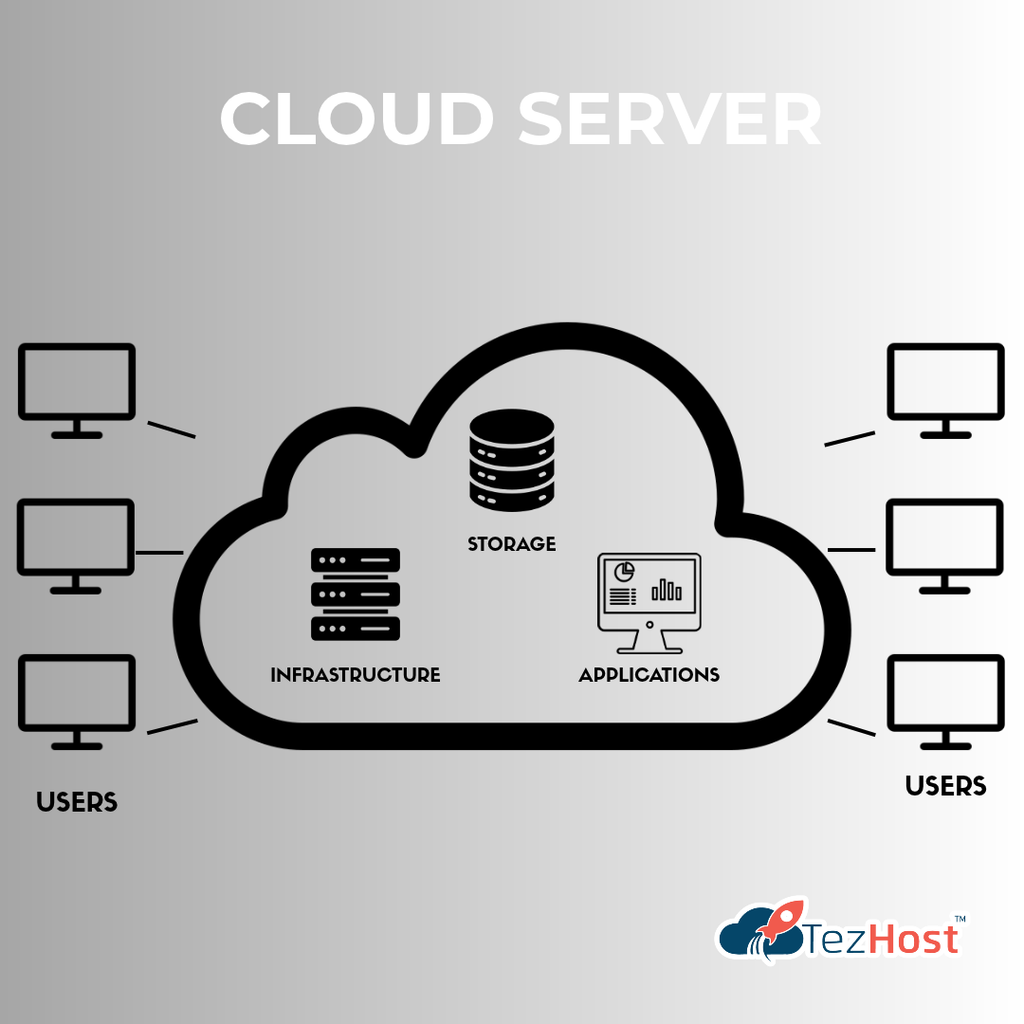
Common cloud services include:
- Virtual servers.
- Cloud storage.
- Managed databases.
- Application development platforms.
- Business software.
- Collaboration tools.
- Backup and recovery services.
Why Do Businesses Use Cloud Services?
Businesses choose cloud services for several reasons.
They may want to reduce the need for physical infrastructure, scale resources more easily, deploy applications faster, or simplify technology management.
However, cloud computing isn’t automatically cheaper or better for every workload.
The right decision depends on your business requirements, costs, security needs, and technical capabilities.
The real advantage is having different ways to access and manage computing resources.
1. Infrastructure as a Service (IaaS): Cloud Infrastructure with Greater Control
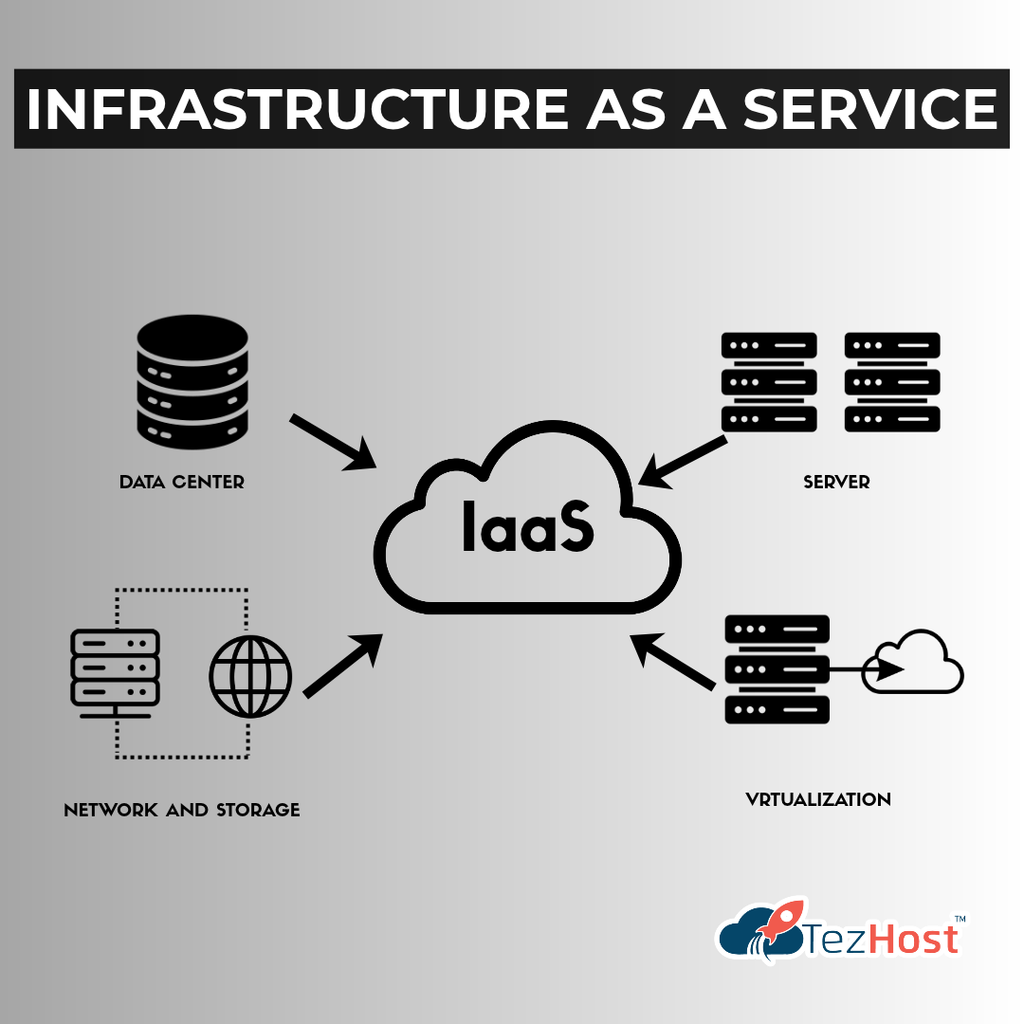
Infrastructure as a Service (IaaS) provides computing resources such as virtual servers, storage, and networking that customers can configure and manage.
Among the main types of cloud services, IaaS typically offers the greatest control over the operating system and application environment.
Think of IaaS as renting the infrastructure you need instead of purchasing physical servers.
The provider manages the underlying hardware and virtualization infrastructure.
You generally manage the operating system, applications, and data running on your virtual machines.
How Does IaaS Work?
Imagine your company needs a server to run a business application.
Instead of purchasing a physical machine, you provision a virtual server from a cloud provider.
You can then configure the operating system, install software, and deploy your application.
Depending on the service, you may also be able to adjust resources such as:
- CPU.
- RAM.
- Storage.
- Network configuration.
- Server operating system.
What Are the Benefits of IaaS?
Greater Control
You can configure the server environment to meet your technical requirements.
Flexible Resources
Many IaaS platforms allow resources to be adjusted as workloads change.
Reduced Hardware Management
You don’t need to purchase and maintain the underlying physical servers.
Support for Custom Applications
IaaS is useful for applications that require specific operating systems, software, or server configurations.
Who Should Use IaaS?
IaaS can be suitable for:
- Growing businesses.
- Software developers.
- IT teams.
- E-commerce platforms.
- Custom business applications.
- Organizations migrating workloads from physical servers.
Is a Cloud Server an Example of IaaS?
Often, yes.
A cloud server that provides virtual computing resources and operating-system-level control is a common example of IaaS.
Explore TezHost Cloud Servers to learn about available cloud infrastructure options.
Best for: Businesses and developers who need flexibility and greater control over their hosting environment.
2. Platform as a Service (PaaS): Build Applications Without Managing Everything
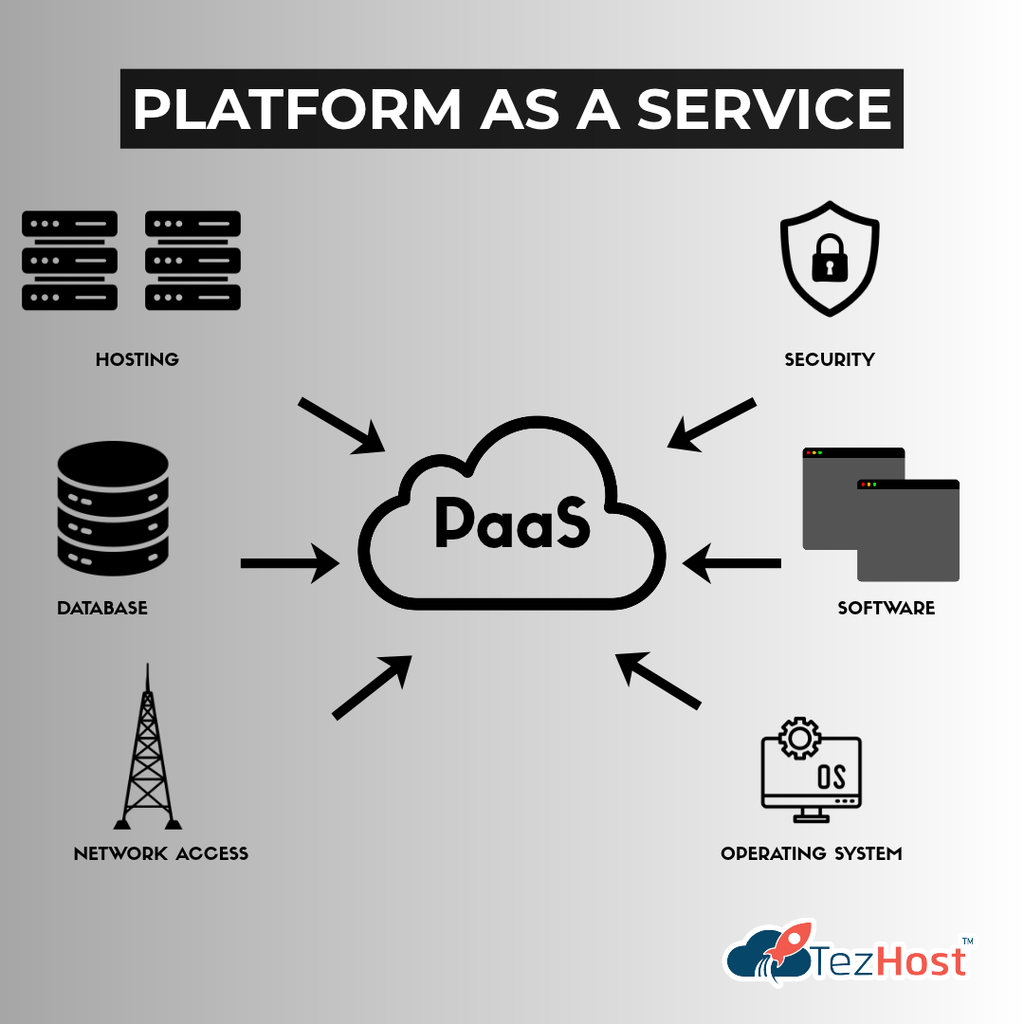
Platform as a Service (PaaS) provides a managed environment for developing, deploying, and running applications without requiring customers to manage the underlying server infrastructure directly.
Of the three main types of cloud services, PaaS sits between IaaS and SaaS.
With IaaS, you manage more of the server environment.
With PaaS, the provider handles more infrastructure-related responsibilities so developers can concentrate on building applications.
How Does PaaS Work?
Imagine you’re developing a web application.
You need a programming language, runtime environment, application deployment process, and supporting services.
With a PaaS solution, much of that environment is already provided.
Instead of configuring every server component manually, developers can focus on their code.
What Are the Benefits of PaaS?
Faster Application Development
Developers can spend less time preparing infrastructure.
Simplified Deployment
Many platforms provide tools for deploying and updating applications.
Reduced Infrastructure Administration
The provider manages important parts of the underlying environment.
Development Team Productivity
Teams can concentrate on application features rather than routine server management.
Who Should Use PaaS?
PaaS can be useful for:
- Software development teams.
- Startups building applications.
- Businesses developing APIs.
- Companies creating internal tools.
- Developers who want managed deployment environments.
Is Node.js Hosting the Same as PaaS?
Not necessarily.
Node.js hosting provides an environment for running Node.js applications, but whether a service qualifies as PaaS depends on how much of the platform is managed by the provider.
For example, some services provide managed application deployment, while others offer conventional hosting with Node.js support.
TezHost offers specialized hosting environments for developers.
Explore:
These options may be useful when selecting an environment for compatible applications.
Best for: Developers and businesses that want to build and deploy applications while reducing infrastructure management.
3. Software as a Service (SaaS): Ready-to-Use Applications
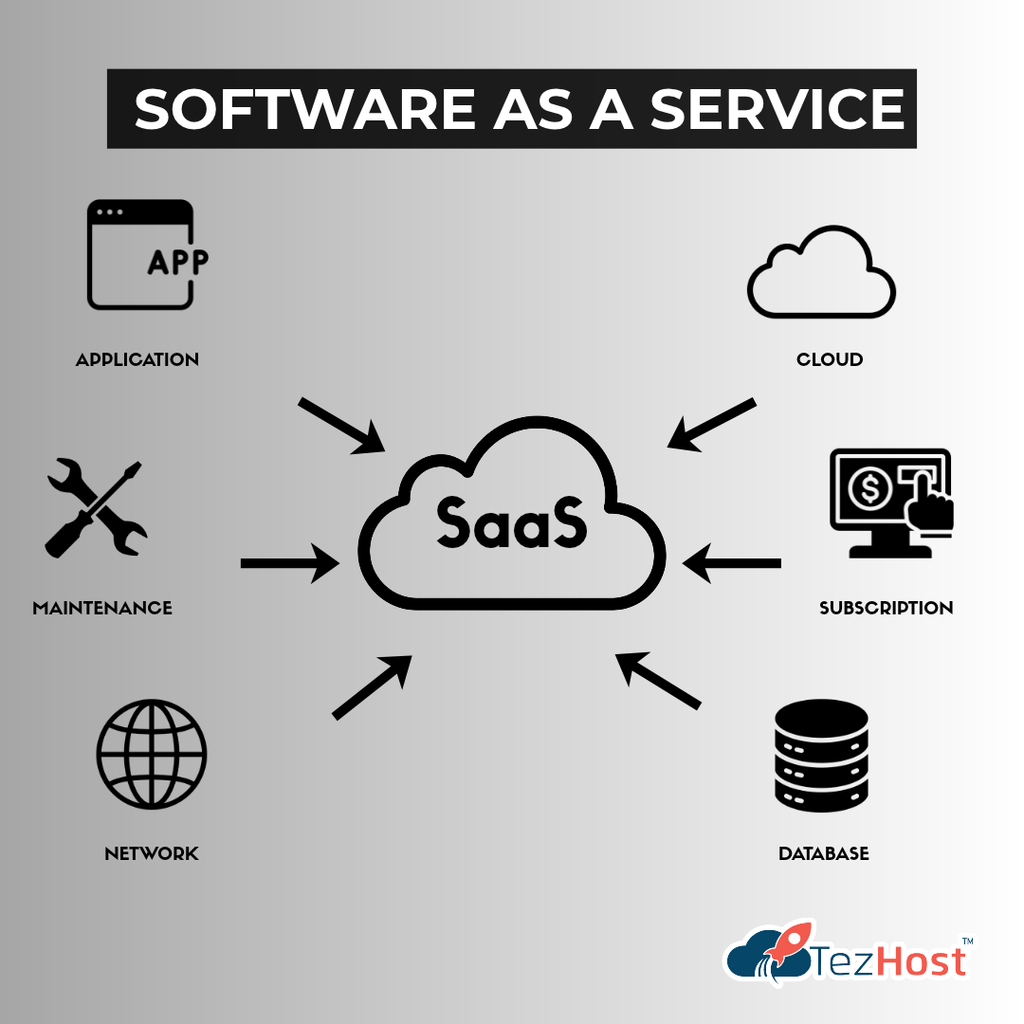
Software as a Service (SaaS) delivers complete software applications over the internet, usually through a web browser or dedicated application.
Among the main types of cloud services, SaaS generally requires the least infrastructure management from the customer.
You don’t need to install or maintain the underlying server infrastructure.
The provider manages the application and the systems supporting it.
How Does SaaS Work?
Think about the online tools you use every day.
You might use cloud-based software for:
- Email.
- Customer relationship management.
- Project management.
- Video meetings.
- Document collaboration.
- Accounting.
- Marketing automation.
Instead of maintaining the software on your own servers, you access it through an online service.
What Are the Benefits of SaaS?
Easy Access
Users can often access applications from different devices.
Less Technical Maintenance
The provider generally manages application updates and underlying infrastructure.
Faster Setup
Businesses can start using many SaaS products without deploying their own servers.
Predictable Subscription Options
Many SaaS platforms offer subscription-based pricing.
Who Should Use SaaS?
SaaS is useful for:
- Small businesses.
- Startups.
- Remote teams.
- Sales departments.
- Marketing teams.
- Organizations that need ready-to-use business applications.
Is SaaS Better Than IaaS or PaaS?
Not necessarily.
SaaS is ideal when you need a complete application.
IaaS is more suitable when you need infrastructure control.
PaaS is useful when you want to develop applications without managing every infrastructure component.
Best for: Businesses that want to use software without building or maintaining the underlying application infrastructure.
IaaS vs. PaaS vs. SaaS: What’s the Difference?
The main difference between these types of cloud services is how much responsibility the cloud provider manages and how much control the customer retains.
Here’s a simple comparison.
| Feature | IaaS | PaaS | SaaS |
|---|---|---|---|
| Full Name | Infrastructure as a Service | Platform as a Service | Software as a Service |
| Main Offering | Virtual infrastructure | Application platform | Complete software |
| Infrastructure Management | Provider | Provider | Provider |
| Operating System Management | Usually customer | Usually provider | Provider |
| Application Management | Customer | Customer | Provider |
| Level of Control | High | Moderate | Limited |
| Technical Skills Required | Higher | Moderate | Usually lower |
| Typical Users | IT teams and developers | Application developers | General business users |
| Common Example | Virtual cloud server | Managed application platform | Online CRM software |
| Best For | Custom infrastructure | Application development | Ready-to-use software |
Which Cloud Service Model Offers the Most Control?
IaaS generally offers the most control because customers can manage their operating systems and application environments.
Which Cloud Service Model Is Easiest to Use?
SaaS is usually the easiest for nontechnical users because the application is already developed and managed.
Which Cloud Service Model Is Best for Developers?
It depends on the project.
PaaS can simplify application deployment, while IaaS offers greater control over infrastructure and software configuration.
There isn’t one universally best cloud service model. The right choice depends on what you’re trying to accomplish.
What Are the Different Cloud Deployment Models?
In addition to the three main types of cloud services, cloud computing also includes different deployment models.
These describe how cloud infrastructure is made available and used.
Public Cloud
A public cloud provides services through infrastructure operated by a third-party cloud provider.
Customers generally share the provider’s underlying infrastructure while their resources and data are logically separated.
Public cloud services can be useful for businesses that want flexible access to computing resources.
Private Cloud
A private cloud is dedicated to a single organization.
It may be hosted in the organization’s own data center or managed by an external provider.
Private cloud environments can provide greater control over infrastructure configuration and governance.
Hybrid Cloud
A hybrid cloud combines private cloud or on-premises infrastructure with public cloud services.
For example, a business might keep certain sensitive workloads in a private environment while using public cloud resources for other applications.
Multi-Cloud
A multi-cloud strategy uses services from more than one cloud provider.
Businesses may adopt this approach to meet technical, geographic, or organizational requirements.
Is Hybrid Cloud the Same as Multi-Cloud?
No.
Hybrid cloud refers to combining different infrastructure environments, commonly private and public cloud.
Multi-cloud refers to using multiple cloud providers.
For a deeper comparison, read Cloud vs. On-Premise Infrastructure.
The service model tells you what you’re using. The deployment model tells you how the cloud environment is organized.
How Do You Choose the Right Type of Cloud Service?
Choosing between the types of cloud services depends on your technical requirements, available expertise, budget, and business goals.
Before selecting a solution, ask yourself a few questions.
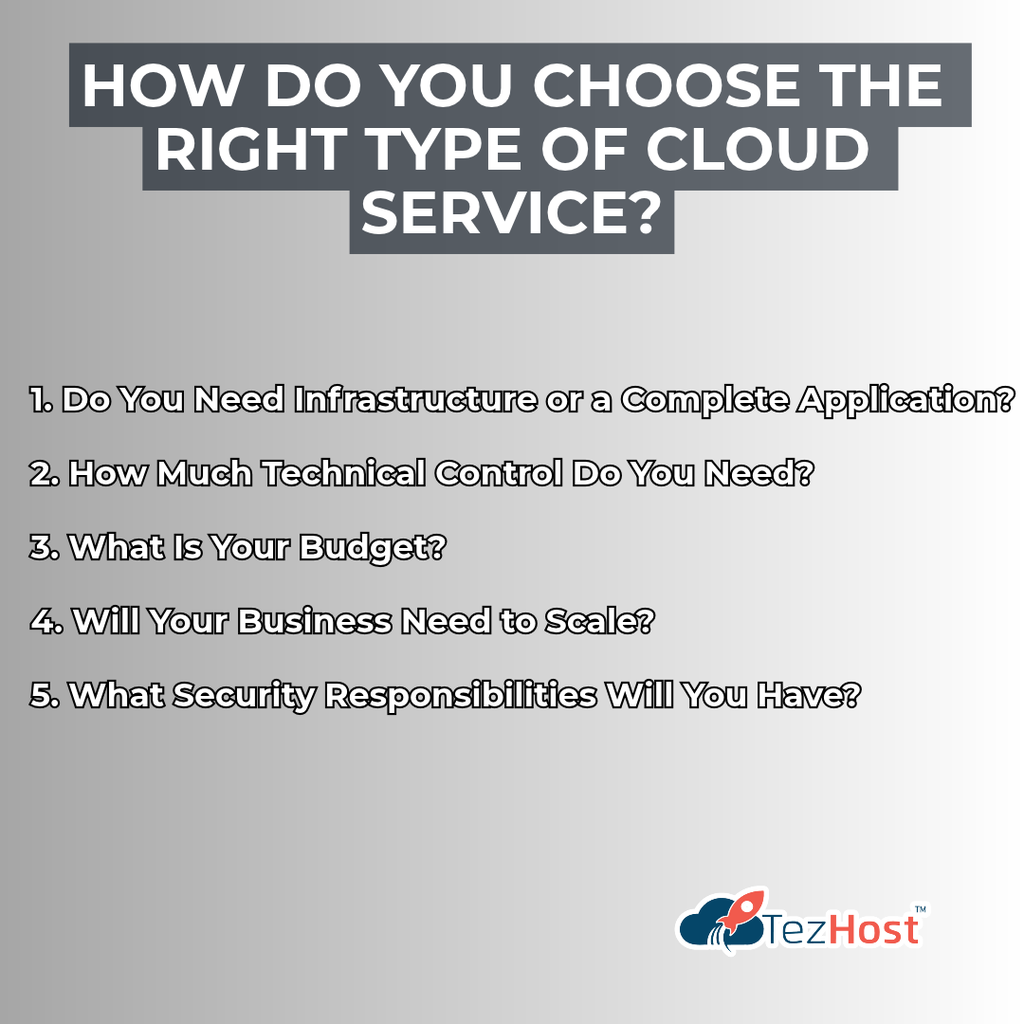
1. Do You Need Infrastructure or a Complete Application?
If you need virtual servers, IaaS may be appropriate.
If you’re developing software, PaaS may be more convenient.
If you simply need a ready-to-use application, SaaS could be the better choice.
2. How Much Technical Control Do You Need?
Some businesses want full control over their server environment.
Others prefer a provider to handle most technical responsibilities.
Choose a model that matches your team’s expertise.
3. What Is Your Budget?
Consider more than the advertised monthly price.
Evaluate:
- Computing resources.
- Storage.
- Bandwidth or data transfer.
- Software licensing.
- Technical support.
- Backup services.
- Security requirements.
- Ongoing management costs.
4. Will Your Business Need to Scale?
Think about your future requirements.
A hosting solution that works for a small project may not be suitable for a rapidly growing application.
5. What Security Responsibilities Will You Have?
Cloud security follows a shared-responsibility approach.
The provider and customer each have responsibilities, depending on the service model.
Understanding those responsibilities is essential.
Is Cloud Hosting Better Than VPS Hosting?
It depends on the infrastructure and workload.
Cloud hosting and VPS hosting are not always mutually exclusive. A VPS can run on cloud infrastructure, while different providers may use the terms differently.
Compare the actual architecture, resource allocation, availability, scalability, and pricing.
For more guidance, read Cloud Hosting vs. VPS: 5 Tips for Your Choice.
The best cloud service is the one that meets your requirements without introducing unnecessary complexity or expense.
How Are Cloud Services Used in Real Businesses?
The different types of cloud services support a wide range of practical business activities.
Here are a few examples.
Scenario 1: A Startup Launching Its First Website
A startup may need a domain name and a reliable website hosting environment.
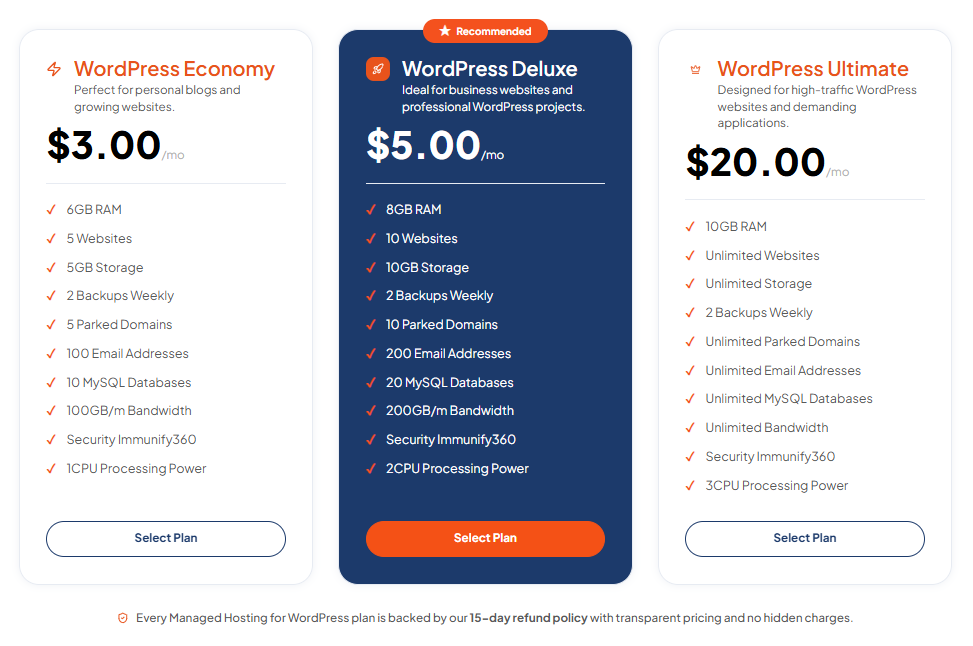
If it uses WordPress, a suitable managed or cloud-based WordPress hosting service may simplify website administration.
Explore TezHost WordPress Cloud Hosting for relevant hosting options.
Scenario 2: A Developer Building a Custom Application
A developer creating a Python or Node.js application needs a compatible runtime and hosting environment.
Depending on the project’s requirements, the developer might choose a managed application platform or infrastructure-based hosting.
Scenario 3: A Business Running Internal Software
A company might use SaaS tools for customer management, accounting, collaboration, and employee communication.
This allows teams to use existing applications without developing everything internally.
Scenario 4: A Growing E-Commerce Business
An online store may need scalable infrastructure to support changing traffic levels.
Depending on the application, cloud servers or suitable managed hosting services may provide the necessary resources.
Scenario 5: An Enterprise Modernizing Its Infrastructure
A larger organization may combine public cloud services with existing systems.
Microsoft Azure is one example of a major cloud platform used for infrastructure, application development, and enterprise workloads.
Learn more in our article on Microsoft Azure Cloud Services: 5 Reasons for Success.
Cloud computing isn’t limited to one industry or business size. Its value comes from matching the right technology to the right problem.
How Is TezHost Revolutionizing Cloud Hosting with Its Approach?
At TezHost, we believe understanding the types of cloud services should help businesses make better technology decisions.
Cloud computing can seem complicated, especially for entrepreneurs who aren’t technical experts.
Our approach focuses on making hosting options more accessible and helping customers explore solutions based on their actual requirements.
1. Making Cloud Infrastructure More Accessible
Businesses shouldn’t need to build their own data centers to access modern computing resources.
TezHost offers cloud server solutions for customers who need configurable infrastructure.
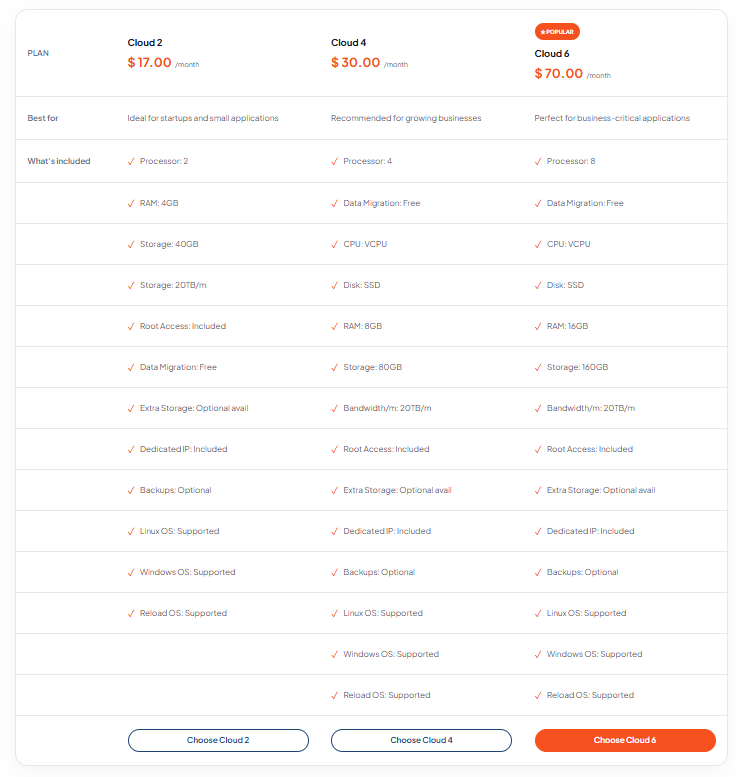
Explore TezHost Cloud Servers to learn more.
2. Supporting WordPress Websites
WordPress powers websites for businesses, bloggers, and online entrepreneurs.
TezHost offers WordPress Cloud Hosting for customers exploring hosting solutions for WordPress projects.
3. Providing Developer-Friendly Hosting Options
Different applications require different technologies.
TezHost offers specialized hosting options for Node.js and Python applications, helping developers explore environments suited to their projects.
4. Offering Windows-Based Hosting Solutions
Some businesses rely on Windows-compatible technologies.
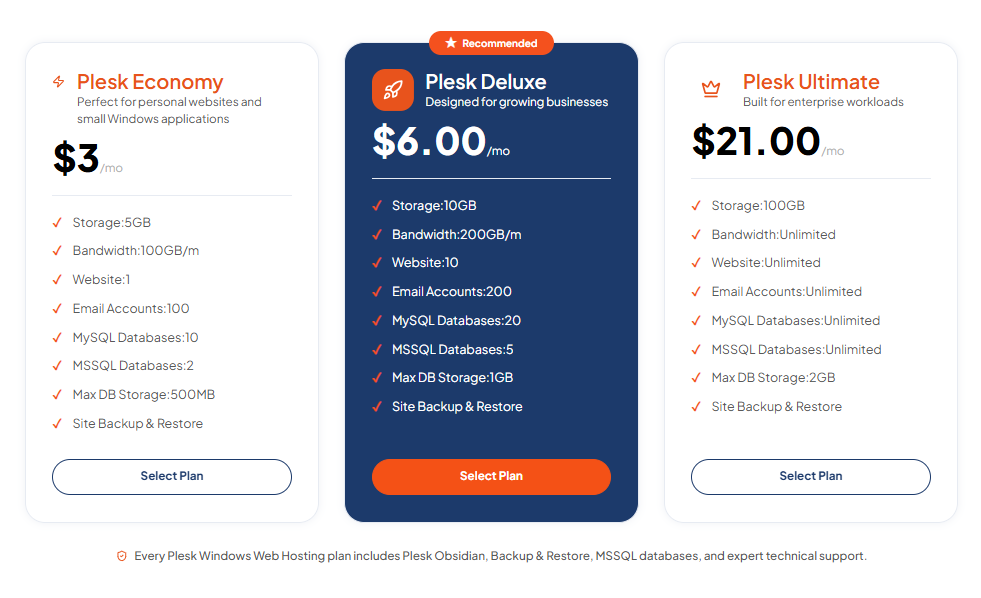
TezHost provides Plesk Windows Web Hosting for customers with relevant hosting requirements.
5. Supporting Businesses from the Beginning
A strong online presence often starts with a domain name.
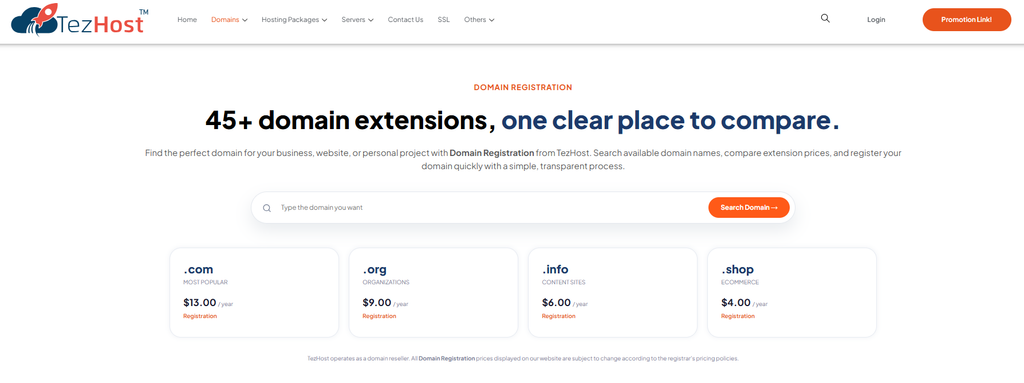
TezHost offers Domain Registration alongside hosting services, helping customers establish their digital identity.
6. Helping Customers Explore the Right Solution
Not every business needs the same hosting environment.
A small website may have very different requirements from a custom application or resource-intensive platform.
Our sales team can help customers discuss their needs before selecting a hosting solution.
At TezHost, our goal is to help businesses find practical hosting solutions that support their projects today and their ambitions tomorrow.
Ready to Explore Cloud Hosting?
Whether you’re launching a website, building an application, or considering a move to cloud infrastructure, choosing the right environment matters.
Explore TezHost Hosting Solutions.
Or talk directly to a TezHost sales agent to discuss your technical requirements and available options.
Frequently Asked Questions About Types of Cloud Services
1. What are the three main types of cloud services?
The three main types of cloud services are IaaS, PaaS, and SaaS.
IaaS provides infrastructure, PaaS provides an application development platform, and SaaS delivers ready-to-use software.
2. What is IaaS in simple terms?
IaaS allows businesses to rent computing infrastructure, such as virtual servers and storage, instead of purchasing physical hardware.
3. What is PaaS in simple terms?
PaaS provides a managed environment where developers can build, deploy, and run applications without managing all the underlying infrastructure.
4. What is SaaS in simple terms?
SaaS is software delivered over the internet.
Users access the application while the provider manages the underlying infrastructure and software.
5. What is the difference between IaaS, PaaS, and SaaS?
The main difference is the level of management and control.
IaaS offers greater infrastructure control, PaaS simplifies application development, and SaaS provides complete applications.
6. Is cloud hosting an example of IaaS?
Cloud hosting can be an example of IaaS when customers receive configurable virtual computing resources.
However, some cloud hosting products include additional managed services.
7. Which cloud service model is best for small businesses?
It depends on the business’s needs.
SaaS is often convenient for everyday software, while IaaS or managed hosting may be suitable for websites and custom applications.
8. Is WordPress hosting IaaS, PaaS, or SaaS?
It depends on the service.
Self-managed WordPress on a cloud server is closer to IaaS, while managed WordPress hosting includes additional platform management.
Hosted website-building services may operate more like SaaS.
9. Is cloud computing secure?
Cloud computing can be secure when providers and customers implement appropriate controls.
Security responsibilities vary by service model.
10. Can a business use multiple cloud service models?
Yes.
A business might use SaaS for email, PaaS for application development, and IaaS for custom server workloads.
11. What is the difference between public and private cloud?
Public cloud services use infrastructure operated by a third-party provider.
Private cloud infrastructure is dedicated to one organization.
12. How do I choose the right cloud hosting service?
Evaluate your workload, technical expertise, resource requirements, security needs, scalability, and budget.
You can contact TezHost sales to discuss available hosting options.
Conclusion: Which Type of Cloud Service Is Right for You?
Understanding the types of cloud services is an important first step toward making smarter technology decisions.
IaaS gives businesses greater control over infrastructure.
PaaS simplifies application development and deployment.
SaaS provides ready-to-use software without requiring customers to manage the underlying systems.
Each model serves a different purpose.
And that’s exactly why cloud computing is so valuable.
You don’t have to choose the most complicated solution. You need to choose the one that works for your business.
Whether you’re launching your first website, developing an application, or expanding your digital infrastructure, the right hosting environment can make a meaningful difference.
At TezHost, we believe technology should help businesses move forward, not create unnecessary obstacles.
Ready to Build Your Future in the Cloud?
Your next big idea deserves the right infrastructure.
Don’t let confusing hosting terminology stop you from getting started.
Explore TezHost Cloud Servers and discover available infrastructure options.
Not sure which hosting solution fits your project?
Talk directly to a TezHost sales agent and discuss your requirements.
Or register with TezHost today to explore our hosting services.
Understand your options. Choose the right technology. Build with confidence.


