Are cloud servers reliable enough to support your business when customers are placing orders, employees are accessing applications, and important databases are processing information? For most businesses, cloud servers can provide dependable infrastructure, flexible resources, and better opportunities for business continuity. However, reliability depends on how the infrastructure is designed, managed, monitored, and protected.
A cloud server is not automatically immune to downtime. Hardware failures, network disruptions, software errors, security incidents, and data center problems can still affect availability. The real question is whether your hosting environment has the right safeguards to minimize disruption and help your business recover.
If you’re considering cloud infrastructure, you can register with TezHost to explore available server options. You can also talk to a TezHost sales agent to discuss your technical and business requirements.
Let’s examine seven important factors that determine cloud server reliability and what businesses should evaluate before choosing a provider.
1. Are Cloud Servers Reliable Enough to Handle Business Workloads?
Yes. Cloud servers can provide reliable infrastructure for business websites, ecommerce stores, databases, SaaS applications, and other workloads. Their dedicated virtual resources and flexible configurations make them suitable for businesses that need more control than traditional shared hosting.
Unlike basic shared hosting, where multiple customers use resources within a common hosting environment, a cloud server provides an allocated configuration of CPU, RAM, and storage.
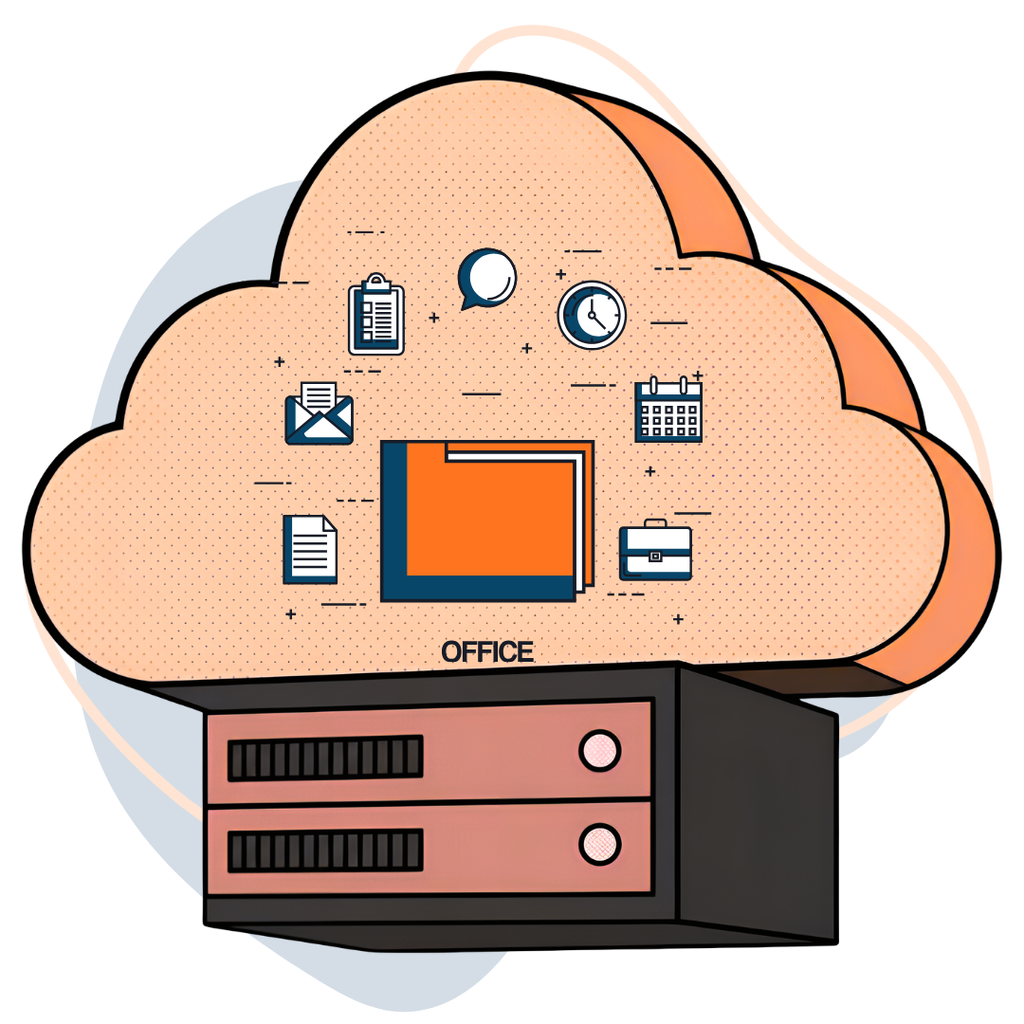
This can help businesses manage resource-intensive applications more effectively.
For example, an ecommerce business may need additional processing capacity during seasonal campaigns. A growing SaaS company may require more RAM as its database and customer base expand.
Cloud infrastructure makes it easier to upgrade resources without purchasing and installing an entirely new physical server.
However, cloud server reliability still depends on several factors:
- Hardware quality and infrastructure maintenance.
- CPU, RAM, and storage performance.
- Network connectivity and latency.
- Server monitoring and incident management.
- Backup and recovery arrangements.
- Provider support and infrastructure management.
A cloud server with insufficient resources can still experience slowdowns, application failures, and performance issues.
The important point is to select a configuration that matches your actual workload rather than simply choosing the cheapest or largest available server.
2. Does Cloud Hosting Guarantee 100% Uptime?
No. Cloud hosting does not automatically guarantee 100% uptime. Even professionally managed infrastructure can experience hardware failures, network disruptions, software problems, and unexpected service interruptions.
Cloud platforms can improve availability through redundancy and distributed infrastructure, but these capabilities depend on the provider’s architecture and the way your applications are deployed.

Consider some common causes of downtime:
- Hardware failure: Physical processors, memory, storage devices, or networking equipment can malfunction.
- Network disruptions: Routing problems, connectivity failures, or DNS issues can prevent customers from accessing your application.
- Software errors: Operating system updates, application bugs, and incorrect configurations can interrupt services.
- Data centre incidents: Power failures, cooling problems, or other facility-level incidents may affect infrastructure.
- Cyberattacks: DDoS attacks, ransomware, and compromised credentials can affect service availability.
This is why cloud uptime dependability should be evaluated beyond the provider’s advertised uptime percentage.
Ask whether the provider offers infrastructure redundancy, what its uptime commitment covers, and whether the service-level agreement (SLA) includes exclusions or service credits.
For a practical explanation of outage risks, read What If Cloud Goes Down?.
3. How Do Backups and Disaster Recovery Improve Cloud Server Reliability?
Backups and disaster recovery are essential because keeping a server online is only one part of protecting your business. You must also be able to restore important data and applications when something goes wrong.
Imagine an online store that processes hundreds of orders every day. A storage failure, accidental deletion, or security incident could affect customer records, product information, and order databases.
Without recoverable backups, restoring operations may become difficult.
A dependable backup strategy should include:
- Regular automated backups.
- Copies stored separately from the primary production server.
- Defined backup retention periods.
- Restricted access to backup files.
- Periodic restoration tests.
- Documented recovery procedures.
Two technical concepts are particularly important:
Recovery Time Objective (RTO): The maximum acceptable time required to restore a service after an interruption.
Recovery Point Objective (RPO): The maximum acceptable amount of data loss, measured in time.
For example, an RTO of two hours means your business aims to restore the affected service within two hours. An RPO of 15 minutes means the recovery process should limit data loss to approximately 15 minutes of changes.
Also, remember that backups and replication are not the same. Replication helps keep another system updated, while backups provide recoverable copies of data. A stronger recovery strategy may use both.
When assessing cloud server reliability, check whether backups are included in your hosting plan or need to be purchased separately.
4. Can Cloud Servers Handle Traffic Spikes Without Downtime?
Cloud servers can help businesses handle changing workloads because computing resources can be upgraded as requirements increase. However, scalability does not mean unlimited capacity or automatic protection against every traffic spike.
A website receiving 500 visitors per day has different requirements from an ecommerce platform receiving thousands of simultaneous requests during a major sale.
If the server does not have enough CPU, RAM, storage performance, or network capacity, increased demand can result in:
- Slow page loading.
- Database connection errors.
- Application timeouts.
- High CPU and memory utilization.
- Failed background processes.
- Temporary website unavailability.
To improve cloud uptime dependability, businesses should monitor resource consumption and plan capacity around peak workloads.
Important metrics include:
| Metric | What it tells you |
|---|---|
| CPU utilization | How much processing capacity applications consume |
| RAM utilization | How much memory applications require |
| Disk I/O | How efficiently the server reads and writes data |
| Storage usage | How much disk capacity remains available |
| Network traffic | How much incoming and outgoing data the server handles |
| Response time | How quickly applications respond to requests |
It is also important to understand that storage alone does not determine performance. A server with sufficient disk space can still struggle if its CPU or RAM is inadequate.
Our guide on how much cloud server space you need explains how to estimate storage requirements alongside CPU, memory, databases, and future growth.
5. What Should You Check Before Choosing a Reliable Cloud Server Provider?
Before selecting a provider, look beyond the advertised price and server specifications. Evaluate the infrastructure, support arrangements, backup options, service commitments, and recovery capabilities.
A provider may offer powerful hardware, but that alone does not establish that every application hosted on it will remain available.

Use this checklist when comparing cloud server providers:
1. Infrastructure quality
Check the underlying hardware, storage technology, network capacity, and data centre arrangements.
2. Uptime commitment
Review the provider’s published uptime target, SLA terms, exclusions, and compensation conditions.
3. Backup arrangements
Confirm whether backups are included, optional, or managed separately. Understand how frequently they run and how restoration works.
4. Monitoring and technical support
Find out what monitoring is provided and which support channels are available during an incident.
5. Scalability
Check whether CPU, RAM, and storage can be upgraded as your applications grow.
6. Migration assistance
Moving applications involves files, databases, operating system configurations, and dependencies. Understand what migration assistance is available.
7. Total cost
Consider server charges, backup storage, licensing, bandwidth, management, and potential recovery expenses.
Choosing the right infrastructure is also a financial decision. Read our guide on saving money with cloud servers to understand resource planning, utilization, and total cost of ownership.
6. Are Cloud Servers More Reliable Than Traditional On-Premises Servers?
They can be, but the answer depends on the infrastructure design and operational resources available to your business.
Traditional on-premises servers give organizations direct control over physical hardware. However, businesses are also responsible for equipment maintenance, power, cooling, physical security, hardware replacement, and network infrastructure.
Cloud servers shift much of the underlying physical infrastructure responsibility to the hosting provider.
| Consideration | On-premises servers | Cloud servers |
|---|---|---|
| Hardware ownership | Business owns the equipment | Provider supplies infrastructure |
| Initial investment | Often higher | Usually lower upfront investment |
| Resource upgrades | May require hardware changes | Often available through plan upgrades |
| Physical maintenance | Business responsibility | Provider manages underlying hardware |
| Scalability | Depends on available equipment | More flexible resource options |
| Disaster recovery | Requires separate planning | Can use cloud-based recovery options |
| Infrastructure control | Direct physical control | Virtual server and root-level control, depending on service |
However, moving to the cloud does not automatically eliminate downtime. A poorly configured cloud server can be less dependable than a properly maintained on-premises environment.
The right decision depends on your workload, technical expertise, budget, compliance requirements, and recovery expectations.
If you’re unsure whether migration makes sense, read Should My Company Move to Cloud?.
7. How Is TezHost Improving Cloud Hosting for Businesses and Developers?
TezHost approaches cloud hosting by combining dedicated virtual resources, modern server hardware, flexible configurations, and infrastructure options designed for different workloads.
Its cloud servers use AMD EPYC processors, DDR5 memory, and Gen4 NVMe SSD storage. These technologies provide a strong hardware foundation for websites, ecommerce platforms, business applications, databases, and development environments.
Cloud server configurations for different requirements
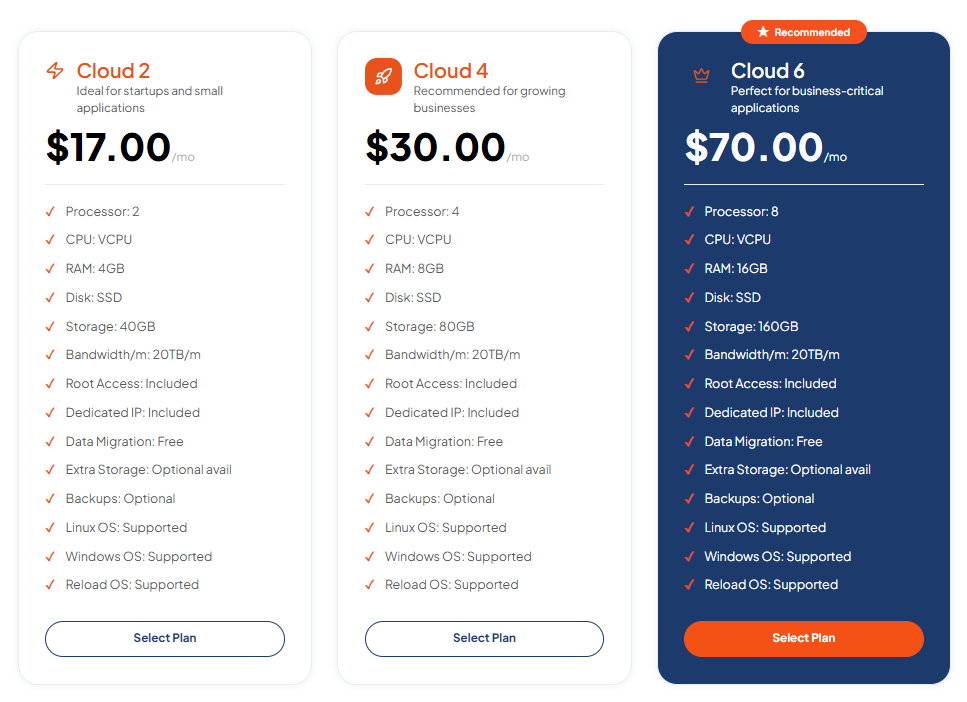
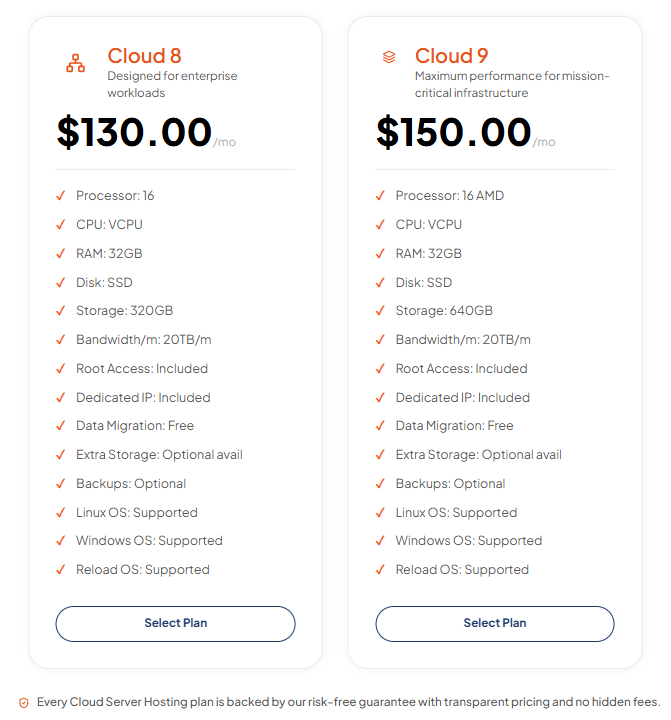
TezHost offers multiple configurations, allowing businesses to select resources according to their applications and expected growth.
| Plan | vCPU | RAM | Storage | Monthly price |
|---|---|---|---|---|
| Cloud 2 | 2 | 4GB | 40GB | $17 |
| Cloud 4 | 4 | 8GB | 80GB | $30 |
| Cloud 6 | 8 | 16GB | 160GB | $70 |
| Cloud 8 | 16 | 32GB | 320GB | $130 |
| Cloud 9 | 16 | 32GB | 640GB | $150 |
Every listed plan includes:
- 20TB monthly bandwidth.
- Full root access.
- A dedicated IP address.
- Free data migration.
- Linux and Windows operating system support.
- Optional additional storage.
- Optional backups.
Backups are optional, so businesses should confirm their backup requirements and arrange independent copies of critical data where necessary.
What makes the TezHost approach practical?
Flexible infrastructure: Businesses can select configurations based on their CPU, RAM, and storage requirements instead of investing in physical hardware.
Modern server technology: AMD EPYC processors, DDR5 memory, and Gen4 NVMe SSD storage support demanding workloads.
Root access: Developers have control over operating systems, server configurations, software installations, and application environments.
Migration assistance: Free data migration is included with the listed cloud plans, helping businesses move existing workloads.
Operating system flexibility: Linux and Windows options support different application environments and technical requirements.
Support for business growth: Resource upgrades allow customers to adjust their infrastructure as workloads change.
TezHost’s approach focuses on giving businesses practical infrastructure choices rather than encouraging everyone to purchase the largest available configuration.
However, reliability also requires good server administration, monitoring, security, and backup planning. Businesses should review the exact service inclusions before choosing a plan.
Explore TezHost Cloud Servers to compare available configurations. You can also register here or talk to a TezHost sales agent to discuss your workload and infrastructure requirements.
Frequently Asked Questions About Cloud Server Reliability
Are cloud servers reliable for small businesses?
Yes. Cloud servers can support small business websites, applications, databases, and ecommerce platforms. The key is choosing a suitable configuration and maintaining appropriate backups, security, and monitoring.
Can a cloud server go down?
Yes. Cloud servers can experience hardware failures, network disruptions, software errors, security incidents, and data center outages. Cloud infrastructure reduces some risks but does not eliminate every possible failure.
Does cloud hosting guarantee 99.9% uptime?
Not automatically. Uptime commitments vary between providers and services. Always review the provider’s SLA to understand the target, measurement method, exclusions, and compensation conditions.
Are cloud servers safe for business data?
They can be suitable for business data when supported by appropriate security controls, access management, encryption, patching, and independent backups. Security also depends on how the customer configures and manages the server.
How can I make my cloud server more reliable?
Use appropriate server resources, monitor performance, maintain independent backups, test restoration procedures, apply security updates, and prepare a recovery plan. For business-critical workloads, consider redundant infrastructure and failover arrangements.
Are cloud servers worth the investment?
For businesses that need flexible resources, remote infrastructure access, and scalable computing capacity, cloud servers can be a worthwhile investment. Compare the total cost of ownership with your existing infrastructure before making the decision.
Conclusion: Build Your Business on Dependable Cloud Infrastructure
So, are cloud servers reliable enough for your business? Yes, they can be a dependable choice when supported by suitable hardware, sufficient resources, effective monitoring, secure configurations, and a tested recovery strategy.
But no hosting environment is completely immune to downtime. The real measure of reliability is not simply how often a server stays online. It is also how well your infrastructure handles unexpected problems and how quickly your business can recover.
Before choosing a cloud server, evaluate the provider’s infrastructure, uptime commitments, backup arrangements, support options, and upgrade flexibility.
TezHost offers cloud server configurations powered by modern hardware, dedicated virtual resources, root access, and flexible options for different business requirements.
Ready to explore cloud hosting for your business?
Visit TezHost and choose infrastructure that supports your business today while preparing it for tomorrow.